3 Best Ways to Sync POS With Inventory Management

To effectively sync your POS with inventory management, start by choosing a compatible software system that updates in real time, ensuring your inventory records are always accurate and can scale with your business growth. Next, automate the data synchronization; set your POS to automatically send sales data to your inventory system at regular intervals, minimizing human error and keeping information up-to-date. Finally, keep an eye on performance by monitoring key metrics like sales per item and inventory turnover rates, and adjust your strategies based on the trends you notice. Implementing these methods can transform how you manage stock, and there's even more to uncover as you optimize your systems.

Choosing the Right Software Integration
selecting optimal software integration

Selecting the ideal software integration for syncing your POS with inventory management can significantly streamline your operations.

It's essential to focus on compatibility and scalability as you make your choice. You'll want to ensure that the software you select not only fits with your current hardware but also aligns with your future tech upgrades.

First, evaluate the compatibility of the integration with your existing POS system. It's crucial that the software you choose works seamlessly with the systems you already have in place. This avoids the need for costly replacements or cumbersome adaptations.

Check for software that supports real-time updates – this feature ensures that your inventory records are always accurate, without needing manual intervention.

Next, consider the scalability of the software. As your business grows, your software should be able to keep up. Look for solutions that offer modular upgrades or flexible pricing plans.

This way, you can expand your capabilities as your inventory and sales volume increase, without having to overhaul your entire system.

Lastly, don't overlook the support and training that comes with the software. Opt for a provider that offers comprehensive training and responsive customer support.

This will help you and your team adapt quickly and effectively, making the most of your new integration.

Automating Data Synchronization

After choosing the right software integration, automating data synchronization becomes the next step to enhance efficiency in your inventory management. Automation not only reduces the risk of human error but also saves you significant time.

You'll no longer need to manually enter data from your point of sale (POS) system to your inventory management software. This seamless transfer ensures your inventory levels are updated in real time, giving you a constantly clear picture of stock levels.

Setting up automation might sound daunting, but it's simpler than you think. You start by configuring your POS system to automatically send sales data to your inventory management software at regular intervals. This could be every few minutes or once a day, depending on your business needs.

Make sure you're familiar with the settings and options available in your software to customize the data flow.

Next, test the system thoroughly. Run several transactions through your POS to see how quickly and accurately the data appears in your inventory system. You're looking for real-time updates without delays.

Once you're satisfied with the setup, you can trust the system to manage data on its own, freeing you up to focus on other areas of your business.

Monitoring and Analyzing Performance
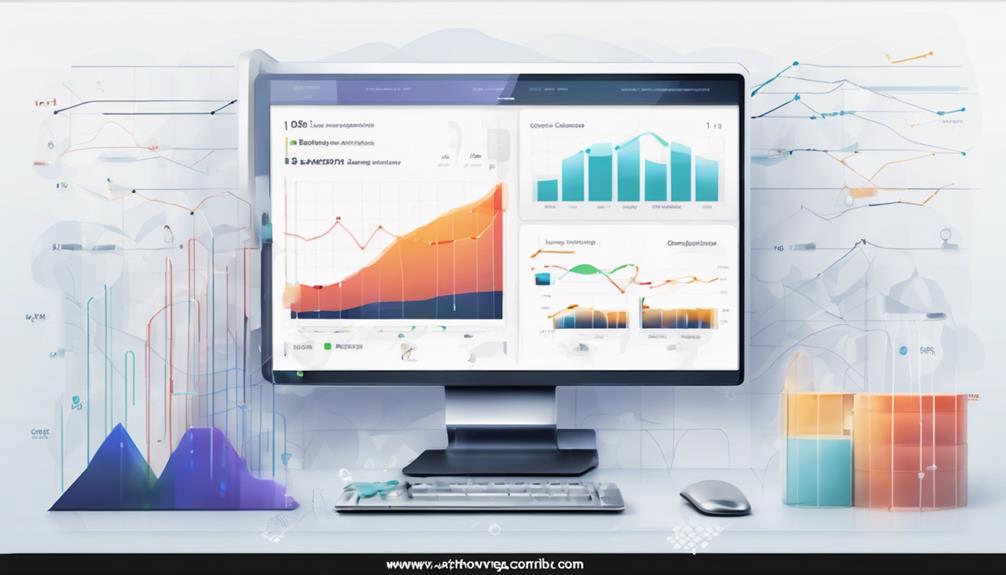
performance monitoring and analysis

Once you've set up automated data synchronization between your POS and inventory management systems, it's crucial to regularly monitor and analyze their performance. This ongoing analysis helps you catch discrepancies early, understand sales trends, and maintain accurate stock levels.

You'll want to track key metrics such as sales per item, inventory turnover rates, and out-of-stock incidents. Start by setting up alerts for when inventory levels dip below a predetermined threshold or when there's a sudden spike in sales for a particular product. These alerts can help you respond swiftly, ensuring you never miss a sales opportunity due to stock shortages.

Also, consider integrating a dashboard that provides a real-time overview of your inventory and sales metrics. This visual tool makes it easier to spot patterns and anomalies that deserve a closer look.

Regularly reviewing these metrics allows you to refine your inventory strategies. For example, you might notice that certain products consistently sell out quickly and adjust your ordering accordingly.

Or, you may discover that some items are slow movers, prompting you to consider promotions or markdowns to free up shelf space.

Frequently Asked Questions

How Does POS Syncing Affect Customer Checkout Times?

When your POS system syncs effectively, you'll notice faster checkout times. This efficiency means you're not keeping customers waiting, leading to a smoother, quicker shopping experience for everyone involved.

Can Syncing Reduce Human Errors in Inventory Counts?

Yes, syncing can significantly reduce human errors in inventory counts. You'll experience fewer mistakes since the system automatically updates the stock levels, ensuring accuracy and saving you time and potential revenue loss.

What Are the Risks of Not Syncing POS and Inventory?

If you don't sync your POS and inventory, you'll face stock discrepancies, lost sales, and dissatisfied customers. It can also lead to increased operational costs and time wasted on manual reconciliations.

How Does Inventory Syncing Handle Product Returns?

When you handle product returns through inventory syncing, it automatically updates stock levels. This process ensures your data's accuracy, helping you avoid sales of out-of-stock items and maintain reliable inventory records.

Does Syncing Support Real-Time Inventory Updates Across Multiple Locations?

Yes, syncing does support real-time inventory updates across multiple locations, ensuring you're always aware of stock levels. This feature helps you manage resources efficiently and respond quickly to changes in demand.

Conclusion

You've got the tools to streamline your business smoothly now. With the right software integration, you're setting up a seamless connection between your POS and inventory systems. By automating data synchronization, you're ensuring real-time accuracy and efficiency. Don't forget to keep an eye on how things are performing; monitoring and analyzing will help you tweak processes for even better results. Embrace these strategies, and you'll keep your business running smoothly, effectively managing your resources and maximizing profits.

Related articles: 5 Key Steps to Sync POS With Inventory Management · Why Sync Your POS With Inventory Management? · What Does Real-Time Inventory Mean for POS Systems?

7 Tips to Sync POS With Inventory Management

To effectively sync your POS with inventory management, start by choosing software that integrates seamlessly with your current systems and supports growth. Automate data entry through barcode scanning and bulk imports to reduce errors and save time. Implement real-time updates to ensure your stock levels and sales data are always current, preventing stockouts. Regular sync checks help maintain accurate data, while thorough staff training on system features enhances operational efficiency. Properly manage inventory categories to streamline tracking and use robust reporting tools to gain insights and inform decisions. With these steps, you'll enhance both customer satisfaction and your inventory control, setting the stage for continuous improvements in your business practices.

Choose Compatible Software

select appropriate software solutions

Selecting compatible software is crucial when you're aiming to sync your POS system with your inventory management. You'll want to ensure that the software you select not only integrates seamlessly but also supports all the functionalities you need. This means looking for features that handle real-time data syncing, compatibility with your existing hardware, and user-friendly interfaces that don't require extensive training.

Start by listing down all the features your current operations utilize and identify any gaps the new software needs to fill. It's essential to consider software that can scale with your business growth, avoiding the need to switch systems frequently.

Check for systems that support updates and integrations with new technologies as they emerge. Don't forget to read reviews and case studies from businesses similar to yours. This insight can be invaluable; it gives you a clearer picture of how the software performs in real-world scenarios.

Additionally, some vendors offer trial periods or demos—take advantage of these to test how well the software meshes with your current setup. Ultimately, the right software choice enhances efficiency and ensures that your POS and inventory systems work in harmony, setting a solid foundation for your business operations.

Automate Data Entry

Once you've chosen a compatible software, the next step is to automate data entry in your POS and inventory management systems. This move is crucial in minimizing the manual effort required and reducing the potential for human error. Here's how you can start.

First, you'll want to set up barcode scanning. By scanning items, you'll automatically update your inventory without the need to manually enter product details. This not only speeds up the process but also enhances accuracy.

Next, consider using bulk import features to upload multiple inventory items at once. Most systems allow you to import data from a spreadsheet, which can significantly cut down on the time you spend inputting data item by item.

Additionally, look into integrating your POS system with e-commerce platforms if you're also selling online. This ensures that your online sales are automatically reflected in your total inventory count.

Lastly, don't forget to train your staff on these new processes. They'll need to know how to handle the automated systems to ensure everything runs smoothly.

Automation is powerful, but it's most effective when everyone's on board and knows how to make the most of the technology.

Implement Real-Time Updates

enable instant data refresh

Implementing real-time updates in your POS and inventory management systems can revolutionize how you manage stock levels and sales data. By syncing these systems to update instantly, you'll always know what's in stock, what's running low, and what's flying off the shelves. This immediate insight helps you make quicker, more informed decisions, reducing the risk of both overstocking and stockouts.

When you integrate real-time updates, you're setting up a dynamic system that reflects sales as soon as they happen. This means you can respond promptly to sales trends and adjust your inventory needs on the fly. For example, if a particular product starts selling unexpectedly well, you can reorder before you run out, ensuring that you don't miss out on potential sales.

Moreover, real-time data syncing reduces errors that often occur with manual entry or delayed batch updates. You won't have to guess or spend hours trying to reconcile your physical stock with sales records. Everything is updated automatically.

This seamless integration not only optimizes your inventory management but also enhances customer satisfaction by ensuring that popular items are always in stock.

Implementing these updates isn't just about keeping up; it's about staying ahead.

Regularly Schedule Sync Checks

While setting up real-time updates is crucial, it's equally important to regularly schedule sync checks to ensure that your systems are functioning correctly. You can't afford to overlook this step, as even the smallest discrepancies can snowball into significant inventory or sales issues. By dedicating time to periodic reviews, you'll catch errors before they become bigger problems.

You should establish a routine schedule for these checks. Whether it's daily, weekly, or monthly, sticking to a consistent timeline helps prevent issues from slipping through the cracks. During these checks, you're not just confirming quantities; you're also verifying that the data flow between your POS and inventory management system remains seamless and accurate.

Consider automating part of this process. Many systems can alert you to discrepancies that require your attention, reducing the need for constant manual oversight. However, don't rely solely on automation. It's wise to manually review reports and logs periodically to gain insights into any recurring issues or patterns of discrepancies.

Lastly, document your findings and the actions you take. This documentation will be invaluable for understanding past issues and strategizing improvements. By staying proactive, you ensure the reliability of your sales and inventory data, keeping your business on track.

Train Staff on Integration Features

staff training on integration

To maximize the benefits of your integrated POS and inventory management system, it's essential to train your staff thoroughly on its features. You'll want everyone to be comfortable with the day-to-day operations and more advanced functionalities. This not only boosts efficiency but also ensures fewer mistakes and better customer service.

Start with basic training sessions that cover how to process sales transactions, check inventory levels, and handle returns. Ensure these sessions are hands-on, allowing your team to practice in a mock environment. You don't want their first real experience to be with a waiting customer!

Next, dive deeper into the specific features that set your system apart. Maybe it's the ability to track sales trends or the quick inventory reorder function. Whatever those features are, highlight them in separate training modules. This helps staff appreciate the tools at their disposal, making them more likely to utilize them effectively.

Manage Inventory Categories Effectively

Managing your inventory categories effectively can streamline your operations and reduce time spent on stock management. By organizing your products into well-defined categories, you'll find it easier to track inventory levels and make informed purchasing decisions. It's about keeping everything in its right place so you can access it quickly and accurately.

Start by defining categories that make sense for your business. Whether it's by type, brand, or function, the key is consistency. This way, you and your staff won't waste time guessing where items should go or where to find them. For instance, if you run a clothing store, you might categorize items by gender, type of clothing, and then by size and color.

Once your categories are set, integrate them into your POS system. This step ensures that every time a sale is made, your inventory counts are automatically updated.

It's crucial to maintain this categorization consistently across all platforms to avoid discrepancies.

Utilize Robust Reporting Tools

leverage strong reporting tools

Robust reporting tools in your POS system can transform how you track inventory and understand sales trends. By implementing these tools, you'll gain real-time insights into which products are flying off the shelves and which ones aren't moving. This knowledge isn't just powerful; it's pivotal in making informed purchasing decisions and optimizing your stock levels.

Imagine being able to identify sales patterns at a glance. Reporting tools allow you to analyze data over various periods – think daily, weekly, or monthly. You'll spot trends faster, enabling you to adapt to customer preferences and seasonal demands more swiftly. It's about staying one step ahead, and these tools equip you to do just that.

Don't overlook the customization options either. You can set up reports that focus specifically on what matters most to your business. Whether it's tracking the success of promotional events or understanding the impact of weather on certain products, tailor your reports to meet your specific needs.

Lastly, you'll streamline your inventory audits. With accurate, up-to-date reports, you can conduct quicker, more efficient checks, ensuring your stock data aligns with what's actually on the shelves. This leads to fewer discrepancies and a better bottom line.

Frequently Asked Questions

How Does POS Integration Impact Customer Satisfaction?

When your POS system integrates seamlessly, you'll notice happier customers due to faster transactions and accurate stock information, ensuring they find what they need without hassle or disappointment. It streamlines their shopping experience significantly.

Can Syncing Reduce Employee Theft or Mismanagement?

Yes, syncing your POS with inventory can indeed help reduce employee theft and mismanagement by providing real-time tracking and automated checks that make discrepancies and unauthorized actions immediately noticeable and easier to address.

Are There Tax Benefits to Integrating POS With Inventory?

Yes, integrating your systems can indeed offer tax benefits. You'll streamline reporting and potentially reduce errors, which might lead to more accurate tax filings and possibly even deductions related to system management costs.

What Is the Average Cost of Setting up POS Synchronization?

The average cost for setting up POS synchronization varies widely, typically ranging from $1,000 to $10,000. You'll find the price depends on the complexity of your systems and any additional features you require.

How Does POS Integration Comply With Data Privacy Laws?

POS integration must adhere to data privacy laws by encrypting customer data and limiting access to authorized personnel only. You'll ensure compliance by regularly updating your system and adhering to industry-specific regulations.

Conclusion

You've got the tips to streamline your POS and inventory management—now put them to work! Choose software that talks to each other, automate those tedious data entries, and keep everything updated in real time. Don't forget to check the syncs regularly and train your team on all the features. Organize your inventory wisely and lean on powerful reporting tools to make informed decisions. With these strategies, you'll boost efficiency and keep your business running smoothly.

Related articles: 3 Best Ways to Sync POS With Inventory Management · 5 Key Steps to Sync POS With Inventory Management · Why Sync Your POS With Inventory Management?

7 Key Tips for Cloud-Based POS Inventory Solutions

To effectively manage your cloud-based POS inventory, you'll need to adopt real-time data synchronization to avoid overselling and ensure product availability. Optimize your inventory by setting automated reorder thresholds and employing real-time tracking to immediately adjust stock levels based on sales analytics. Don't overlook the importance of securing sensitive information with robust encryption and multi-factor authentication. Additionally, integrating multi-channel sales will help maintain consistent customer experiences across all platforms. By analyzing sales and inventory data, you can adjust inventory proactively to meet anticipated demands. Mastering these strategies sets a strong foundation for further exploring the advantages of cloud-based POS systems.

Understanding Real-Time Data Sync

real time data synchronization insights

Real-time data synchronization is crucial when managing your inventory through a cloud-based POS system. It ensures that the information you're seeing is always current, preventing the common pitfalls of overselling or understocking. Imagine you're running a promotion on a popular item. Without real-time sync, you mightn't see the inventory levels adjusting as sales occur, leading to potential customer dissatisfaction if products run out unexpectedly.

This synchronization isn't just about avoiding mishaps; it's also about enhancing efficiency. You're able to make quicker decisions based on the most accurate and up-to-date information. For instance, if you notice a sudden spike in the demand for a product, you can immediately adjust your orders or promotions accordingly.

Furthermore, this immediate data reflection helps in forecasting trends more accurately, aiding in long-term strategic planning.

Moreover, real-time data helps in maintaining a seamless experience across various sales channels. Whether a customer shops online or in-store, they get a consistent view of product availability. This integration across channels not only improves customer satisfaction but also boosts your reputation as a reliable retailer.

In essence, real-time sync empowers you to manage your inventory more effectively, adapting swiftly to both market and consumer demands.

Enhancing Security Protocols

While real-time synchronization boosts operational efficiency, it also intensifies the need to secure sensitive data within your cloud-based POS system. As a business owner, you've got to prioritize robust encryption methods.

Utilizing strong, end-to-end encryption ensures that your data—whether it's credit card information or customer profiles—remains protected from unauthorized access as it travels across networks.

You should also consider implementing multi-factor authentication (MFA) for accessing the POS system. This adds an additional layer of security, making it tougher for intruders to breach your system simply by stealing a password.

MFA requires users to verify their identity using something they know (like a password), something they've (like a smartphone app), or something they're (like a fingerprint).

Regularly updating your software is crucial. Cyber threats evolve rapidly, and staying on top of updates helps patch vulnerabilities that could be exploited by hackers.

Don't ignore those update notifications—they're your first line of defense against potential security breaches.

Streamlining User Access Control

optimizing access control processes

Managing user access effectively can significantly streamline your cloud-based POS system operations. It's all about who's access to what. By setting clear, role-based access controls, you're not just boosting security but also making sure that each part of your system is as efficient as possible.

First, determine the different roles required within your system. You might've managers, sales staff, inventory specialists, and others. Each role should have access only to the features necessary to perform their jobs. This minimizes risks and focuses staff on their responsibilities.

Implementing a tiered access structure is crucial. For example, while managers might need to view sales data, edit inventory, and process returns, sales staff should be limited primarily to sales transactions and basic customer service functions. This separation ensures that sensitive areas of your system are shielded from unnecessary exposure.

You also need to regularly review and update access permissions. As roles change and new features are added to your POS system, adjust access controls to reflect these changes.

Make it a routine part of your operational reviews. By keeping user access tight and roles well-defined, you'll maintain a smoother, more secure system.

Optimizing Inventory Tracking

How effectively do you track your inventory? In today's fast-paced market, having a cloud-based POS system that keeps your inventory management sharp is crucial. You'll want to leverage real-time tracking features, which allow you to see stock levels instantly and accurately. This approach minimizes the risks of overstocking or understocking, ensuring you're not caught off-guard.

First, set up automatic reordering thresholds. This means your system will alert you or even place orders automatically when stock levels fall below predetermined points. It's a lifesaver for keeping popular items in stock without manual checks.

Next, utilize detailed reporting tools provided by your POS system. These reports can analyze sales patterns and inventory turnover, which helps in forecasting future needs more accurately.

Integrating Multi-Channel Sales

unified multi channel sales strategy

Integrating multi-channel sales into your cloud-based POS system streamlines your operations, ensuring that inventory levels are synchronized across all platforms. This synchronization means you're always aware of what's available, what's running low, and what needs restocking, no matter where the sale occurs.

When you sell through multiple channels—online, in-store, or via mobile—you'll find that each channel attracts different customer segments. By integrating these channels into one system, you ensure a unified customer experience. Your clients won't face the disappointment of ordering an item that appears available online but is actually sold out in-store.

You also reduce the risk of overselling. With real-time updates, your POS system automatically adjusts inventory counts the moment a sale is made, no matter the channel. This seamless integration helps you manage promotions and discounts more effectively. You can launch a promotion that spans all channels and be confident that the inventory counts will keep up.

Lastly, this integration enables better staffing and resource allocation. If you notice that certain products are frequently sold on specific platforms, you can adjust staffing levels and marketing strategies accordingly, maximizing efficiency.

With a cloud-based POS system handling the multi-channel intricacies, you're set to focus more on growing your business.

Analyzing Sales and Inventory Data

With cloud-based POS systems, you gain powerful tools for analyzing sales and inventory data, which can dramatically enhance your decision-making process.

These systems allow you to track every transaction in real-time, offering insights that help you understand which products are performing well and which aren't. This visibility isn't just about knowing what's in stock; it's about understanding customer preferences and spotting trends as they emerge.

You can dive deep into the data. Look at the sales patterns over days, weeks, or even seasons. This analysis helps you identify not only your bestsellers but also the underperformers that may need a marketing boost or a strategic discount.

You'll see clear, actionable patterns that could guide your next big decision.

Moreover, cloud-based POS allows you to segment your sales data by demographics, time periods, and more. You can fine-tune your promotions and stock levels based on solid data about who buys what and when.

It's all about making informed choices that align with your business goals and customer needs, ensuring you're not just reacting to the market, but proactively managing your growth.

Leveraging Automated Reordering

automated inventory replenishment system

Harnessing the power of automated reordering, you'll streamline your inventory management and reduce the risk of stockouts. This smart feature in cloud-based POS systems works by setting thresholds that, once reached, automatically trigger orders for your best-selling products. You don't need to manually check stock levels or place orders, which saves you a tremendous amount of time and minimizes human error.

Here's how you can make it work for you: first, analyze your sales data to set accurate reorder points. Consider factors like seasonal demand and supplier lead times. This ensures your automated system orders the right amount at the right time.

Next, integrate your POS with your suppliers' systems. This allows for real-time communication and faster replenishment, keeping your shelves stocked and your customers happy.

Frequently Asked Questions

How Does Weather Impact Cloud-Based POS System Performance?

Weather doesn't directly affect your cloud-based POS system as it's hosted on remote servers. However, severe conditions could disrupt your internet connection, impacting your access to the system and its real-time functionalities.

Can Cloud POS Systems Operate Offline?

Yes, you can operate cloud POS systems offline, but they'll store transactions temporarily. Once reconnected, they'll sync all data back to the cloud, ensuring your sales and inventory records are consistently updated.

What Are the Costs of Transitioning to a Cloud-Based Pos?

You'll face upfront costs, such as subscription fees and hardware purchases, when switching to a cloud-based POS. Ongoing expenses include service fees and potential training costs for your team.

How Does a Cloud-Based POS Handle Customer Returns?

Your cloud-based POS system tracks customer returns efficiently by updating inventory in real-time. It simplifies processing refunds or exchanges directly through the platform, ensuring accurate records and customer satisfaction.

What Training Is Required for Staff Using a New Cloud POS System?

You'll need training on system navigation, transaction processing, and troubleshooting. It's crucial to understand inventory management and customer interaction features. Regular updates and additional sessions might be required as the system evolves.

Conclusion

Wrapping up, you've got all the tools to revolutionize your inventory management with cloud-based POS solutions. Keep your data synced in real-time and beef up your security protocols to protect it. Streamline access, optimize how you track inventory, and integrate those multi-channel sales for smoother operations. Analyzing your data helps you spot trends and forecast needs, while automated reordering can save you time and stress. Embrace these strategies, and you'll see your business efficiency soar.

Related articles: 7 Tips to Sync POS With Inventory Management · 3 Best Ways to Sync POS With Inventory Management · 5 Key Steps to Sync POS With Inventory Management

What Are Your Options for Cloud-Based POS Inventory?

You have several options for cloud-based POS inventory systems designed to efficiently manage your sales and stock levels. Systems like Square, Shopify, Clover, and Lightspeed offer solutions that fit various business sizes and needs, providing real-time inventory tracking, seamless integration with e-commerce, and robust analytics. These platforms operate on a software-as-a-service model, ensuring you're always up-to-date without extra charges for updates. They also allow you to monitor your inventory from anywhere, reducing risks of overstocking or shortages. By exploring these options further, you'll uncover even more ways to optimize your business operations and make informed decisions.

Understanding Cloud-Based POS Systems

comprehending cloud pos solutions

Cloud-based POS (Point of Sale) systems revolutionize how businesses manage sales transactions and inventory. As a business owner, you're always looking for ways to streamline your operations and enhance customer interactions. A cloud-based POS system is a tool that can significantly alter your approach to running your business.

Unlike traditional systems, which require significant upfront investment in hardware and software, cloud-based solutions are more scalable and accessible. You'll find these systems operate on a software-as-a-service (SaaS) model. This means you pay a recurring fee rather than a large one-time purchase.

It's not only cost-effective but also ensures you always have the latest features without additional charges for updates or maintenance. Moreover, since the system is online, you can access your sales data from anywhere, whether you're at home or on vacation, as long as you have internet access.

The real-time capabilities of these systems mean you're always equipped with the most current data. This can help you make quicker, more informed decisions. They're also compatible with a variety of devices, including tablets and smartphones, making them highly versatile.

You'll appreciate how they accommodate your dynamic business needs without the complexity of traditional setups.

Benefits of Integrated Inventory Management

Integrating your inventory management with a cloud-based POS system offers significant advantages, streamlining your operations and reducing manual errors. This integration allows you to monitor your stock levels in real-time, ensuring you're never caught off guard by sudden shortages or overstocks. You'll see exactly what's selling fast and what isn't, enabling you to make quick adjustments to your purchasing decisions.

Moreover, an integrated system automatically updates your inventory counts every time a sale is made or a return is processed. This means you're always looking at the most current data, allowing for more accurate forecasting and planning. It reduces the need for physical inventory counts, saving you time and reducing the chances of human error.

Having all your inventory data in one place also simplifies the task of managing multiple sales channels. You can ensure consistent stock levels across all platforms, which is crucial in maintaining customer satisfaction and loyalty.

Plus, integrated systems usually come with analytics tools that help you understand your inventory trends better, guiding your business decisions in a more informed direction. This holistic view of your operations can lead to significant cost savings and improved operational efficiency.

Key Features to Look For

essential attributes to consider

When selecting a cloud-based POS system, it's crucial to identify key features that meet the unique needs of your business. First, consider real-time inventory tracking. This ensures you're always aware of stock levels, reducing the risk of overselling or understocking.

Seamless integration with other tools like e-commerce platforms and accounting software can significantly streamline your operations. You'll also want to look for robust analytics and reporting capabilities. A good POS system should offer insights into sales trends, inventory turnover, and customer preferences, helping you make informed decisions.

Customizability is key as well; the system should adapt to your specific workflow, not the other way around. Additionally, consider the user interface and ease of use. If your team can't navigate the system efficiently, it'll slow down your operations and lead to frustration.

Check if the system supports multiple locations if you're planning to expand. This feature is crucial for managing inventory across various stores from one central hub. Lastly, don't overlook the importance of secure data handling and backup options. Ensuring that your transaction and inventory data are safe from breaches is essential for maintaining customer trust and compliance with data protection laws.

Top Providers of Cloud-Based POS

Several leading companies offer top-notch cloud-based POS systems tailored to diverse business needs. You'll find a range of options, each with unique features that might suit your specific requirements.

First up is Square. It's renowned for its user-friendly interface and affordability, making it a favorite among small to medium-sized businesses. Whether you're running a retail shop or a cafe, Square provides a versatile solution with robust inventory tracking and sales reporting features.

Next, consider Shopify. If you're operating an online store alongside a physical one, Shopify's POS system seamlessly integrates both. This platform simplifies managing your entire business inventory from one dashboard, enhancing efficiency across your sales channels.

Clover is another key player, offering customizable POS solutions. Its flexibility allows you to add features as your business grows, which is perfect if you're envisioning expansion or need to adapt quickly to changing market conditions.

Lastly, Lightspeed provides solutions particularly beneficial for restaurants and retailers requiring detailed inventory management. Its comprehensive analytics help you make informed decisions to optimize your stock levels and reduce waste.

Choosing the right provider depends on your business size, industry, and specific operational needs. Each of these platforms offers distinct advantages, so consider what aligns best with your goals.

Implementing Your Cloud-Based Solution

deploying your cloud solution

Choosing the right cloud-based POS system is just the beginning; you must also implement it effectively to realize its full potential. Here's how you can ensure a smooth transition and optimization of your new system.

First, designate a project leader who understands both your business and the technical aspects of the POS system. This person will coordinate the setup, manage any issues that arise, and serve as the go-to for your team's questions.

Next, tailor the system settings to match your specific business needs. Customize product categories, inventory levels, and user permissions to reflect your operations. This step is crucial as it ensures the system enhances, rather than disrupts, your business processes.

Training is essential. Don't skimp on this part. Ensure every employee understands how to use the new system efficiently.

Conduct multiple training sessions and provide resources for self-learning. Remember, the more comfortable they're with the system, the smoother your operations will run.

Frequently Asked Questions

How Does Cloud-Based POS Handle Multi-Currency Transactions?

You'll find that cloud-based POS systems can seamlessly handle multi-currency transactions. They automatically convert currencies at the current exchange rate, ensuring accurate and instant processing across different geographical locations.

Can Cloud POS Systems Integrate With Legacy Hardware?

You can integrate cloud POS systems with legacy hardware, but you'll need compatible interfaces or middleware. It's crucial to check your system's specifications to ensure seamless integration and avoid performance issues.

What Are the Typical Contract Terms for Cloud POS Services?

You'll typically find that cloud POS service contracts range from monthly to annual commitments, often including options for scalability and support. Be sure to review terms for cancellation policies and any associated fees.

Are There Industry-Specific Cloud POS Systems Available?

Yes, you can find industry-specific cloud POS systems tailored for sectors like retail, hospitality, and healthcare. They offer features suited to each field's unique needs, enhancing functionality and user experience.

How Do Cloud POS Systems Ensure Data Privacy?

Cloud POS systems protect your data through encryption, secure user authentication, and regular backups. They comply with industry standards like PCI DSS to ensure your information's safety from unauthorized access or breaches.

Conclusion

You've explored cloud-based POS systems and their benefits, knowing key features can make or break your choice. Top providers offer solutions tailored to your needs, ensuring seamless integration and effective inventory management. Now, you're ready to implement your cloud-based solution. Choose wisely, focus on scalability and support, and you'll streamline your operations efficiently. Embrace this technology to keep your business agile and responsive in the ever-evolving market landscape. You've got this!

Related articles: 7 Key Tips for Cloud-Based POS Inventory Solutions · 7 Tips to Sync POS With Inventory Management · 3 Best Ways to Sync POS With Inventory Management

Top Cloud-Based Inventory Solutions for POS Systems

When you're exploring top cloud-based inventory solutions for POS systems, you'll find options like Square, Shopify, Lightspeed Retail, Oracle NetSuite, and Vend standing out. Square offers real-time inventory alerts and detailed sales insights, while Shopify excels in synchronizing inventory across multiple sales channels. Lightspeed provides advanced analytics and customizable interfaces, and Oracle NetSuite offers scalable, comprehensive cloud solutions integrating inventory with other key business operations. Vend is user-friendly and perfect for small to medium businesses. Each has unique features that could streamline your operations and scale your business's efficiency. Exploring their full capabilities might reveal the perfect match for your needs.

Evaluating Square for Retail

assessing square s retail performance

When evaluating Square for Retail, it's essential to focus on how this platform can streamline your sales operations. As you dive into its features, you'll quickly notice the seamless integration with various hardware options.

Whether you're operating a brick-and-mortar store or popping up at local markets, Square's flexibility allows you to connect with devices that support credit card swiping, chip inserting, or contactless payments.

You'll appreciate how Square handles inventory management. It doesn't just track your stock levels; it provides real-time updates and alerts you when items are running low. This means you're less likely to face the embarrassment of telling a customer that an item is out of stock.

Additionally, the system offers detailed insights into which products are your best sellers, helping you make informed decisions about what to stock up on.

Square also simplifies employee management. You can set up individual accounts for your staff, enabling you to track their sales performance and manage their access to sensitive information.

This not only enhances security but also fosters a sense of accountability among your team. With these tools at your disposal, you're well-equipped to optimize your retail operations.

Benefits of Shopify POS Integration

Shopify POS often seamlessly integrates with your online store, ensuring inventory is consistently synchronized across all sales channels. This means you'll no longer face the headache of overselling or running out of stock without notice.

Imagine managing your products in one place, knowing that every online sale, return, and exchange updates your stock levels in real-time. It's like having an extra set of hands keeping track of every item as it moves.

Moreover, this integration empowers you with rich analytics and insights. You can quickly identify which products are flying off the shelves and which aren't performing as expected. This data enables you to make informed decisions, tailoring your inventory to better meet customer demands and maximize profitability.

Shopify's POS system also enhances the customer experience. With every purchase, whether in-store or online, your inventory records update immediately. This level of accuracy ensures that your customer service reps have the latest information at their fingertips, reducing errors and improving satisfaction.

Plus, you'll save time on administrative tasks. No more manual inventory counts or mismatched sales data. Shopify does the heavy lifting, allowing you to focus on growing your business and enhancing customer relationships.

Lightspeed Retail's Unique Features

lightspeed retail s distinctive attributes

Why settle for basic functionality when you can enhance your retail management with Lightspeed Retail's unique features? You'll find that this platform isn't just another run-of-the-mill solution; it's designed to transform how you interact with and manage your inventory and sales.

Firstly, Lightspeed's advanced analytics go beyond mere transaction tracking. You can dive into comprehensive sales trends and inventory forecasts that help you make data-driven decisions. This isn't just about knowing what's in stock; it's about predicting what you'll need before you even know you need it.

Then, there's the customization aspect. Lightspeed allows you to tailor your POS interface to your specific business needs. Whether it's rearranging the layout, adding custom fields, or setting up unique user permissions, it's all at your fingertips.

This personalization extends to creating special promotions and discounts that automatically apply at checkout, making your sales processes smoother and more efficient.

Moreover, Lightspeed integrates seamlessly with various e-commerce platforms, which means you can manage your in-store and online inventory simultaneously. You won't have to juggle multiple systems or worry about discrepancies between your physical and online stores.

With Lightspeed Retail, you're not just staying afloat; you're sailing ahead.

Exploring Oracle NetSuite Capabilities

While Lightspeed Retail offers a robust suite of features for physical and online retail management, Oracle NetSuite presents a comprehensive cloud solution that scales across your entire business operations.

You'll find that NetSuite excels in integrating various facets of a business into a single, unified system. This integration includes inventory management, financials, e-commerce, and customer relationship management.

Imagine having real-time visibility into your stock levels, financials, and customer insights, all accessible from anywhere, at any time. That's what NetSuite offers. It automates processes, so you're not just saving time; you're also reducing the chances of human error and improving your response time to market demands.

NetSuite's capabilities don't stop at automation. Its cloud-based system means you can scale up as your business grows without the need for physical IT infrastructure.

Whether you're expanding to new locations or increasing your product lines, NetSuite grows with you, making it a versatile tool for businesses planning to expand.

Additionally, NetSuite provides robust analytics and reporting tools. You'll get detailed insights into your operations, helping you make informed decisions quickly.

This level of detail supports not only day-to-day management but strategic planning and forecasting as well.

Vend POS System Overview

vend pos system summary

Transitioning from Oracle NetSuite's extensive features, let's delve into Vend, a user-friendly POS system designed specifically for small to medium-sized retail businesses. Vend stands out for its simplicity and ease of use, which you'll appreciate if you're not particularly tech-savvy.

Unlike some of the more cumbersome systems, Vend offers a clear, intuitive interface that you can master quickly, ensuring that your sales operations are smooth and efficient.

You'll find Vend's real-time inventory management particularly useful. It updates instantly as sales are made, so you can always know exactly what's in stock and what's running low. This feature helps you avoid overselling products that aren't available, which can save you from potential customer service mishaps.

Moreover, Vend is cloud-based, so you can access your data from anywhere, whether you're on the shop floor or checking in from a beach on your holiday. This flexibility is perfect for you if you're always on the go and need to manage multiple store locations remotely.

Additionally, Vend integrates seamlessly with several e-commerce platforms like Shopify, enabling you to manage both your physical and online stores concurrently. This integration ensures that your inventory levels are synchronized across all sales channels, reducing the risk of errors and enhancing your operational efficiency.

Frequently Asked Questions

How Do Cloud-Based Inventory Solutions Impact In-Store Customer Service?

Cloud-based inventory solutions streamline your store's operations, ensuring you've always got products in stock. This efficiency boosts customer satisfaction by reducing wait times and increasing the accuracy of stock levels.

What Are the Cybersecurity Risks With Cloud-Based POS Systems?

You'll face cybersecurity risks like data breaches, unauthorized access, and hacking with cloud-based POS systems. It's crucial to implement strong security measures and regularly update to protect your customer's sensitive information.

Can These Systems Integrate With Legacy Inventory Management Software?

You'll find that many cloud-based systems can integrate with legacy inventory management software, but it depends on the specific platforms you're using. Always check compatibility and available integration tools or services.

How Do Cloud-Based POS Systems Handle Internet Downtime?

When your internet goes down, cloud-based POS systems typically switch to offline mode. You'll still process transactions, and once the connection's restored, it syncs all your data back to the cloud seamlessly.

Are There Options for Mobile Access to Inventory Data in These Systems?

Yes, you can access inventory data on your mobile device with these systems. They typically offer apps or mobile-friendly websites, allowing you to manage and view inventory from anywhere, anytime.

Conclusion

You've explored some top cloud-based inventory solutions tailored for POS systems. Whether it's Square for Retail's seamless integration, Shopify POS's user-friendly features, Lightspeed Retail's unique capabilities, Oracle NetSuite's comprehensive tools, or Vend's specialized system, you're well-equipped to choose the best fit for your business needs. Remember, the right POS system enhances efficiency, streamlines operations, and boosts your bottom line. Choose wisely and watch your business thrive in a competitive market.

Related articles: What Are Your Options for Cloud-Based POS Inventory? · 7 Key Tips for Cloud-Based POS Inventory Solutions · 7 Tips to Sync POS With Inventory Management

Optimizing POS Systems With Cloud-Based Inventory Solutions

You can optimize your POS systems by integrating cloud-based inventory solutions, streamlining your business operations and enhancing overall efficiency. By adopting these solutions, you'll manage inventory in real-time, gaining insights from any location, while preventing stockouts and reducing overordering. Your transactions will speed up due to real-time updates on pricing and stock availability, and you'll offer faster service, significantly improving customer satisfaction. The scalable nature of cloud technology also facilitates growth without steep costs, safeguarding your data with robust security measures as your business expands. Discover how such integration can further impact your business strategies and customer engagement.

Benefits of Cloud Integration

streamlined data access efficiency

Integrating your POS system with cloud technology can significantly streamline your business operations. By moving to the cloud, you're not just updating your system; you're also enhancing the way your data is stored and accessed.

No longer are you tied to a single location; you can manage sales, customer data, and business analytics from anywhere with an internet connection. This mobility is crucial, especially if you're managing multiple locations or are often on-the-go. It allows you to monitor your business remotely, ensuring everything runs smoothly whether you're on-site or halfway around the world.

Moreover, cloud systems typically offer enhanced security features, which are vital in protecting sensitive information against breaches. Automatic updates also mean that your system is always equipped with the latest security patches, without you having to manually intervene.

Additionally, cloud-based systems are generally scalable. As your business grows, your system's infrastructure can expand to meet increased demands without hefty upfront costs.

This scalability ensures that you can focus on expanding your business without worrying about outgrowing your current system or incurring significant additional costs.

Real-Time Inventory Tracking

You'll find that real-time inventory tracking is a game changer for managing your stock levels effectively. Imagine always knowing exactly what you have, what's running low, and what needs replenishing without the guesswork.

It's not just about keeping the shelves stocked; it's about smart management that saves you time and money.

With cloud-based solutions, you can access your inventory data from anywhere. Say you're off-site or at home; you can quickly check what's happening in real-time. This is especially useful during peak sales periods when items fly off the shelves.

You can adjust orders instantly, ensuring you don't miss a sale due to stockouts or over-order, tying up your capital unnecessarily.

Moreover, this technology helps in identifying trends and planning for future demands. You'll notice patterns that tell you which products are hot sellers and which aren't pulling their weight.

This insight allows you to make informed decisions about promotions, discontinuations, or introducing new items.

Real-time data not only streamlines operations but also enhances customer satisfaction. They'll appreciate the accuracy of stock levels and the efficient service it supports, keeping them coming back.

Streamlining POS Transactions

enhancing point of sale efficiency

Streamlining POS transactions can significantly enhance your checkout process, making it faster and more efficient. By integrating cloud-based solutions, you're able to update pricing, promotions, and stock levels in real-time across all locations. This means you'll see exactly what's available, reducing the chances of customer disappointment and lost sales due to out-of-stock items or pricing errors.

Moreover, modern POS systems with integrated cloud technology enable quicker service. You can process payments more swiftly, as these systems support multiple payment methods, from traditional credit cards to mobile payments and contactless options. This versatility not only speeds up transaction times but also caters to customer preferences, potentially boosting your sales.

Additionally, you'll find that cloud-based POS systems often come with intuitive interfaces that require less training for your staff. They're user-friendly and simplify the checkout process, which can help in reducing human errors. Your employees can handle transactions with greater confidence and efficiency, allowing them to focus more on customer service rather than wrestling with technical issues.

Embracing these advanced systems helps streamline your operations and provides a smoother, quicker customer experience. As you consider upgrading your POS system, think about how these features can fit into your business strategy to enhance overall efficiency.

Enhancing Data Security

Enhancing data security in your POS system is crucial to protect sensitive customer information and maintain trust. As you integrate cloud-based inventory solutions, your approach must prioritize safeguarding this data against potential cyber threats.

Firstly, consider employing robust encryption methods. Data encryption transforms readable data into a coded format that can only be accessed or decrypted with a key. It's essential, especially when transmitting data across networks.

You'll also want to implement multi-factor authentication (MFA). MFA adds an extra layer of security by requiring additional verification from users when accessing the system, significantly reducing the risk of unauthorized access.

Don't overlook regular software updates and patches. These often contain critical security improvements that protect against newly discovered vulnerabilities. Make it a policy to update promptly.

Furthermore, educate your staff about security best practices. Human error can lead to breaches; thus, training employees to recognize phishing attempts and manage data responsibly is key.

Case Studies and Insights

research analysis and findings

Exploring case studies provides clear insights into the effectiveness of advanced POS systems in real-world scenarios.

Let's dive into some examples where cloud-based inventory solutions transformed businesses just like yours.

Consider a mid-sized retail chain that implemented a cloud-based POS system. They reduced inventory errors by 30% and saved hours in manual stock checks.

You'll find that their story isn't unique. By syncing sales data with inventory levels in real time, they avoided overstocking and underselling, boosting their efficiency.

Another compelling case is a small cafe that adopted a similar system. With limited staff and space, managing inventory was their biggest challenge.

The new system automated order processes and tracked ingredient levels, drastically reducing waste and improving profit margins. They saw a 25% increase in customer satisfaction due to faster service times and accurate order fulfillment.

These stories highlight how crucial a reliable POS system is.

It's not just about handling transactions; it's about enhancing the backbone of your inventory management.

Frequently Asked Questions

How Does Cloud Inventory Impact In-Store Customer Experience?

Cloud inventory streamlines your shopping by ensuring products are available, reducing wait times at checkout, and offering accurate stock info, which enhances your overall in-store experience and satisfaction.

Can Cloud Solutions Integrate With Legacy POS Systems?

Yes, you can integrate cloud solutions with legacy POS systems. It might require some customization or middleware, but it's feasible. This integration can streamline operations and update your system's capabilities.

What Are the Costs of Switching to Cloud-Based Inventory?

Switching to cloud-based inventory can vary in cost, depending on the size of your business and the features you need. You'll face initial setup fees and ongoing subscription charges for cloud services.

How Does Cloud Inventory Handle Multiple Store Locations?

Cloud inventory seamlessly manages multiple store locations by centralizing data, allowing you to track inventory, sales, and trends from anywhere. You'll have real-time updates, making it easier to manage stock across all locations.

Are There Specific Industries That Benefit Most From Cloud-Based Inventory?

Yes, certain industries, like retail, hospitality, and manufacturing, benefit immensely from cloud-based inventory due to their need for real-time data across multiple locations, ensuring efficient stock management and improved customer service.

Conclusion

You've seen how cloud-based inventory solutions can revolutionize your POS system. With real-time tracking, you're always in the loop, never missing a beat. Streamlining transactions becomes a breeze, boosting your efficiency and customer satisfaction. Plus, enhanced data security keeps your business safe and sound. Embrace these changes, and you'll not only keep pace but set the pace. Dive into the future of retail; your bottom line will thank you for it.

Related articles: Top Cloud-Based Inventory Solutions for POS Systems · What Are Your Options for Cloud-Based POS Inventory? · 7 Key Tips for Cloud-Based POS Inventory Solutions

Evolution of Automated Inventory Tracking in Retail POS

You've seen a significant shift in retail POS from tedious manual inventory tracking to sophisticated automated systems. Originally burdened by cumbersome paper logs and frequent inaccuracies, retailers embraced barcode technology in the 1970s to expedite data entry and enhance tracking precision. This evolution continued with the adoption of RFID systems, offering you the ability to scan multiple items simultaneously without direct line of sight, significantly boosting efficiency and customer satisfaction. With the integration of cloud computing and real-time analytics, you now benefit from centralized data management and immediate insights into inventory trends. These advances ensure more informed decisions and could reframe your strategic approach further.

Early Manual Methods and Challenges

manual methods early challenges

Before the advent of automated systems, retailers often relied on manual inventory tracking, a method fraught with challenges. You'd find yourself tangled in endless paper trails, counting stock by hand, and recording figures in bulky ledgers. It wasn't only time-consuming but also prone to errors. Miscounts and data entry mistakes were common, often leading to inventory discrepancies that you'd have to reconcile later.

These manual processes also made it tough for you to respond quickly to stock changes. Without real-time data, identifying which products were selling fast and which were languishing on the shelves was a slow process. This delay often resulted in either overstocking or stockouts, affecting your sales and customer satisfaction.

Moreover, the physical nature of record-keeping made it vulnerable to damage and loss. Imagine losing months of inventory data to a spilled coffee or a misplaced ledger. Such incidents weren't just inconvenient; they could disrupt your entire operation.

Thus, while these early methods laid the groundwork for inventory management, they left much to be desired in terms of efficiency and reliability. You needed a solution that could simplify these processes and reduce the room for error, paving the way for the next innovations in retail inventory management.

Advent of Barcode Technology

Recognizing the limitations of manual inventory methods, retailers eagerly embraced the advent of barcode technology in the early 1970s. Suddenly, you could see a shift in how stores operated; everything became faster and more accurate.

Barcode technology allowed you to track products throughout the supply chain, simplifying restocking and reducing errors significantly.

With a simple scan, you'd instant access to price and stock details, making the checkout process smoother and quicker. This not only saved time but also dramatically improved customer satisfaction.

The data gathered from barcodes provided invaluable insights into sales trends, helping you make more informed purchasing decisions. You could now manage inventory in real-time, anticipate demand, and avoid overstocking or stockouts.

Implementing barcode systems wasn't just about efficiency; it was a strategic move that boosted profitability. By minimizing the manual labor involved in inventory management, you cut costs and allocated resources to other areas of your business.

The introduction of barcodes marked a pivotal moment in retail history, setting the stage for further innovations in how you track, manage, and sell products in your store.

Rise of RFID Systems

emergence of rfid technology

Building on the efficiency of barcodes, retailers soon adopted RFID (Radio Frequency Identification) systems, marking a significant advancement in inventory management.

You've likely experienced the seamless nature of RFID technology without even realizing it. When you purchase clothes at a modern retail store, the cashier quickly scans your items without needing to align each barcode perfectly under a scanner. That's RFID at work.

What sets RFID apart is its ability to read multiple tags simultaneously and to capture data from tags without direct line of sight. This means you can process entire shopping carts at once, drastically reducing checkout times and enhancing customer satisfaction.

Furthermore, RFID tags store more data than traditional barcodes, providing you with detailed insights about each item, such as its origin, batch number, and expiration date.

Inventory accuracy is another area where you'll see RFID shine. With real-time tracking capabilities, you can monitor stock levels more precisely, reducing overstock and out-of-stock scenarios.

This precision helps you manage your inventory more effectively, ensuring that popular products are always available while minimizing costly surpluses.

Integration With Cloud Computing

With the advent of cloud computing, the power of RFID in inventory management has been significantly amplified. You can now harness the extensive reach and scalability that cloud services offer, transforming how you manage stock across multiple locations from a centralized platform.

This integration means that you're no longer bound to on-premises systems that require manual updates and physical maintenance. Instead, you've got a dynamic setup where information flows seamlessly from your physical shelves up to the cloud.

This shift not only simplifies the data management process but also enhances the accuracy of your inventory records. By storing data in the cloud, you're ensuring that it's backed up automatically and protected against local hardware failures.

You'll appreciate the peace of mind that comes from knowing your inventory data is safe and always accessible, no matter where you are.

Moreover, cloud integration supports scalability with ease. Whether you're expanding to new store locations or ramping up your product lines, your inventory system can scale accordingly without the need for significant capital investment in new hardware or software.

This setup lets you adjust more fluidly to market changes and consumer demands, keeping you agile in a competitive landscape.

Real-Time Analytics Features

instant data insights tools

As your inventory data syncs seamlessly with the cloud, you also gain access to real-time analytics features that revolutionize how you monitor and manage your stock levels.

With these tools at your fingertips, you're not just tracking quantities; you're delving into comprehensive insights that predict trends, optimize restocking, and prevent overstock scenarios.

These real-time analytics allow you to view which products are performing well and which aren't, adjusting your purchasing decisions on the fly. You can identify sales patterns down to the hour, empowering you to tailor your promotions or staffing accordingly.

Imagine knowing ahead of time that you need more staff during an unexpected sales spike or that a certain product line isn't moving as anticipated.

Moreover, these analytics can alert you to discrepancies that might indicate theft or loss, providing an immediate opportunity to address these issues before they escalate.

The benefits extend beyond mere tracking; they enhance your decision-making process, making your operations smoother and more responsive.

Incorporating these analytics into your POS system means you're not just surviving in a competitive retail environment—you're thriving by making smarter, data-driven decisions that keep your inventory lean and your customers satisfied.

Future Trends in Automation

Looking ahead, three pivotal trends will shape the future of automation in retail POS systems.

First, you'll see a surge in predictive analytics. These systems won't just track inventory; they'll predict trends and automate ordering based on real-time data and market analysis. This means you can minimize overstock and avoid running out of popular items.

Next, integration of IoT devices will enhance tracking precision. Imagine sensors and smart shelves that alert you the instant stock is low or when items aren't where they should be. This level of detail will streamline operations and drastically reduce the human error factor.

Lastly, AI-driven customer personalization will transform your sales strategy. POS systems won't only process transactions but will also offer insights based on customer behavior and preferences. You'll be able to tailor product recommendations and promotions in real-time, significantly boosting customer satisfaction and loyalty.

These innovations promise to make inventory management not just a background operation but a core aspect of customer engagement and sales strategy.

Embrace these changes, and you'll stay ahead in a rapidly evolving retail landscape.

Frequently Asked Questions

How Does POS Automation Impact Small Versus Large Retail Businesses Differently?

You'll find that POS automation streamlines operations more significantly in large businesses due to their scale, while small businesses benefit from improved accuracy and reduced labor costs, enhancing overall efficiency.

What Are Common Security Concerns With Automated Inventory Systems?

You might worry about data breaches, unauthorized access, and system hacking when using automated inventory systems. These concerns can compromise your business's security, affecting customer trust and operational integrity.

Can Automated Inventory Systems Integrate With Older POS Technology?

Yes, you can integrate automated inventory systems with older POS technology, but it might require additional software or adapters. It's essential to check compatibility and possibly update some components for smoother operation.

How Does Weather Affect RFID and Barcode System Reliability?

Weather impacts RFID and barcode system reliability significantly. You'll find that moisture and extreme temperatures can interfere with signal strength and barcode readability, potentially leading to errors in tracking inventory accurately.

Are There Environmental Benefits to Adopting Automated Inventory Tracking Systems?

Yes, you'll find that adopting automated inventory tracking systems reduces waste and energy use. They optimize stock levels, cutting down on excess production and transportation, which in turn lowers your carbon footprint.

Conclusion

As you've seen, automated inventory tracking has transformed dramatically. From the early days of manual counting to the introduction of barcodes, and the rise of RFID systems, each step has made tracking more efficient. Now, with cloud computing and real-time analytics, you're equipped to make smarter, faster decisions. Keep an eye on future trends, as automation continues to evolve, ensuring you're always at the forefront of retail technology, enhancing both your operations and customer experience.

Related articles: Optimizing POS Systems With Cloud-Based Inventory Solutions · Top Cloud-Based Inventory Solutions for POS Systems · What Are Your Options for Cloud-Based POS Inventory?

Streamline Your Retail POS With Automated Inventory Tracking

Streamlining your retail POS with automated inventory tracking can significantly boost your efficiency and accuracy. By integrating this technology, you'll reduce manual errors and save time, allowing your team to focus more on customer service. You'll get real-time updates on stock levels, preventing the sale of out-of-stock items and enabling better purchasing decisions based on accurate data. Moreover, features like automated reordering and barcode scanning speed up processes and enhance the overall shopping experience for your customers. By embracing such innovations, you'll not only keep your stock levels optimal but also improve your decision-making capabilities. Interested in how this can transform your operations further?

Benefits of Automated Inventory Systems

streamlined stock management efficiency

Adopting an automated inventory system dramatically enhances your retail business's efficiency. By automating the tracking of stock levels, you eliminate the tedious task of manual counts and reduce the risk of human error. This means you'll always know what's in stock, what's running low, and what needs replenishing without the guesswork.

You'll also save time, enabling you and your staff to focus on customer service rather than backend management. An automated system updates inventory in real-time, ensuring that the information is always accurate and up-to-date. This real-time data prevents sales of items that are out of stock, which can significantly improve customer satisfaction.

Moreover, this system can lead to better decision-making. With precise inventory data, you can identify trends, anticipate demand, and make informed purchasing decisions. You're less likely to overstock or find yourself with obsolete inventory, helping you manage your cash flow more effectively.

Key Features of Inventory Management Integration

Integrating inventory management software into your retail system offers several crucial features that streamline your operations.

You'll find real-time inventory tracking at the forefront, enabling you to see stock levels instantly. This means you're always aware of what's available, what's low, and what needs restocking, without manual counts.

Another key feature is automated reordering. The system can be set to automatically place orders for products that hit a predefined stock level. This ensures you're never out of popular items, saving you from potential sales losses and the hassle of emergency orders.

It also optimizes your inventory turnover rates by keeping just enough stock on hand.

Additionally, your integrated system can provide detailed analytics and reporting. You'll gain insights into which products are selling fast, seasonal trends, and customer preferences. This data is crucial for making informed purchasing and marketing decisions.

Barcode scanning further enhances the efficiency of your inventory management. It speeds up the checkout process and reduces errors associated with manual entry.

With each scan, the system updates inventory levels, maintaining accurate records effortlessly.

These features not only simplify your inventory management but also enhance the overall efficiency of your retail operations, giving you more time to focus on growing your business.

Challenges and Solutions in Automation

automation challenges and solutions

While automation brings significant benefits to inventory management, it also presents several challenges that can impact your retail operations. One major hurdle is the initial cost of implementing automated systems. The upfront investment in software and hardware can be steep, and you might find it daunting to justify the expense.

However, financing options and scalable solutions are available that allow you to start small and expand as you see the returns on your investment.

Another challenge is the integration with existing systems. Your current setup mightn't seamlessly connect with new automated solutions, leading to potential disruptions in your workflow. To overcome this, you'll need to choose solutions that offer compatibility with a wide range of systems or consider investing in middleware that can bridge the gap.

You'll also face the task of training your staff to effectively use new technologies. Resistance to change is natural, but with proper training and clear demonstration of the benefits, your team can transition smoothly.

Opt for systems that are user-friendly and provide excellent customer support to ease this process.

Addressing these challenges head-on allows you to fully leverage automation in your inventory management, enhancing efficiency and accuracy across your retail operations.

Case Studies: Successful Implementations

To appreciate how automation transforms retail operations, consider the success of XYZ Retail, a mid-sized chain that implemented an automated inventory tracking system last year.

Before automation, XYZ wrestled with overstocking issues and frequent stockouts, which frustrated customers and tied up capital. After switching to an automated system, they've reduced inventory discrepancies by 75% and improved customer satisfaction scores significantly.

Take also the example of ABC Boutique, a high-end fashion retailer. They adopted a similar system, focusing on real-time inventory updates.

This change allowed them to decrease their inventory holding costs by 30% and increase sales opportunities by ensuring popular items were always in stock. They've also enhanced their online shopping experience, as customers now see accurate stock levels in real-time.

You might wonder, how can these results apply to you? If you're facing inventory management headaches, these case studies are a testament to the potential benefits of upgrading to an automated system.

You'll likely see improved operational efficiency, reduced costs, and happier customers. It's not just about keeping up with technology—it's about staying ahead in a competitive market.

Future Trends in Retail POS Automation

retail pos automation trends

As we look to the future of retail POS automation, you'll notice an increasing reliance on AI-driven analytics to predict buying trends and optimize stock levels.

This shift isn't just about efficiency; it's about staying ahead in a fiercely competitive market. You'll see systems that not only track inventory but also predict what and when you'll need to reorder, reducing the risk of overstocking or stockouts.

Moreover, integration with online shopping will become tighter. Your POS system will likely connect directly with e-commerce platforms, enabling real-time inventory updates across all channels.

This means you can offer customers an accurate view of stock levels, enhancing their shopping experience and your reputation.

Mobile POS systems will also evolve. They'll become more robust, handling transactions anywhere in the store or even outside, at pop-up events or markets.

This flexibility will help you engage customers more effectively, making purchases convenient and quick.

Frequently Asked Questions

How Do Automated Systems Handle Unexpected Inventory Discrepancies?

When there's a discrepancy, automated systems alert you immediately. They'll compare physical stock against recorded data, flagging any mismatch so you can investigate and resolve the issue efficiently, keeping your inventory accurate.

Can POS Automation Integrate With E-Commerce Platforms?

Yes, POS automation can integrate with e-commerce platforms, allowing you to manage both online and in-store sales seamlessly. You'll find inventory updates and sales data synced in real-time across all channels.

What Is the Typical Cost Range for Implementing POS Automation?

The typical cost range for implementing POS automation varies. You'll likely spend between $1,000 to $20,000 depending on features and scale. It's a vital investment to enhance efficiency and accuracy in your operations.

How Secure Is Data in Automated Inventory Tracking Systems?

Automated inventory tracking systems generally offer robust data security measures, including encryption and multi-factor authentication, to protect your information from unauthorized access and potential breaches. You'll feel safer knowing your data's secured.

Are There Customizable Options for Small Businesses in POS Automation?

Yes, there are customizable options for small businesses in POS automation. You can tailor features to fit your specific needs, ensuring you only pay for what's essential for your operations.

Conclusion

You've seen how automated inventory systems can revolutionize your retail operations. With key features like real-time tracking and seamless POS integration, you're set to tackle common challenges efficiently. From the inspiring case studies, it's clear that embracing automation positions you for success. Stay ahead of the curve by keeping an eye on future trends in retail POS automation. Don't get left behind—start streamlining your processes today and watch your business thrive!

Related articles: Evolution of Automated Inventory Tracking in Retail POS · Optimizing POS Systems With Cloud-Based Inventory Solutions · Top Cloud-Based Inventory Solutions for POS Systems

5 Tips for Automated Inventory Tracking in Retail POS

To optimize your retail operations, start by selecting POS software that's not only user-friendly but also scalable and compatible with your existing hardware. Integrate barcode scanning to enhance both checkout efficiency and inventory accuracy, ensuring scanners are suitable for your product volumes. Set up your system for real-time updates, which are crucial for maintaining accurate stock levels and improving customer satisfaction. You'll also want to establish routines for regular data audits and employ error-checking algorithms to sustain data integrity. Lastly, invest in effective staff training, emphasizing the importance of accurate data handling. As you explore these areas further, you'll discover even more strategies to streamline your processes.

Selecting the Right Software

choosing appropriate software solutions

When choosing the right software for automated inventory tracking in your retail POS system, it's crucial to assess several key factors. You'll want to consider the software's compatibility with your existing hardware. If it doesn't integrate smoothly, you're in for a world of frustration.

Also, check the software's scalability. As your business grows, you need a system that grows with you, capable of handling an increasing amount of data without lagging.

Furthermore, look for software with comprehensive reporting features. It's not just about knowing what's in stock; it's about understanding your inventory trends over time. This insight can help you make informed decisions about ordering and sales strategies.

Don't overlook the importance of user-friendliness either. If your team can't navigate the system easily, you'll waste time and resources on training and dealing with errors.

Lastly, consider the customer support offered by the software provider. Reliable support can make a big difference, especially during the initial setup phase or when encountering unexpected issues. You'll want a team that's responsive and knowledgeable, ready to help you iron out any kinks swiftly.

Choosing the right software means balancing these elements to find the best fit for your business.

Integrating Barcode Scanning

After selecting the right software, integrating barcode scanning into your retail POS system is the next crucial step. This process isn't just about scanning items at checkout; it's about streamlining your inventory management, enhancing accuracy, and saving time.

First, you'll need to choose the right scanners. Opt for devices that are compatible with your POS software and can handle your product volume. Consider factors like scan range, durability, and ease of use. Handheld scanners are versatile for high-volume environments, while stationary scanners can be efficient at fixed points of sale.

Next, ensure your barcode labels are up to standard. They should be clear and easy to scan. If you're printing your own, select high-quality label materials and printers that won't smudge or fade easily.

Training your staff is also essential. They need to be proficient in using the scanners and understanding how the data integrates with your POS system. This includes knowing how to handle scanning errors and quickly inputting data manually if necessary.

With these steps, you'll enhance your checkout process and maintain accurate inventory records, paving the way for improved operational efficiency and customer satisfaction.

Keep in mind, though, that this setup is just the beginning of fully optimizing your inventory management system.

Setting Up Real-Time Updates

implementing immediate data refresh

Why settle for delayed inventory reports when you can have real-time updates? Setting up real-time updates in your retail POS system allows you to see your inventory levels as they change. This immediacy can transform how you manage stock, respond to customer demands, and reorder products.

First, you'll need a POS system that supports real-time tracking. Most modern systems offer this, but double-check before you commit. Once you have the right system, integrate it with your inventory management software. This integration is crucial for seamless updates across all channels.

Next, train your staff on the new system. They should understand how to process sales and returns accurately so that inventory levels are updated instantly. Make use of tutorials and hands-on training sessions provided by your POS vendor to ensure everyone's up to speed.

Managing Data Accuracy

Real-time updates to your inventory levels are only as reliable as the data they're based on. To ensure accuracy, you'll need to routinely check and clean your data. This involves removing duplicates, correcting errors, and updating old information which can skew your stock levels.

Start by setting up a regular schedule for data audits. Monthly reviews can help catch discrepancies early before they spiral into bigger issues. You'll also want to implement error-checking algorithms that flag unusual data entries automatically. For instance, if an item's stock number suddenly drops or spikes without a corresponding sales record, it should trigger a review.

Additionally, consider integrating barcode scanning technology. This reduces manual entry errors as products are scanned directly into your system when received or sold. Each scan acts as a real-time update, maintaining the integrity of your inventory data.

Lastly, maintain a clear and consistent method for inputting data. Consistency in data entry ensures that all information is recorded in the same format, making it easier to analyze and track. The more streamlined and standardized your processes, the less likely you're to encounter data inaccuracies that can disrupt your inventory management.

Training Staff Effectively

effective staff training strategies

Effective training of your staff is crucial for maintaining the precision of your automated inventory systems. When you're implementing a new POS system, it's vital that your team understands not just how to use the system, but why accurate data entry matters. Start by explaining the direct impact that errors can have on inventory accuracy, customer satisfaction, and ultimately, the store's bottom line.

Make sure your training sessions are interactive. Don't just show slides and hand out manuals; let your team practice on the system. Create scenarios that they might encounter during a typical day, like processing returns, managing out-of-stock items, and updating inventory counts. This hands-on approach helps ensure they're comfortable and competent with the system, reducing the likelihood of mistakes.

It's also important to keep your training sessions up-to-date. As updates and upgrades are made to your POS software, schedule brief training sessions to cover new features and procedures. This keeps everyone on the same page and fully utilizes the system's capabilities.

Lastly, foster an environment where staff feel comfortable asking questions whenever they're uncertain about a process. Encouraging open communication will help catch and correct errors faster, keeping your inventory management system accurate and reliable.

Frequently Asked Questions

How Can Automated Inventory Systems Impact Customer Satisfaction?

Automated inventory systems streamline stock management, ensuring you're never out of what customers want. This reliability improves their shopping experience, boosting satisfaction and loyalty as they consistently find desired products available.

Are There Budget-Friendly Options for Small Businesses?

Yes, there are budget-friendly options available. You can explore cost-effective software solutions that cater specifically to small businesses, ensuring you don't overspend while still benefiting from automated inventory management.

What Is the ROI of Implementing Automated Inventory Tracking?

You'll find that the ROI of implementing automated inventory tracking significantly boosts efficiency and reduces errors. This investment typically pays off by lowering labor costs and improving stock management, enhancing overall profitability.

How Does Inventory Automation Handle Seasonal Demand Fluctuations?

You'll find that inventory automation adapts to seasonal demand by analyzing past sales data, predicting future needs, and automatically adjusting stock levels to prevent both overstock and stockouts during peak seasons.

Can Automation Help in Reducing Shrinkage in Retail?

Yes, automation can significantly reduce shrinkage in retail by accurately tracking inventory, minimizing human errors, and detecting discrepancies faster. You'll benefit from real-time data that enhances loss prevention strategies.

Conclusion

Now that you've got the essentials, it's your turn to streamline your retail operations. Choose the right software that aligns with your needs, integrate barcode scanning for efficiency, and set up real-time updates to keep everything current. Make sure your data's accurate; it's the backbone of your inventory management. Lastly, don't skimp on training your staff; their proficiency is crucial. Embrace these tips, and you'll see your inventory management transform, making your business more productive and your life a bit easier.

Related articles: Streamline Your Retail POS With Automated Inventory Tracking · Evolution of Automated Inventory Tracking in Retail POS · Optimizing POS Systems With Cloud-Based Inventory Solutions

Mastering Retail POS With Automated Inventory Tracking

Mastering your retail point-of-sale (POS) system with automated inventory tracking lets you manage stock in real-time, reducing errors and optimizing capital use. You'll experience fewer stockouts and overstock situations, ensuring that popular items are always available. This integration not only enhances your inventory accuracy but also speeds up transaction processing, helping you focus more on customer service. Imagine having up-to-date insights that shape your marketing efforts and sales strategies effectively. Plus, with data-driven decisions, you'll boost overall operational efficiency. The potential to improve your business strategies and competitive stance just awaits further exploration.

Understanding Inventory Management Integration

inventory management system integration

Integrating inventory management with your Retail POS system streamlines your operations, ensuring you always know what's in stock. This integration allows you to keep a real-time tab on inventory levels, updating instantly as sales occur or new stock is added.

You'll reduce the risk of overstocking or, conversely, running out of popular items. When you integrate, your POS system communicates directly with your inventory database. Every sale, return, or order adjustment is automatically logged, keeping your stock counts accurate without manual intervention.

This means you're not spending hours updating records or correcting errors; the system handles these tasks behind the scenes. Moreover, this setup aids in planning and forecasting.

You'll see which products are moving fast and which aren't, helping you make informed decisions about purchasing and promotions. It's not just about tracking; it's about optimizing your inventory to meet customer demand efficiently.

Benefits of Automation in Retail POS

By automating your Retail POS system, you'll significantly reduce the time spent on routine tasks, allowing you to focus more on customer service and sales strategies.

Automation streamlines your operations, making them more efficient and error-free. You'll notice an immediate improvement in how quickly and accurately transactions are processed. This speed not only boosts customer satisfaction but also increases the likelihood of repeat business.

With automation, you're also enhancing inventory accuracy. Your system always knows what's in stock, what's running low, and what needs replenishing.

This real-time data prevents overstocking and understocking situations, which can tie up your capital and affect your bottom line. By keeping a tight control over inventory, you'll avoid unnecessary purchases and reduce wastage, saving money in the process.

Moreover, automated systems can analyze sales patterns and customer preferences, giving you invaluable insights into what sells best and when.

This knowledge allows you to tailor your marketing efforts and stock levels accordingly, maximizing profitability.

Ultimately, the benefits of automating your Retail POS system translate into a smoother, more responsive business operation that can adapt quickly to market changes and consumer trends.

Essential Features of Automated Systems

key aspects of automation

Understanding the essential features of automated systems is crucial for leveraging their full potential in your retail operations. One key feature is real-time data access. This allows you to view inventory levels, sales data, and customer preferences as they happen, giving you the agility to make quick decisions.

Integration capabilities are another cornerstone. Your POS system should seamlessly connect with other tools like e-commerce platforms and accounting software, ensuring that all parts of your business communicate effectively without manual intervention.

You'll also want a user-friendly interface. If your staff can't navigate the system quickly, you'll face delays and potential errors. Look for intuitive designs that require minimal training.

Customization is equally important. Every retail business has unique needs, and a one-size-fits-all solution just won't cut it. You should be able to tailor the system to fit your specific requirements, whether it's adding custom fields or adjusting the workflow.

Lastly, consider the security features. Protecting your data from unauthorized access is non-negotiable. Ensure the system offers robust security protocols, including encrypted transactions and multi-factor authentication, to keep your business and customer information safe.

Streamlining Inventory Accuracy

Streamlining your inventory accuracy is crucial for maintaining a healthy bottom line in retail. When you've got precise, real-time data on what's in stock, you can make smarter purchasing decisions and avoid both overstock and stockouts.

Remember, every item sitting on your shelf too long is tying up money that could be used elsewhere.

Implementing an automated inventory tracking system is your first step toward achieving this accuracy. Such systems ensure that every item sold, returned, or received is automatically updated in your inventory database. You won't have to rely on manual counts, which not only saves you time but also significantly reduces human error.

Additionally, consider setting up regular audits to compare the physical inventory with what's recorded in your system. This helps you identify any discrepancies and address them promptly. By doing so, you're not just keeping your records straight, but also you're ensuring that your system remains reliable over time.

Lastly, integrate your POS system with your inventory management. This integration allows for seamless communication between sales and stock, giving you a clearer picture of your inventory status at any given moment.

With these tools, you're better equipped to maintain inventory accuracy, ensuring your business runs smoothly and profitably.

Enhancing Customer Experience

improving user satisfaction levels

While maintaining inventory accuracy helps streamline operations, focusing on enhancing the customer experience can significantly elevate your retail success. You've got automated inventory systems in place, so now turn your attention to making shopping seamless and enjoyable for your customers.

Start by using data from your POS system to personalize interactions. Greet returning customers by name and make tailored recommendations based on their purchase history. This personal touch not only makes them feel valued but also increases the likelihood of repeat business.

Moreover, streamline the checkout process to keep it quick and painless. Nobody likes to wait in long lines, and with your automated system, you can reduce wait times and keep the process smooth.

Offer multiple payment options – from traditional cards to mobile payments and even contactless transactions. This flexibility caters to all customer preferences and shows that you're a forward-thinking retailer.

Real-Time Stock Updates

Real-time stock updates empower you to maintain a pulse on your inventory levels, ensuring that you never miss a sales opportunity due to out-of-stock items. This dynamic feature of modern POS systems instantly reflects changes as sales occur and purchases are received.

It's like having a vigilant assistant who never sleeps, constantly monitoring and adjusting your stock records.

Imagine you're running a promotion on a popular item. Without real-time updates, you mightn't realize your stock is dwindling until it's too late. But with this technology, you're alerted the moment supply drops to a critical level, allowing you to act swiftly—whether that's ordering more or adjusting your sales strategy.

Moreover, this immediate visibility helps you understand shopping patterns and anticipate demand. You'll know which items are flying off the shelves and which aren't, enabling you to tailor your inventory more effectively.

This isn't just about avoiding stockouts; it's also about not overstocking, which can be just as detrimental to your cash flow.

Incorporating real-time updates into your retail operations isn't just a convenience—it's a strategic tool that keeps you competitive and responsive in a fast-paced market.

Managing Sales Data Effectively

optimizing sales data management

Effective management of your sales data turns every transaction into a valuable lesson for your business. By closely monitoring this data, you can understand your customers' buying patterns and preferences, helping you make more informed decisions.

You'll see which products are flying off the shelves and which aren't, allowing you to adjust your inventory and marketing strategies accordingly.

To start, integrate your POS system with analytics tools that offer real-time insights. This setup lets you track performance across various metrics such as total sales, profit margins, and customer demographics. Use this information to tailor your promotions and improve customer engagement.

Don't overlook the power of data visualization. Dashboards can transform complex datasets into understandable, actionable insights. With these, you're not just looking at numbers; you're seeing patterns and trends that guide your strategic decisions.

Frequently Asked Questions

Can Automated Inventory Tracking Integrate With Legacy POS Systems?

Yes, you can integrate automated inventory tracking with legacy POS systems, but you'll need middleware or custom solutions to bridge the technology gap. It's crucial to ensure compatibility and seamless data synchronization.

What Is the Cost of Upgrading to an Automated Inventory System?

The cost of upgrading to an automated inventory system varies. You'll consider factors like system complexity, scale, and additional features. Expect initial investment plus ongoing maintenance fees. It's wise to compare multiple vendors.

How Does Automated Tracking Handle Seasonal Inventory Fluctuations?

Automated tracking adjusts to seasonal fluctuations by analyzing past sales data, predicting future trends, and updating stock levels accordingly. You'll find it easier to manage inventory peaks and troughs efficiently.

What Training Is Required for Staff Using Automated Inventory Systems?

You'll need training on software navigation, data entry, and system troubleshooting. Periodic refreshers and updates on new features are also essential to keep you adept at handling the automated inventory system effectively.

Are There Privacy Concerns With Automated Inventory Tracking Systems?

Yes, you should be aware of privacy concerns with automated inventory tracking systems. They can collect detailed data about customers and their purchases, potentially leading to breaches if not securely managed.

Conclusion

You've seen how automated inventory tracking can transform your retail POS system. By integrating this technology, you're not just streamlining inventory accuracy but also enhancing customer satisfaction with real-time updates. It's about managing sales data more effectively and ensuring you're always equipped to meet demand. Embrace these changes, and watch your business grow. Remember, the right automated system isn't just a tool—it's your partner in mastering retail efficiency.

Related articles: 5 Tips for Automated Inventory Tracking in Retail POS · Streamline Your Retail POS With Automated Inventory Tracking · Evolution of Automated Inventory Tracking in Retail POS