Enhancing POS Credit Transaction Security: Latest Trends

To boost your POS credit transaction security, you're advised to adopt EMV chip technology, which notably minimizes fraud by generating unique transaction codes. Similarly, tokenization, which replaces sensitive card details with unique tokens, and advanced encryption methods like end-to-end encryption (E2EE), ensure your data remains secure from the point of sale to the processing stage. Integrating multi-factor authentication adds a robust layer by requiring multiple forms of verification. Don't overlook real-time fraud detection systems; they're crucial for spotting and responding to fraud instantly. Embracing these updated security measures will fortify your defenses, and there's more to explore that can further secure your transactions.

Upgrading to EMV Chip Technology

implementing emv chip upgrade

Upgrading to EMV chip technology significantly enhances the security of your POS credit transactions. Unlike the older magnetic stripe cards, EMV chips generate a unique transaction code every time you use them, making it nearly impossible for fraudsters to replicate your card details.

This shift not only protects you from financial theft but also instills greater confidence among your customers.

If you're still using the old swipe card system, it's time to consider the switch. Transitioning to EMV technology might seem daunting, but the process is straightforward. You'll need to upgrade your payment terminals to accept chip cards—a worthwhile investment considering the added security and reduced risk of fraud.

Moreover, since major credit card companies are now holding merchants who haven't upgraded liable for fraud on swipe transactions, the financial incentive to switch is undeniable.

Don't wait until fraud hits close to home; the cost of upgrading is minimal in comparison to the potential losses from a single fraudulent transaction.

Implementing Tokenization Methods

After securing your transactions with EMV chip technology, another effective strategy to safeguard your POS system is implementing tokenization methods. Tokenization replaces sensitive card information, like credit card numbers, with unique identification symbols, or tokens, that retain all the essential information about the data without compromising its security.

Here's how it benefits you: You're not just adding an extra layer of security, but you're also ensuring that these tokens can't be reverse-engineered back into real data by unauthorized parties. This means if someone does get access to your transaction data, it's essentially useless to them without the decryption key, which isn't stored on your system.

Moreover, tokenization is versatile. It's applicable in online and in-store transactions, making it a comprehensive solution. You're reducing PCI DSS scope, which can significantly decrease compliance costs and complexities. This is particularly advantageous for businesses with high transaction volumes.

You should consider service providers who offer seamless integration with your current POS systems and widespread compatibility. By doing so, you ensure minimal disruption to your operations while enhancing security.

Advanced Encryption Techniques

secure data protection methods

While tokenization greatly enhances the security of your POS transactions, incorporating advanced encryption techniques can elevate your data protection to the next level.

You're likely familiar with basic encryption, where data is converted into a coded form to prevent unauthorized access. However, advanced encryption methods, such as end-to-end encryption (E2EE), take security further by ensuring that data is encrypted from the moment it's captured at your POS all the way to the bank or payment processor.

With E2EE, even if data interceptors manage to capture your transaction data, they won't be able to decrypt it without the specific decryption keys held only by the originating and receiving ends. This method significantly reduces the risk of data breaches and fraud.

You should also consider implementing point-to-point encryption (P2PE). This technique encrypts data at the point of interaction (your POS device) and keeps it encrypted until it reaches the secure decryption environment.

It not only secures data during transmission but also offloads much of the compliance burden from you, as the data is unreadable outside of the secure decryption environment.

Multi-Factor Authentication Deployment

Implementing multi-factor authentication (MFA) is crucial for safeguarding your POS transactions against unauthorized access. By integrating MFA, you're adding an essential layer of security that ensures only authorized individuals can access transactional systems and sensitive data. Typically, MFA requires users to provide two or more verification factors to gain access, making it much harder for potential intruders to breach your POS system.

You might wonder how to deploy MFA effectively. Start by choosing the right factors for authentication. These could include something the user knows (like a password), something the user has (such as a mobile device), and something the user is (like a fingerprint). Incorporating these diverse factors significantly reduces the risk of fraudulent access.

Next, consider the user experience. While security is paramount, you don't want the authentication process to be so cumbersome that it slows down transactions or frustrates users. Opt for solutions that balance security with efficiency. For example, biometric authentication can provide a quick yet secure method of verifying identity without impeding the transaction flow.

Lastly, regularly update and review your MFA settings to adapt to new security challenges and ensure compliance with the latest security standards. This proactive approach keeps your defenses robust and responsive to evolving threats.

Real-Time Fraud Detection Systems

instantaneous fraud prevention solutions

Building on the security measures provided by multi-factor authentication, real-time fraud detection systems play a pivotal role in protecting your POS transactions.

These systems analyze transaction data as it happens, ensuring any anomalies or suspicious patterns are caught immediately. You're not just safeguarded against known threats; these systems learn and evolve, detecting new types of fraud as they emerge.

Imagine you're processing a transaction and, unbeknownst to you, the card is stolen. A real-time fraud detection system can identify unusual behavior based on the card's transaction history and geographic inconsistencies.

It'll alert you and possibly halt the transaction, asking for additional verification. This instant response is crucial in preventing fraud and maintaining trust in your business.

Moreover, these systems integrate seamlessly with your current POS setup, adding an extra layer of security without disrupting the user experience.

They're designed to be unobtrusive yet robust, operating in the background while you focus on your customers.

Utilizing advanced algorithms and machine learning, real-time fraud detection adapts to new threats swiftly.

You're not just reacting to fraud; you're anticipating it, staying one step ahead. It's an essential tool that provides peace of mind, knowing that your transactions, and ultimately your business, are secure.

Frequently Asked Questions

How Can Small Businesses Afford High-Tech POS Security Upgrades?

You can afford high-tech POS security upgrades by exploring cost-effective solutions, seeking government grants, or financing options. Consider also partnering with tech providers for discounted services tailored to small businesses.

What Are the Common Mistakes in POS Credit Transaction Security?

You often overlook regular software updates and fail to enforce strong password policies, which are common mistakes in POS credit transaction security. Ignoring encryption and neglecting employee training also frequently compromise your data security.

How Does Weather Impact POS Transaction Security?

Weather generally doesn't impact POS transaction security directly, but severe conditions can disrupt power and internet service, potentially affecting system reliability and leaving transactions more vulnerable to security threats.

Can Customers Opt-Out of Data Sharing in POS Transactions?

Yes, you can opt out of data sharing in POS transactions. It's your right to request privacy settings that limit data exposure, ensuring only necessary information is shared during your purchase process.

What Are the Implications of Biometric Data Breaches in POS Systems?
If your biometric data from POS systems gets breached, you're at risk of identity theft, and it's tough to change biometric data like fingerprints, making future transactions potentially vulnerable to fraud.

Conclusion

You're stepping into a safer future with the latest trends in POS credit transaction security. By upgrading to EMV chip technology, you're reducing fraud. Implementing tokenization and advanced encryption shields your data like never before. Coupling these with multi-factor authentication ensures that only you can access your account. Plus, real-time fraud detection systems are constantly on guard, spotting any suspicious activity instantly. Embrace these advancements; they're not just protecting your transactions, they're securing your peace of mind.

Enhancing POS Credit Transaction Security: Expert Insights

To boost your POS credit transaction security, you'll need to focus on several key strategies. First, ensure your software is always updated to ward off vulnerabilities. Strong encryption, like AES with a 256-bit key, is vital, and implementing End-to-End Encryption (E2EE) will protect data from the moment it's entered until it's fully processed. Consider frequent security audits to identify any potential threats, and make sure you're complying with PCI DSS standards to safeguard cardholder information. Additionally, adopting advanced fraud detection techniques and training your employees thoroughly will strengthen your defense mechanisms. Exploring these strategies further will offer deeper insights into securing your transactions.

Understanding POS Security Risks

evaluating point of sale vulnerabilities

In today's digital landscape, the security of point-of-sale (POS) systems is a critical concern you can't afford to overlook. Every transaction you process is a potential entry point for cybercriminals aiming to steal valuable customer information. It's crucial to recognize the variety of risks these systems face.

Firstly, physical security breaches, such as the theft of a POS device, can lead to unauthorized access to credit card data and personal information stored on the device. You must ensure your POS terminals are secure and monitored at all times.

Additionally, insider threats pose a significant risk. Employees who've access to these systems could misuse their privileges or inadvertently expose sensitive data.

Moreover, outdated POS software is a magnet for attackers. Without regular updates, your systems become vulnerable to the latest exploits used by cybercriminals. Maintaining up-to-date software is non-negotiable if you want to protect your business and your customers.

Lastly, Wi-Fi eavesdropping is another risk where attackers intercept data transmitted from wireless POS devices. Ensuring your network is secure and using reputable service providers are steps you can take to mitigate this threat.

Be vigilant and proactive in addressing these vulnerabilities to safeguard your business.

Implementing Strong Encryption Methods

One effective strategy to bolster your POS system's security is implementing strong encryption methods.

Encryption, at its core, involves converting the data from your transactions into a format that's unreadable to anyone without the proper decryption key. By doing this, you're ensuring that sensitive information remains confidential, warding off potential data breaches.

You should focus on deploying advanced encryption standards like AES (Advanced Encryption Standard) with a key length of at least 256 bits. This kind of robust encryption ensures that even if cybercriminals intercept your data, deciphering it would be incredibly difficult without the correct key.

Remember, the strength of your encryption lies not just in choosing the right technology but also in how you manage the encryption keys. Secure key management practices are crucial and should be central to your security strategy.

Additionally, consider implementing end-to-end encryption (E2EE). This method encrypts data at the point of entry, from the moment card details are entered into a POS device, and keeps it encrypted until it reaches its final processing destination.

This minimizes the risk of unauthorized access at any point during the data transmission process, providing a robust layer of security for your transactions.

Regular Security Audits and Compliance

routine security checks compliance

Regular security audits and compliance checks are essential for maintaining the integrity of your POS system. You've got to ensure that your systems aren't just secure initially but continue to remain secure as threats evolve.

Regular audits help you identify vulnerabilities before they can be exploited and ensure that you're in compliance with the latest security standards and regulations. You should schedule these audits at least annually, but more frequently if your business processes high volumes of transactions.

Involving external auditors can provide an unbiased view of your security posture, highlighting potential areas for improvement that you might've missed. They'll scrutinize every aspect of your POS system, from software to hardware, and even review how your employees handle sensitive data.

Additionally, staying compliant isn't just about avoiding penalties. It also builds trust with your customers, reassuring them that their data is safe with you.

Ensuring you're up to date with PCI DSS (Payment Card Industry Data Security Standard) requirements is crucial. This includes maintaining a secure network, protecting cardholder data, and implementing strong access control measures.

Advanced Fraud Detection Techniques

As you enhance your POS system's security, incorporating advanced fraud detection techniques becomes essential. These methods are designed to identify, mitigate, and prevent fraudulent activities that could compromise both your revenue and customer trust.

One pivotal technique is the use of machine learning algorithms. These systems analyze patterns in transaction data to detect anomalies that deviate from typical purchasing behaviors. By continuously learning and updating based on new data, they become more adept at spotting potentially fraudulent transactions.

Implementing multi-factor authentication (MFA) at the point of sale adds another layer of security. MFA requires users to provide two or more verification factors to gain transaction approval, which significantly reduces the risk of unauthorized access.

Real-time transaction monitoring is another critical strategy. This involves the immediate analysis of transactions as they occur to detect suspicious activities. High-risk transactions are flagged for additional review, preventing fraud before it affects your bottom line.

Lastly, consider integrating a secure and dynamic tokenization system. Unlike traditional methods, dynamic tokenization replaces sensitive card details with a unique identifier for each transaction, making stolen data useless to fraudsters.

Employee Training on Security Protocols

security protocols employee training

After implementing robust fraud detection systems, shifting focus to thorough employee training on security protocols is crucial.

You're now at a pivotal point where bolstering your team's knowledge and response strategies can significantly decrease the risk of security breaches. Start by establishing comprehensive training sessions that cover all aspects of POS security, ensuring every employee understands their role in safeguarding customer information.

You'll want to make these sessions engaging. Use real-world scenarios to illustrate common security threats and how to handle them. This approach helps your team grasp the practical application of protocols and the importance of their vigilance.

It's also vital you update training materials regularly to address new threats. Just as technology evolves, so too should your training program.

Remember, the goal here isn't just awareness, but also empowerment. Encourage questions and provide feedback.

When employees feel confident in their ability to manage security issues, they're more likely to perform their duties effectively and alert you to potential threats.

Multi-Factor Authentication Implementation

Implementing multi-factor authentication (MFA) at your POS stations significantly enhances security by requiring employees to verify their identity in multiple ways before accessing sensitive customer data. This isn't just about entering a password; it's about adding layers that could include biometrics, security tokens, or SMS codes.

You're probably wondering how to start. First, you'll need to choose the right MFA method that suits your business environment. Consider factors like the sensitivity of the data handled, the tech savviness of your staff, and the physical security of your POS stations.

You might start with something as simple as a fingerprint scanner combined with a PIN code, especially if you're concerned about the speed of transactions during busy hours.

Next, you'll need to train your staff on how to use these new systems. It's essential they understand not just how, but why they're using MFA. This isn't just another hurdle; it's a crucial step to protect both them and the customers they serve.

Lastly, monitor and review the MFA system regularly. You'll want to ensure it's working as intended and adjust any settings for optimal security and user experience.

Secure Network Infrastructure Setup

robust network security framework

While multi-factor authentication bolsters security at the user level, ensuring your entire network infrastructure is secure is equally vital. You'll want to start by assessing your current network setup. Identify any vulnerabilities that could be exploited by attackers and prioritize these for immediate action.

Firstly, ensure that all your network components are up-to-date. This includes routers, switches, and firewalls. Regular updates help protect against known vulnerabilities and breaches.

You should also consider implementing advanced encryption protocols for data transmission. This makes it much harder for intercepted data to be deciphered.

It's crucial to segregate your network. Use a dedicated network for your POS systems separate from other operational networks. This minimizes the risk of a widespread breach affecting your POS systems.

Additionally, restrict physical and remote access to your network components. Only authorized personnel should have access, and they should use secure, unique credentials.

Lastly, invest in robust firewall and intrusion detection systems. These serve as a first line of defense by blocking unauthorized access and alerting you to potential breaches.

Regularly review and adjust your firewall rules and settings to ensure they remain effective as new threats emerge.

Monitoring and Responding to Threats

Monitoring your POS network continuously is essential to catch and respond to security threats swiftly. As a retailer, you're on the frontline, and your vigilance can prevent significant financial loss and protect customer data.

Implement real-time monitoring systems that can alert you to unusual activities. This could include sudden increases in transaction volumes or transactions of unusually high value, which might indicate fraudulent activity.

You'll also want to set up anomaly detection protocols. These systems learn typical transaction patterns and flag deviations. For instance, if a normally quiet store suddenly processes high-ticket items in rapid succession, you'd be alerted.

It's not just about identifying threats, but also responding effectively. Have an action plan ready to go. This should outline steps to isolate affected systems, assess the damage, and communicate with affected parties without causing panic.

Regularly update your software and hardware defenses. Cyber threats evolve, and so should your strategies. Engage with cybersecurity experts to stay ahead of potential risks and ensure your team is trained to handle security incidents.

Frequently Asked Questions

How Does Weather Impact POS System Security and Reliability?

Weather doesn't directly affect POS system security, but extreme conditions can disrupt reliability. You'll notice more hardware failures and system glitches during severe weather, potentially increasing vulnerability to security breaches during these times.

Can Outdated POS Hardware Still Receive Security Updates?

If your POS hardware is outdated, it might not receive the latest security updates. You should check with the manufacturer or upgrade to newer equipment to ensure you're protected against potential security threats.

Are There POS Systems Specifically Designed for Mobile Vendors?

Yes, there are POS systems specifically designed for mobile vendors that offer flexibility and portability. You'll find solutions tailored for on-the-go sales, ensuring you can manage transactions efficiently anywhere you set up shop.

What Are the Environmental Benefits of Paperless Receipts?

You'll find that paperless receipts reduce waste, saving trees and decreasing landfill contributions. They also cut back on energy and water used in paper production, significantly lessening your environmental footprint.

How Do POS Systems Handle Multiple Currencies and Exchange Rates?

POS systems automatically convert currencies and adjust exchange rates in real-time. You'll see the converted amounts right at checkout, ensuring you're always charged accurately, no matter where you are or what you're buying.

Conclusion

You've now seen how crucial enhancing POS credit transaction security is. By implementing strong encryption, conducting regular audits, and using advanced fraud detection, you protect both your business and your customers. Remember, training your employees and setting up multi-factor authentication are key steps. Secure your network and stay vigilant to threats. Take these expert insights seriously, and you'll build a robust defense against credit fraud. Stay safe and proactive in your security efforts!

Secure POS Credit Transactions: Best Practices Explored

To secure your POS credit transactions effectively, you need to implement strong encryption methods like AES, ensure regular system updates, and use multi-factor authentication to verify all transactions. It's also crucial to train your staff regularly on these security protocols and monitor your systems for any suspicious activities. Establishing a robust encryption strategy that includes end-to-end encryption and using the latest cryptographic protocols will significantly strengthen your defenses. Don't forget the importance of system updates and download them only from trusted sources to guard against new threats. Explore more strategies below to fortify your transaction security even further.

Understanding POS Security Risks

analyzing point of sale vulnerabilities

In today's digital age, understanding the security risks associated with Point of Sale (POS) systems is crucial for any business owner. You're exposed to a variety of threats that can compromise not just your revenue but also your customers' trust.

Phishing attacks, where cybercriminals trick employees into giving access to your POS system, are increasingly common. They might pose as a trusted vendor or a support technician, seeking sensitive information that allows them to infiltrate your system.

Another significant risk is the installation of malware or ransomware through compromised third-party services. If you're using outdated POS software or hardware, the vulnerability to such attacks is even higher.

These malicious programs can record keystrokes, steal credit card information, and even lock you out of your own systems, demanding a ransom to regain access.

You also need to watch out for insider threats. Employees, knowingly or unknowingly, can cause serious security breaches. Whether it's through mishandling of data, improper system access, or intentional data theft, the consequences can be severe.

Being mindful of these risks and taking proactive steps to mitigate them is essential. While no system is entirely foolproof, awareness is your first line of defense.

Implementing Strong Encryption Methods

To effectively safeguard your POS system, you'll need to implement strong encryption methods. Encryption is your first line of defense, transforming readable data into a scrambled format that can only be deciphered with a specific key.

Start by ensuring that your POS system uses the latest encryption standards, such as AES (Advanced Encryption Standard) with at least a 256-bit key. This level of encryption makes your data nearly impenetrable to attackers.

You'll also want to encrypt data at every point in the transaction process. This means from the moment card information is entered, during transmission, and even when it's stored.

Employing end-to-end encryption (E2EE) ensures that data remains protected from the point of capture until it reaches your payment processor, minimizing the risk of interception.

Don't overlook the importance of using strong cryptographic protocols such as TLS (Transport Layer Security) for securing all data transmissions.

Avoid older protocols like SSL, or early versions of TLS, as they're more vulnerable to attacks.

Regular POS System Updates

frequent pos system upgrades

While implementing strong encryption is crucial, keeping your POS system updated is equally important for security. Regular updates not only patch vulnerabilities but also introduce new security features that keep your data safe from the latest threats.

You might wonder why updates are so vital. Developers continuously work to identify and fix security holes that could be exploited by hackers. By regularly updating your system, you're applying these crucial fixes, reducing the risk of a data breach.

Think of it as maintaining your car; without regular check-ups, you're at a higher risk of breakdowns.

It's essential to set up a schedule for these updates. Whether it's monthly or quarterly, stick to it religiously. Don't just wait for a problem to arise. Proactivity is key in maintaining robust security.

Also, it's not just about the software. Updating your hardware components can be equally important. Technology evolves, and the hardware that was top-of-the-line a few years ago mightn't offer the best protection now.

Lastly, always ensure that any updates are downloaded directly from trusted sources. This avoids the risk of introducing malware disguised as legitimate updates. Keeping everything current is your best defense against potential security threats.

Multi-factor Authentication Techniques

Many businesses now require multi-factor authentication (MFA) to enhance security during credit transactions. As you integrate this into your operations, it's crucial to understand how MFA works and the best practices to implement it effectively.

MFA involves confirming a user's identity using at least two different factors before they're allowed access to perform a transaction. These factors can include something they know (a password or PIN), something they've (a smartphone or security token), and something they're (biometric verification like fingerprints or facial recognition).

You should start by determining which factors to use, based on your business needs and the level of security required. It's often wise to combine a physical element with a knowledge-based factor. This makes it harder for unauthorized users to gain access even if one factor like a password is compromised.

Also, it's vital to educate your staff and customers about the benefits of MFA. Ensure they understand how each authentication step protects their transactions.

Regularly updating them on any new security measures and why they're necessary will help maintain compliance and cooperation.

Monitoring and Responding to Threats

threat detection and response

As your business implements multi-factor authentication, monitoring for security threats becomes critical. You need to keep an eye on system alerts and unusual transaction patterns that could indicate fraudulent activities.

It's essential to have a robust monitoring system that tracks both the physical and digital aspects of your POS terminals. Setting up automatic alerts for suspicious activities can help you respond quickly. For example, repeated failed authentication attempts or unusually large transactions should trigger an immediate review.

You'll want to analyze these alerts to determine if they're false alarms or genuine threats. Additionally, maintaining up-to-date software is crucial in defending against vulnerabilities. Ensure that your POS systems are regularly updated with the latest security patches.

This proactive approach minimizes the risk of breaches and keeps your data secure. In the event of a security incident, having a clear response plan in place is vital. This plan should outline the steps to isolate affected systems, assess the damage, and notify affected parties if necessary.

Training Staff on Security Protocols

Training your staff on security protocols is the next step in fortifying your business against credit fraud and data breaches. It's crucial that your team understands the risks and knows how to handle sensitive information securely. Start with comprehensive training sessions that cover the basics of credit transaction security, including how to recognize suspicious activities and react appropriately.

You'll want to make these trainings regular events, not one-offs. As threats evolve, so should your training. Include updates on the latest security measures and refreshers on company policies. Make sure everyone's on the same page by testing their knowledge and providing feedback. This isn't just about passing a test—it's about ensuring they really understand the material.

Use real-life scenarios to help them grasp the concepts better. For instance, role-playing a situation where they detect a potential security threat can make the training more interactive and memorable. Don't just tell them what to do; show them how to do it and why it's important.

Lastly, foster an environment where security is everyone's responsibility. Encourage your staff to speak up if they notice anything amiss. Remember, the more vigilant your team is, the safer your transactions are.

Frequently Asked Questions

How Does Weather Impact POS Systems' Security and Functionality?

Extreme weather impacts your POS system's functionality by damaging hardware and disrupting power. It doesn't directly affect security, but system downtime can indirectly lead to security vulnerabilities during recovery and repair efforts.

Can Outdated POS Hardware Still Be Secure?

Outdated POS hardware can still be secure, but you'll face higher risks. It's crucial to update systems and follow security protocols to protect against vulnerabilities that hackers might exploit in older technology.

What Are the Legal Implications of a POS Breach?

If you're dealing with a POS breach, you'll face potential lawsuits, hefty fines, and damaged reputation. It's crucial to comply with data protection laws to mitigate these legal risks effectively.

How Do POS Systems Handle Biometric Data?

You'd find that POS systems manage biometric data by encrypting it to ensure security. They also comply with privacy regulations to protect your personal information from unauthorized access or breaches.

Are There Environmentally Friendly POS Security Measures?

Yes, there are environmentally friendly POS security measures. You can use biodegradable materials for hardware and energy-efficient software that reduces the carbon footprint. Opting for digital receipts also minimizes waste significantly.

Conclusion

Now that you're equipped with the best practices for securing POS credit transactions, you must take action. Start by implementing strong encryption and regular updates to your system. Don't overlook the power of multi-factor authentication and continuous monitoring for potential threats. Most importantly, train your staff on these security protocols. By staying vigilant and proactive, you'll safeguard your transactions against cyber threats, ensuring the security and trust of your customers. Time to step up your game!

7 Tips for Secure POS Credit Transactions

To secure your POS credit transactions, start by implementing strong authentication methods like two-factor or biometric verifications, which significantly reduce fraud risks. Always ensure your POS software is up-to-date to defend against new threats and maintain compliance with PCI DSS standards. Use encrypted transactions to protect customer data and regularly monitor for any suspicious activity that might indicate tampering or fraud. Educate your employees on security protocols and conduct frequent security audits to identify and address vulnerabilities. Lastly, establish a secure network by using firewalls and encryption to safeguard data transmission. By following these tips, you'll discover even more ways to protect your business and build customer trust.

Implement Strong Authentication Methods

enhance security with authentication

To ensure that every credit transaction at your point of sale (POS) system is secure, it's crucial to implement strong authentication methods. By strengthening the verification process, you're not just protecting your business; you're also safeguarding your customers' sensitive information from potential fraud.

One effective strategy is to incorporate two-factor authentication (2FA). This requires users to provide two different types of information before processing transactions. Typically, this might be something they know (like a password or PIN) and something they've (such as a mobile device for receiving a verification code). This dual-layer security makes it much harder for unauthorized individuals to access the system.

You should also consider using biometric authentication, like fingerprint or facial recognition technology. These methods are unique to each individual and difficult to replicate, enhancing the security of every transaction.

Regularly Update POS Software

While implementing strong authentication methods fortifies the initial security of your POS system, regularly updating the software further shields your operations from vulnerabilities.

It's crucial to understand that cyber threats are constantly evolving; hackers find new loopholes and bugs to exploit. By keeping your POS software updated, you're not just fixing bugs, but also bolstering the system against the latest cyber threats.

Think of each update as a new layer of armor for your POS system. Software developers often release patches and updates that close security gaps and enhance functionalities. Ignoring these updates can leave you exposed to attacks that target outdated systems.

It's like leaving your back door unlocked in a neighborhood with a rising burglary rate.

Setting up automatic updates is a practical move. It ensures that you don't miss out on critical protections due to oversight or delay.

Additionally, make it a routine to check for updates before peak business periods or at least once a month. This habit can save you from unexpected disruptions and potential security breaches.

Use Encrypted Transactions

secure digital payment methods

Encrypting your transactions is often the most effective way to secure sensitive payment information. By using encryption, you're essentially scrambling the data so that it becomes unreadable to anyone who doesn't have the necessary decryption key. This means that even if a hacker manages to intercept the information, they won't be able to make sense of it.

You might be wondering how this works. Well, when a customer swipes, taps, or inserts their card, the POS system instantly encrypts the data before it even leaves the device. This layer of security protects the card information throughout the entire processing chain, from your terminal to the payment processor and bank.

Now, it's crucial to choose POS systems that comply with the latest Payment Card Industry Data Security Standard (PCI DSS). These systems use advanced encryption methods, such as point-to-point encryption (P2PE), which significantly reduce the risk of data breaches.

Additionally, ensure your encryption keys are managed properly. They should be kept secure and regularly changed to prevent unauthorized access.

Monitor for Suspicious Activity

Monitoring for suspicious activity is crucial in maintaining the security of your POS system. It's not just about spotting obvious threats but also about recognizing subtle signs of potential fraud. You've got to keep an eye out for unusual transaction patterns or high volumes of refunds, which can often indicate fraudulent activity. If you're noticing more voided transactions than usual, that's another red flag that shouldn't be ignored.

It's essential to regularly review transaction logs. Look for inconsistencies like mismatched addresses or a sudden surge in high-value transactions from a new customer. These might seem minor, but they can be early indicators of credit card fraud.

Don't forget to monitor the physical aspects of your POS system as well. Watch for any tampering with the hardware. Skimming devices, which can steal credit card information, are often discreetly attached to card readers. Regular checks can help you spot and remove these devices before they cause harm.

Lastly, set up alerts that notify you of any suspicious activity immediately. Whether it's an unusually large transaction or multiple transactions from the same card in a short period, you'll want to know right away. This enables you to act swiftly, minimizing potential damage to your business and your customers' trust.

Educate Staff on Security Protocols

train employees on security

Educating your staff about security protocols is vital to safeguarding your POS system. When your team understands the importance of security and knows how to implement it, you're far less likely to encounter breaches that could devastate your business.

Start with comprehensive training sessions that cover how to handle credit card information securely. Make sure everyone knows never to write down card details or transmit them through unsecured channels like email or text.

It's also crucial that they're aware of the signs of tampering with the POS equipment. Regular refresher courses will keep these practices top of mind.

You should also establish a clear protocol for reporting suspicious activity. If a team member notices something off—maybe a device looks tampered with or a customer is behaving unusually—they need to know who to tell and what steps to follow.

This quick response can be the difference between a minor incident and a major breach.

Establish Secure Network Connections

To ensure the security of your POS system, it's essential to establish secure network connections. This involves several key steps you shouldn't overlook.

First, use a firewall. It acts as a barrier between your POS network and potential external threats. You'll want to configure it properly to ensure that it only allows traffic necessary for your business operations.

Next, consider the encryption of your data. Whenever data is transmitted, it should be encrypted to prevent unauthorized access. Make sure your POS system and the network it runs on support the latest encryption standards, such as WPA3 for wireless networks. This will help protect sensitive information like customer credit card numbers.

You should also segment your network. By creating separate networks for your POS systems and other parts of your business, you can limit the spread of potential breaches. It's less likely for an attacker to access the POS systems if they're on a dedicated network.

Lastly, always use VPNs when accessing the POS system remotely. This creates a secure, encrypted tunnel between you and the system, which can significantly reduce the risk of interception.

Conduct Regular Security Audits

enhance safety through audits

Conducting regular security audits is crucial to maintaining the integrity of your POS system. These audits help you spot any vulnerabilities before they can be exploited by cybercriminals. Think of it as a routine check-up that ensures your system's defenses are up to date and effective.

Start by scheduling audits on a regular basis, whether monthly, quarterly, or bi-annually, depending on your business volume and complexity. You'll want to review all components of your POS system, including software, hardware, and network configurations.

Make sure you're also checking the compliance with PCI DSS standards, which are designed to protect cardholder data.

During these audits, it's important to test your security protocols actively. This means simulating potential threats to see how your system reacts. Don't just passively assume everything is fine.

If you find issues, address them promptly. Updating your software, strengthening your encryption methods, and training your staff on security best practices are all effective responses.

Frequently Asked Questions

How Can Customers Verify a POS Transaction Is Secure?

To verify a POS transaction's security, you should check if the terminal encrypts data, ensure it's PCI compliant, and always ask for a receipt. Also, monitor your account statements regularly for any discrepancies.

What Should Be Done if a POS Device Is Stolen?

If your POS device is stolen, immediately report the theft to the police and your service provider. They'll deactivate the device and help prevent fraudulent transactions. Also, monitor your transaction history for any unauthorized activity.

Are Mobile POS Systems as Secure as Traditional Terminals?

Mobile POS systems can be as secure as traditional terminals if you use strong encryption and regularly update your security protocols. It's crucial you monitor and maintain their defenses against potential breaches.

How Often Should Passwords Be Changed on POS Systems?

You should change your POS system passwords every three months to ensure security. Frequent updates help prevent unauthorized access and protect sensitive data from potential breaches in your business operations.

What Are the Risks of Using Outdated POS Hardware?

Using outdated POS hardware, you're risking increased system failures and security breaches. It can't process the latest security updates, making it vulnerable to hackers and putting both customer data and your business at risk.

Conclusion

You've got the tools to protect your POS transactions now! Always use strong authentication and keep that software up to date. Encrypt your transactions and stay vigilant for any odd activity. Make sure your team's in the loop with all the security protocols. A secure network? Absolutely essential. And don't forget those regular security audits—they're your best bet for catching any vulnerabilities early. Stay sharp, stay secure, and you'll keep your transactions safe and sound.

Top 3 POS Systems for Universal Card Support

If you're searching for top-tier POS systems that support all types of payment cards, consider Square POS, Clover Flex, and Shopify POS. Each system offers robust card compatibility whether it's magnetic stripe, EMV chips, or contactless payments like Apple Pay and Google Wallet. Square POS excels with its intuitive design and strong security protocols, making it a great choice for various business types. Clover Flex offers flexibility with its compact, mobile design, ideal for dynamic business environments. Shopify POS integrates seamlessly with online stores, perfect for businesses looking to synchronize their sales and inventory across platforms. Explore how each system can elevate your business services further.

Square POS: Versatile Card Compatibility

square pos card versatility

Square POS systems stand out for their ability to seamlessly accept a wide variety of payment cards. You'll find handling transactions a breeze, whether you're swiping, dipping, or tapping. This flexibility ensures you're equipped to meet your customers' preferred payment methods, from traditional magnetic stripe and EMV chips to contactless options like Apple Pay and Google Wallet.

Beyond card payments, Square POS is designed to integrate smoothly with your business operations. You can customize the system with various features tailored to your specific needs, whether you run a retail shop, a bustling cafe, or a mobile food truck.

The intuitive interface means you don't need to be tech-savvy to get the most out of your POS system.

Moreover, Square's robust security measures protect both you and your customers' data, providing peace of mind with every transaction. The system adheres to PCI Data Security Standards to ensure all card information is encrypted and secure.

With Square, you're not just getting a tool that accepts all cards; you're enhancing your customer service and streamlining your business processes. It's a smart choice that adapts to the ever-changing landscape of digital payments.

Clover Flex: Seamless All-Card Integration

Like Square, Clover Flex excels in handling all types of card payments, ensuring you're never at a loss regardless of your customer's payment choice. With its compact, mobile design, you can take payments from credit, debit, chip, and contactless cards right at the table, counter, or just about anywhere else. This flexibility makes it perfect for businesses on the move or those with limited counter space.

What sets Clover Flex apart is its built-in features tailored to enhance every transaction. You'll find an intuitive interface that makes training staff straightforward and reduces errors. The system also includes comprehensive security measures to protect both you and your customers' card information, adhering strictly to PCI compliance standards.

Moreover, Clover Flex isn't just about card payments. It's equipped with capabilities to manage inventory, track sales, and even integrate with loyalty programs, providing a holistic approach to business management. This all-in-one system ensures that you're prepared for any sales scenario, making it a breeze to maintain a smooth operation.

Investing in Clover Flex means you're ready to handle any payment method your customers prefer, without compromising on efficiency or security. It's a smart choice for any forward-thinking business.

Shopify POS: Comprehensive Payment Flexibility

shopify pos payment solutions

Shopify POS offers unparalleled payment flexibility, allowing you to accept virtually any form of payment your customers might use. Whether they're tapping a card, swiping, or using mobile payments like Apple Pay or Google Wallet, you're set to handle it all. This adaptability ensures you never miss a sale due to payment restrictions.

You'll love how Shopify POS integrates seamlessly with your online store, syncing your sales, inventory, and customer data in real-time. This means you can track your stock levels across all channels without extra hassle.

Plus, the system supports multiple currencies, making it ideal if you're looking to expand globally.

Shopify's security features are top-notch, giving you and your customers peace of mind. Each transaction is encrypted, reducing the risk of fraud. You also get to benefit from Shopify's comprehensive support system, available 24/7 via phone, email, or live chat.

With its intuitive interface, you don't need to be tech-savvy to get the hang of it. Setting up is a breeze, and you'll find that the customizable options let you tailor the system to fit your business perfectly.

Embrace the ease and efficiency Shopify POS brings to your sales process.

Frequently Asked Questions

Can These POS Systems Process Cryptocurrency Transactions?

You're asking if these POS systems can handle cryptocurrency transactions. While they excel in universal card support, you'll need to check if they specifically include crypto processing capabilities in their features.

Are Discounts Available for Nonprofit Organizations?

Yes, you'll find that many POS systems offer discounts for nonprofit organizations. It's best to contact the providers directly to inquire about their specific discount policies and how you can apply for them.

What Is the Average Setup Time for Each System?

You'll find that the average setup time varies: System A takes about 2 hours, System B can be ready in 30 minutes, while System C might need up to 3 hours to set up fully.

Do These Systems Support Voice-Activated Payments?

You're wondering if these systems handle voice-activated payments. Yes, they do support this feature, allowing for hands-free transactions which can enhance accessibility and convenience at your checkout. It's a smart feature for modern businesses.

Can I Integrate Loyalty Programs With These POS Systems?
Yes, you can integrate loyalty programs with these POS systems to enhance customer engagement. They support various features, including reward tracking and customized offers, making it easier to retain and satisfy your customers.

Conclusion

You've seen the top contenders: Square POS, Clover Flex, and Shopify POS, each excelling in universal card support. Whether you're swiping a credit, debit, or gift card, these systems have you covered with versatility, seamless integration, and comprehensive flexibility. Choose the one that best fits your business needs and watch your transaction processes smooth out. Remember, in today's diverse payment landscape, being able to accept every type of card is not just convenient—it's crucial for your success.

3 Best POS Systems for Universal Card Support

If you're looking for POS systems that offer universal card support, consider Square POS, Clover Flex, and Shopify POS. Square POS stands out with its ability to handle all payment types and fast transaction processing, making it a breeze to use. Clover Flex, with its mobile design, accepts numerous payment options and has built-in tools for on-the-go sales. Shopify POS integrates seamlessly with your online store, supports a wide array of payment methods, and offers robust security features. These systems not only expand your payment capabilities but also streamline operations, offering more insights on how they can transform your business process awaits below.

Square POS: Seamless Integration

effortless square pos connection

Square POS stands out for its seamless integration with various payment cards, ensuring you never miss a sale due to compatibility issues. Whether you're swiping, tapping, or dipping, this system accepts them all. You've got the flexibility to handle credit, debit, gift cards, and even mobile payments like Apple Pay and Google Pay, right from your customer's smartphone.

What's more, Square's technology is designed for speed. Transactions are lightning fast, which means you can keep the line moving and reduce wait times, a crucial factor during peak business hours. This efficiency not only improves your customer service but also boosts your sales potential as you're able to process more transactions in less time.

You'll also appreciate that Square POS doesn't lock you into using their proprietary hardware. If you've already invested in business hardware, chances are, Square can integrate with it. This flexibility saves you from the extra costs of new devices and lets you use what you already own.

Moreover, setting up Square is straightforward. You can have it up and running in no time, ensuring you're ready to accept all forms of payment without any hassle. This ease of setup and use makes Square an ideal choice for businesses of all sizes.

Clover Flex: Versatility Unleashed

Dive into the world of Clover Flex, where versatility meets user-centric design. Imagine having a POS system that not only supports a wide array of payment types but also fits right into the palm of your hand. That's Clover Flex for you—it's compact, mobile, and incredibly powerful.

Whether you're ringing up sales at the counter or assisting customers on the floor, Clover Flex adapts to your needs seamlessly. You're not just limited to card payments either. Clover Flex accepts NFC payments and mobile wallets, ensuring you never miss a sale because of payment type restrictions.

It's equipped with a built-in printer, barcode scanner, and a long-lasting battery, making it ideal for businesses on the go. You can keep it running all day, processing payments anywhere, whether at a bustling street fair or a quiet farmers market.

Moreover, Clover Flex grows with your business. Its software integrates effortlessly with a range of apps designed to enhance your business operations from inventory management to customer relationship management.

You're not buying just a POS; you're investing in a system that evolves with your business needs.

Intrigued? Clover Flex might just be the versatile solution you've been searching for.

Shopify POS: Comprehensive Compatibility

shopify pos compatibility features

Nearly every type of business can benefit from Shopify POS's comprehensive compatibility. Whether you're running a bustling coffee shop or a fast-paced retail store, this system supports a vast array of payment methods, including all major credit and debit cards, digital wallets, and even gift cards. This means you're always ready to meet your customers' preferences, making transactions smooth and swift.

Shopify POS isn't just about accepting diverse payment types; it's also designed to integrate seamlessly with your existing Shopify online store. This integration ensures that your inventory and sales data are synchronized in real-time across all channels. You won't have to worry about discrepancies or manual updates, which saves you time and reduces errors.

Additionally, Shopify POS is equipped with robust security features to protect sensitive payment information. It adheres to PCI compliance standards, and includes encryption and fraud detection tools that safeguard both you and your customers' data.

Furthermore, the system is user-friendly, featuring an intuitive interface that you can master quickly, minimizing training time and allowing you to focus more on customer service rather than technical issues.

With Shopify POS, you're equipped to handle virtually any payment scenario that comes your way.

Frequently Asked Questions

How Do POS Systems Handle International Transaction Fees?

When you're dealing with POS systems, they typically charge an international transaction fee, which varies by provider. You'll often find these fees added directly to each purchase made with a foreign card.

Can POS Systems Accept Cryptocurrency Payments?

Yes, many POS systems can accept cryptocurrency payments, allowing you to expand your payment options. They convert crypto to your local currency in real-time, ensuring you're not affected by market volatility.

Are There POS Options for Mobile Vendors or Food Trucks?

Yes, there are POS options tailored for mobile vendors and food trucks. You'll find systems that are compact, wireless, and equipped with features that handle fast transactions and limited space efficiently.

What Security Features Protect Against Card Fraud in POS Systems?
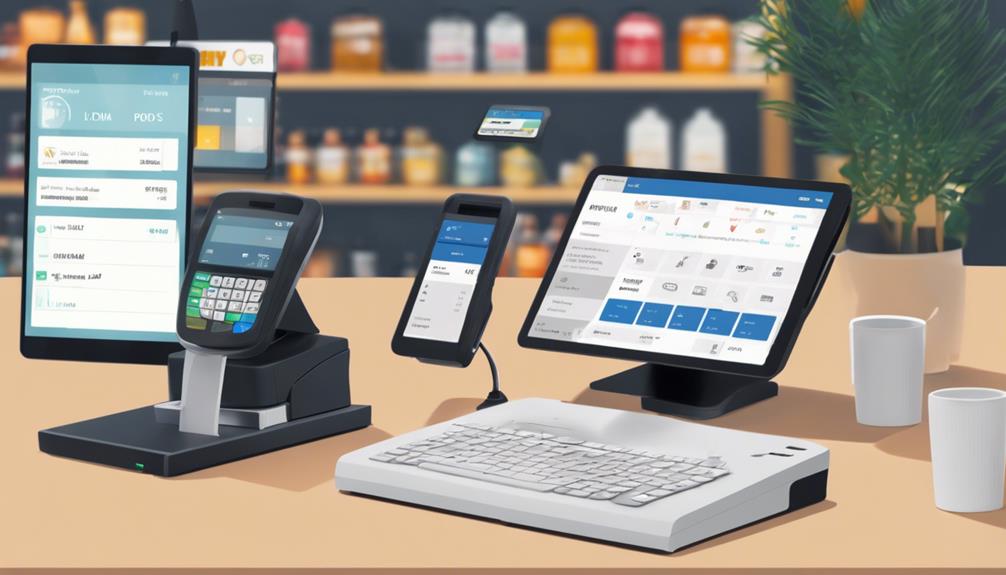
To protect against card fraud, your POS system should include encryption, tokenization, and compliance with PCI standards. It's also wise to enable real-time transaction alerts and implement two-factor authentication for any access.

How Do POS Systems Manage Returns and Refunds?

When you process returns and refunds through a POS system, it typically verifies the original sale, adjusts inventory, and ensures the refund matches the method of payment used in the original transaction.

Conclusion

You've got great options with Square POS, Clover Flex, and Shopify POS, each offering unique advantages for universal card support. Whether you prioritize seamless integration, crave versatility, or need comprehensive compatibility, one of these systems is sure to meet your needs. Remember, the right choice depends on your specific business requirements and customer interactions. So, weigh your options, consider your needs, and you're bound to find the perfect match to streamline your transactions and boost your business efficiency.

Guide to POS Systems Supporting All Card Types

When you're choosing a POS system, it's crucial to pick one that supports all card types, including EMV chip, magnetic stripe, and contactless payments, such as NFC and mobile wallets. This compatibility ensures you don't miss out on sales due to payment limitations, and it enhances customer satisfaction by offering flexible payment options. Opt for systems like Square POS or Clover, which are renowned for their versatile payment acceptance and additional features like robust security measures and user-friendly interfaces. These features not only secure customer data but also streamline your business operations. More insights await as you explore how these systems match up to your specific business needs.

Understanding POS System Compatibility

pos system compatibility insights

To fully appreciate how POS systems support various card types, it's essential to understand their compatibility features. You might think that any modern POS system can handle all cards, but it's not always that straightforward. Each system has specific hardware and software that determines which credit, debit, or prepaid cards it can process.

It's crucial you check whether the POS supports EMV chip cards, magnetic stripe cards, and contactless payments like NFC. Not all systems are equipped to handle newer technologies such as mobile payments and digital wallets, which could limit your ability to cater to certain customers.

If you're expanding globally, consider if the system supports international card standards, which can differ significantly from those in your home country. Compatibility doesn't stop at card types. The system's ability to integrate with different banking institutions and payment processors also plays a key role.

Some POS systems are locked into specific processors or banks, which mightn't be ideal for your business model. Always ensure that the system you choose offers the flexibility needed to switch processors without major issues, allowing you to keep costs down and adapt to changing business needs.

Key Features of Versatile POS Systems

Most versatile POS systems come equipped with a range of features that streamline transactions and enhance customer service.

You'll notice that these systems often support not just all card types, but also mobile payments and contactless methods, which are crucial for keeping up with modern payment trends.

These systems also typically include robust inventory management tools. This means you can track your stock levels in real time, set up automatic reorder points, and even analyze sales data to understand purchasing trends.

It's all about making sure you're never caught off guard with low stock or overstock situations.

Furthermore, customer relationship management (CRM) features are integrated into these POS systems. They help you gather and store valuable customer data, from contact information to purchase history.

This enables personalized marketing and improves customer retention by offering targeted promotions and loyalty programs based directly on their buying habits.

Security is another critical feature. The best POS systems offer end-to-end encryption and comply with PCI standards to protect both your business and your customers' sensitive data from potential breaches.

Lastly, ease of use is vital. Look for a user-friendly interface that requires minimal training, so your team can get up to speed quickly, ensuring a smooth operation.

Benefits of Multi-Card Support

enhanced flexibility and convenience

By supporting all card types, your POS system opens up numerous opportunities for increased sales and customer satisfaction. When you cater to every customer's preferred payment method, you're not just offering convenience; you're enhancing their shopping experience. This flexibility can significantly reduce the chances of cart abandonment.

Imagine a customer ready to purchase, only to find out their card isn't accepted. You'll likely lose that sale—and maybe even a customer.

Moreover, multi-card support can boost your business's credibility. Customers tend to trust establishments that accommodate diverse payment methods. It shows you're professional and customer-focused, which can encourage first-time shoppers to become regulars.

Incorporating a system that accepts various cards also positions you to quickly adapt to market changes. Payment trends evolve, and being prepared means you won't scramble to update your technology last minute. You're already ahead, ensuring seamless transitions and continuous service.

Lastly, this inclusivity can expand your market reach. You'll attract not just locals but also tourists who may not carry the type of cash your locale primarily uses.

Every swipe, tap, or chip insertion from a different card type is another step towards a broader, more inclusive customer base.

Top POS Systems for Diverse Payments

Now that you understand the importance of accepting various card types, let's explore some leading POS systems designed for this very capability.

Whether you're running a bustling cafe or a bustling retail store, having a versatile POS system can make a world of difference.

One standout option is the Square POS. Known for its ease of use and straightforward setup, it supports all major credit and debit cards, contactless payments, and mobile wallet services like Apple Pay and Google Pay.

This flexibility ensures you won't miss out on sales just because of payment type limitations.

Next, consider Clover. This system not only accepts a wide range of payment types but also offers customizable options to suit any business size or type.

From portable devices for tableside payments in restaurants to full-sized registers for retail, Clover adapts to your specific needs.

Lastly, Shopify POS is a great choice if you're already entrenched in e-commerce but looking to expand into physical sales.

It seamlessly integrates with Shopify's online platform, maintaining inventory and sales data across both digital and physical storefronts, while accepting nearly every payment method imaginable.

These systems ensure you're equipped to handle any payment scenario, enhancing customer satisfaction and streamlining your operations.

Security Measures in Modern POS Systems

enhanced protection for transactions

As you integrate a POS system into your business, prioritizing security is crucial to protect both your transactions and customer data. Modern POS systems come equipped with several robust security features to guard against theft and fraud.

For starters, encryption is key. It scrambles cardholder information, making data unreadable to unauthorized users. You'll also find that most systems support secure socket layer (SSL) encryption, which safeguards the data as it travels across the internet.

Tokenization is another essential feature. It replaces sensitive card details with unique identification symbols that retain all essential information about the data without compromising its security. This means even if data gets intercepted, it's useless to the thief.

Moreover, you should ensure your system complies with the Payment Card Industry Data Security Standard (PCI DSS). Compliance isn't just a fancy certificate; it's an assurance that your system meets high-security benchmarks necessary to protect payment data.

How to Choose the Right POS System

Why settle for a one-size-fits-all solution when choosing a POS system? Your business's unique needs demand a tailored approach. Start by assessing your transaction volume. If you're handling a high number of sales daily, you'll need a robust system that can keep up without hitches.

Consider your industry too. Restaurants, for instance, benefit from systems with integrated table management and tipping options, while retailers might prioritize inventory management features.

Don't overlook compatibility. Ensure the POS system supports all card types, including EMV chip, magstripe, and NFC/contactless payments. This versatility can prevent customer frustration and lost sales.

It's also crucial to evaluate the system's security features to protect against data breaches.

Ease of use is another key factor. You don't want to waste hours training staff on a complex system. Opt for one with an intuitive interface and good technical support.

Finally, think about scalability. Can the system grow with your business? You'll want a POS that can integrate new features and expand without major issues.

Choosing the right POS system isn't just about handling transactions; it's about enhancing the overall efficiency and customer experience of your business. Choose wisely to ensure it aligns with your specific needs and goals.

Frequently Asked Questions

Can POS Systems Integrate With Inventory Management Software?

Yes, you can integrate POS systems with inventory management software to streamline your operations. It'll track sales and adjust stock levels automatically, ensuring you're always up-to-date with your inventory needs.

Are There POS Systems Designed Specifically for Mobile Businesses?

Yes, there are POS systems specifically designed for mobile businesses. They're built to handle transactions on the go, ensuring you can accept payments and manage sales anywhere, directly from your mobile device.

How Do POS Systems Handle Currency Conversions for International Cards?

POS systems automatically convert currencies when you swipe an international card. You'll get real-time conversion rates, ensuring you're charged accurately, without needing to manually calculate or worry about exchange rate fluctuations.

Do POS Systems Offer Loyalty Program Integrations?

Yes, many POS systems offer loyalty program integrations, allowing you to track customer rewards and encourage repeat business. You can customize these programs to fit your specific needs and enhance customer engagement.

What Backup Options Are Available if a POS System Fails?

If your POS system fails, you've got several backup options. You can use offline modes, cloud-based backups, or manual transaction methods to ensure your sales keep processing and data isn't lost.

Conclusion

So, you're ready to upgrade to a POS system that handles all card types, right? Remember, choosing a system with robust security measures and diverse payment compatibility is crucial. Look for one that not only accepts various cards but also offers key features that streamline your transactions. This versatility will boost your sales and customer satisfaction. Don't forget, the right system will grow with your business, making every swipe, dip, or tap a step towards greater success. Choose wisely!

Best POS Systems for Universal Card Acceptance

When you're exploring POS systems that universally accept all card types, consider leaders like Square and Clover. Square's system stands out for its simplicity and is ideal if you're running a small business, offering quick setup and user-friendly operation. For larger businesses or more complex needs, Clover provides customizable solutions tailored to diverse operational demands. Both systems ensure top-notch security compliance, supporting various payment methods including EMV chip, NFC, and mobile payments. They're designed for high-volume transaction handling with robust, professional-looking hardware. Plus, they come with solid customer support options. Discover how these systems can streamline your payment processes and enhance operational efficiency.

Overview of Top Universal POS Systems

best universal pos systems

Several top POS systems have emerged as leaders in universal card acceptance, ensuring that no matter what card your customers carry, transactions are smooth and secure. These systems are designed to handle a variety of payment methods including credit, debit, EMV chip, and contactless payments such as Apple Pay and Google Wallet.

You'll find that companies like Square and Clover are at the forefront. Square's POS system is renowned for its simplicity and broad acceptance capabilities. It's an excellent choice if you're looking for a system that's easy to set up and operate.

On the other hand, Clover offers a more robust solution with customizable options that cater to larger businesses or those requiring more complex operations.

Both systems boast high security standards, utilizing advanced encryption and compliance with the latest PCI regulations to protect customer data during every transaction. This means you don't have to worry about the security of your customers' information, no matter which system you choose.

Investing in a reliable POS system that supports universal card acceptance isn't just about convenience—it's also about ensuring that every customer interaction is secure, efficient, and inclusive, enhancing your business's capability to thrive in a competitive market.

Features of Multifunctional POS Hardware

When choosing a POS system, multifunctional hardware can be a game-changer for your business. Imagine having a device that not only processes payments but also manages inventory, supports customer management, and even handles employee scheduling.

Let's dive into what you should look for in these versatile machines.

Firstly, you'll want a POS system that offers a touchscreen interface. This makes it easier to navigate through various functions quickly and efficiently. Check if the screen is durable and responsive, as it'll be used frequently throughout the day.

Secondly, consider the connectivity options. Your POS should support various payment methods including EMV chip cards, NFC for contactless payments, and mobile pay options. Ensure it can connect seamlessly via Wi-Fi, Bluetooth, or even cellular connections, so you're never out of touch.

Thirdly, the hardware should be robust enough to handle high volumes of transactions without slowing down. Look for a system with a powerful processor and ample memory.

Lastly, don't overlook the physical durability of the unit. It should withstand the rigors of daily use, including occasional spills, drops, or bumps. A sturdy, well-built POS system not only lasts longer but also maintains a professional appearance in your business setting.

Evaluating Software Compatibility

assessing program interoperability issues

You'll also need to ensure that the POS system's software is compatible with your existing business applications. This step is crucial to avoid disruptions in your daily operations and to ensure a seamless integration of new technology into your workflow.

Start by listing all the software tools your business currently uses, including accounting software, inventory management systems, and customer relationship management (CRM) solutions.

Next, check the compatibility requirements of the POS systems you're considering. Most vendors will provide a detailed list of compatible software on their websites, or you can contact their customer support for a comprehensive compatibility check.

It's important to confirm not just current compatibility but also look into the vendor's track record of updating their software to remain compatible with other business tools over time.

Additionally, consider whether the POS system offers APIs or integration tools that allow for customization. This can be a game-changer if you use specialized software or if you're planning to scale or shift your business model in the future.

Flexibility in software integration can significantly enhance your investment's value and utility, ensuring your POS system grows with your business needs.

Security Protocols for Card Transactions

Ensuring the security of your customers' card transactions is paramount when selecting a POS system. You'll want to look for features that safeguard sensitive data and reduce the risk of fraud.

Let's delve into what makes a POS system secure.

Firstly, ensure the system complies with the Payment Card Industry Data Security Standard (PCI DSS). This standard mandates encryption, secure network configurations, and regular security assessments. It's not just a recommendation; it's a requirement for any system that processes credit cards.

Next, consider the inclusion of tokenization technology. This process replaces card details with a unique token during transactions, meaning actual card numbers aren't stored on your system. It's a powerful way to protect against data breaches.

Also, look for systems offering end-to-end encryption (E2EE). This encrypts data from the moment it's entered into the POS terminal until it reaches the payment processor, leaving no room for interception by hackers.

Customer Support and Service Options

customer service assistance choices

Beyond securing transactions, it's crucial to consider the customer support and service options available with your POS system. When you're facing a glitch during a rush hour or struggling with a software update, you'll need reliable and accessible support. Ensure the POS provider offers 24/7 assistance so you're never left stranded.

Look for systems that provide multiple channels of support, such as phone, email, and live chat. This flexibility can significantly ease stress in urgent situations.

Also, check if there are online resources like tutorials, FAQs, and community forums. These can be invaluable for quick fixes and peer advice.

It's also worth considering the expertise of the support team. Are they knowledgeable specifically about POS systems? Can they understand and resolve issues specific to the types of transactions you handle?

Remember, a supportive service team not only solves current issues but also prevents future ones.

Lastly, assess the responsiveness of their customer service. Read reviews and maybe even test the support line before committing.

How quickly they respond and how effective their solutions are will impact your business operation directly. You don't want to lose sales due to prolonged downtime or unresolved technical errors.

Frequently Asked Questions

How Does POS Integration Impact My Existing Loyalty Programs?

POS integration can streamline your loyalty programs by syncing data and automating rewards. You'll see improved tracking and easier redemption, enhancing customer experience and potentially boosting your program's effectiveness and participation rates.

Are Mobile POS Systems as Reliable as Traditional Setups?

Mobile POS systems can be as reliable as traditional setups. They offer flexibility and convenience, though you might experience occasional connectivity issues. Overall, they're a solid choice if you value portability and modern features.

Can I Customize POS Interfaces to Match My Brand?

Yes, you can customize POS interfaces to reflect your brand's style and colors. Most systems offer customizable templates and settings to ensure your branding is consistent across all customer touchpoints.

What Are the Energy Requirements for Running a POS System?

The energy requirements for running a POS system vary. Typically, you'll need a standard electrical outlet and possibly low-voltage USB power for smaller devices. Energy use generally isn't significant, so it won't hike your bills much.

How Do POS Systems Handle Multiple Currencies in Transactions?

You'll find that POS systems convert multiple currencies during transactions by using real-time exchange rates. They ensure you're charged accurately, regardless of the currency you're using, making international purchases seamless and straightforward.

Conclusion

You've explored the top universal POS systems, appreciated their multifunctional hardware, and understood the importance of software compatibility. Remember, securing your card transactions is crucial, so always prioritize robust security protocols. Don't forget, the quality of customer support can make or break your experience. Choose a system that not only accepts all cards but also backs you up with excellent service. It's your call to make, ensuring your business stays versatile and secure in today's fast-paced market.

7 Tips for Setting up Mobile Payments With POS

When setting up mobile payments with your POS, start by choosing a system that fits your needs, ensuring it can handle inventory management, CRM, and is user-friendly. Make sure it complies with PCI DSS to protect card transactions and supports mobile payment options like Apple Pay. Update your hardware to accept NFC-enabled payments and train your staff not only on the technical side but also on enhancing customer interactions. Test the system thoroughly to iron out any glitches and promote the availability of mobile payment options through your digital channels and in-store signage. As you explore these steps, further insights into optimizing your POS setup await.

Choose the Right POS System

selecting appropriate pos system

Selecting the right POS system is crucial for streamlining your business's payment processes. When you're on the hunt, it's vital to consider what specific features align with your business needs. Do you need a system that supports inventory management, customer relationship management, or maybe an integrated loyalty program? Each feature can significantly enhance how you interact with and retain customers.

Think about usability too. You'll want a POS that's user-friendly, ensuring that your staff can operate it with minimal training. Look for systems with an intuitive interface and quick response times. This isn't just about making your life easier; it's about speeding up transactions to keep the lines moving and customers happy.

Hardware is another key consideration. Decide if you need a mobile POS that allows you to make sales on the go, or if a stationary setup is sufficient. Some systems offer flexibility with compatible peripherals like barcode scanners and receipt printers, which can be crucial depending on your sales environment.

Lastly, consider the scalability of the system. As your business grows, you'll want a POS that can grow with you, adapting to increased inventory, more staff, or additional locations without a hitch. Choose wisely to ensure a smooth, efficient customer transaction process.

Understand Payment Security Standards

When choosing a POS system, you must also prioritize understanding payment security standards to protect both your business and your customers.

It's vital to ensure that the system adheres to the Payment Card Industry Data Security Standard (PCI DSS). This standard requires that all companies that accept, process, store, or transmit credit card information maintain a secure environment.

You'll want to check that your POS provider is PCI compliant. This compliance safeguards your business against data breaches and protects your customers' sensitive information.

Ask your provider about the specifics of their security measures. They should encrypt data both at rest and in transit, provide regular security updates, and have strong access controls in place.

Don't overlook the importance of educating your staff on security best practices. They should know how to handle card information securely and be aware of the signs of potential security threats.

Regular training sessions can help keep your team vigilant.

Integrate Mobile Payment Options

enhance mobile payment solutions

After ensuring your POS system meets the highest security standards, it's time to expand your payment capabilities by integrating mobile payment options.

You'll want to choose which mobile payment systems are best for your business—Apple Pay, Google Wallet, and Samsung Pay are among the most popular. Each offers unique features, so consider your customer base and their preferences.

Next, you'll need to update or install hardware capable of handling mobile payments, such as NFC-enabled credit card terminals. These allow customers to pay by simply tapping their smartphone or smartwatch near the device.

It's a quick, hassle-free process that can significantly speed up transaction times.

You'll also need to update your software to ensure it supports the chosen mobile payment systems. Check with your POS provider about compatibility and the process for integrating these new payment methods.

They might offer step-by-step guidance or even on-site installation services.

Lastly, test everything thoroughly before going live. Conduct several transactions using each of the mobile payment methods to ensure there are no hitches.

This step ensures that when you do roll out the new payment options, you're offering a smooth, reliable service right from the start.

Train Your Staff Thoroughly

Once you've integrated mobile payment options, it's crucial to ensure your staff is well-trained on how to use the new technology effectively. Training isn't just about showing them the ropes; it's about building their confidence to handle transactions smoothly and professionally. You want every team member to be comfortable and competent, ensuring that your customers' payment experiences are seamless.

Start by organizing a series of training sessions that cover both the technical aspects of your new mobile POS system and the customer service elements it entails. It's ideal to include hands-on activities where your staff can practice with mock transactions. This gives them the tactile experience they need to understand the system's functionality inside and out.

You'll also need to focus on problem-solving. Equip your staff with troubleshooting tips for common issues that might arise during a transaction. If they're prepared to handle minor glitches independently, it'll reduce downtime and improve customer satisfaction.

Keep the lines of communication open. Encourage your team to ask questions and share feedback about the system during and after the training period. This not only helps in refining their skills but also assists you in identifying any gaps in your training program.

Test Your Setup Extensively

thoroughly evaluate system configuration

Before you roll out your mobile POS system to the public, it's vital to conduct extensive testing to ensure everything functions as expected.

You'll want to simulate real-world transactions to identify any potential glitches that could affect performance or customer experience. Start by processing various payment types, including credit and debit cards, mobile wallets, and gift cards. Check how the system handles returns and exchanges, too.

You should also test the system's response to different network environments. See how it performs on both Wi-Fi and cellular data, and consider testing in areas with low signal strength to understand how it copes with connectivity issues. This step is crucial as it helps prevent transaction failures or delays that could frustrate customers and staff alike.

Involve your team in these tests. They're your frontline users and can offer invaluable feedback on the system's usability and efficiency. Their firsthand experience might highlight areas for improvement that you hadn't considered.

Lastly, don't rush this phase. Careful and thorough testing leads to a reliable setup that ensures a seamless transaction process for your customers.

Promote Mobile Payment Availability

Having thoroughly tested your mobile POS system, it's now time to let your customers know they can enjoy the convenience of mobile payments. You've got a great tool, so shout it from the rooftops!

Start by updating your website and social media platforms. Make sure the message is clear and enticing: "We now accept mobile payments!" Include visuals that show customers how easy and secure it's to use this option.

Next, consider in-store signage. Place attractive signs at the entrance and at the point of sale. These should catch the eye and inform customers that mobile payments aren't only welcomed but encouraged.

You might also train your staff to mention this payment option during checkout. They can help familiarize customers with the process, showing them how to tap and pay.

Don't forget email newsletters. Send out a blast to your subscribers with a special section highlighting the benefits of mobile payments.

Maybe offer a small discount on their first mobile transaction to sweeten the deal.

Monitor and Update Regularly

regular monitoring and updates

To ensure your mobile POS system remains effective and secure, it's essential to regularly monitor its performance and update the software as needed. Keeping an eye on how the system handles transactions helps you spot any slowdowns or errors quickly, ensuring that you don't lose sales or customer trust.

Regular updates also protect you from security vulnerabilities. Hackers are always on the lookout for outdated systems they can exploit.

You'll also want to check your hardware. Mobile devices can degrade over time or become damaged, affecting the performance of your POS system. Regular checks can prevent this.

Remember, monitoring isn't just about looking for problems. It's also about identifying opportunities to improve customer experience. Maybe you'll find that adding another payment option could speed up checkouts or that a different screen layout could help your staff.

Lastly, make sure you're complying with any new regulations regarding payment processing. Laws can change, and staying updated is crucial to avoid fines and legal issues.

Set a schedule for these checks and stick to it. Maybe it's once a month or once a quarter, but consistent monitoring and updates will keep your mobile POS system running smoothly and securely.

Frequently Asked Questions

What Are the Ongoing Costs Associated With Mobile POS Systems?
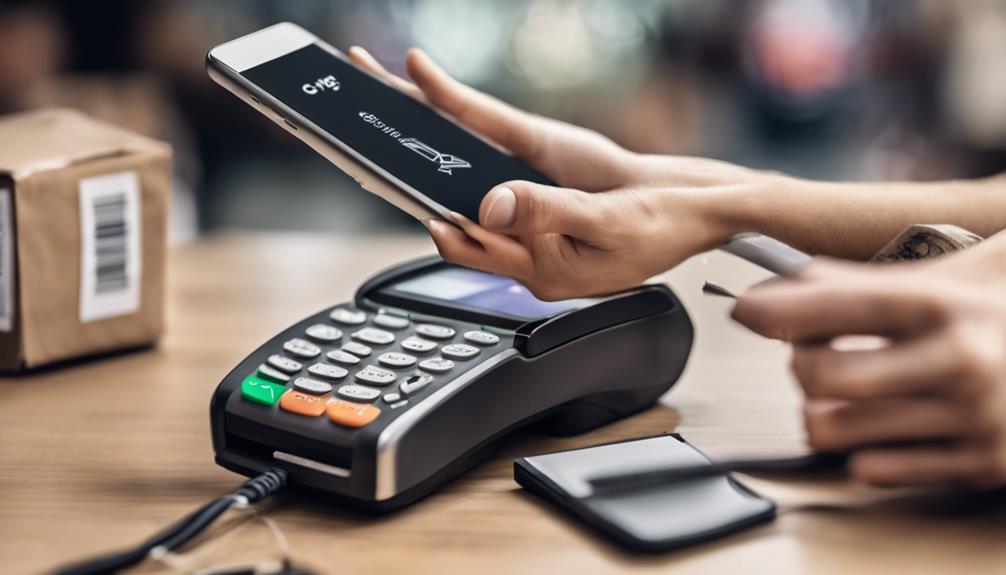
You'll face ongoing costs like transaction fees, hardware maintenance, and software updates with mobile POS systems. Additionally, you may need to pay for technical support and periodic hardware upgrades.

How Do Mobile POS Systems Handle Internet Connectivity Issues?

You'll find that mobile POS systems often have offline modes so you can keep processing payments without an internet connection. They sync data once you're back online, ensuring you don't lose any transactions.

Can Mobile Payments Integrate With Loyalty Programs?

Yes, you can integrate mobile payments with loyalty programs to enhance customer experiences. Doing so allows you to track purchases and offer rewards directly through the payment platform, streamlining the process.

Are There Mobile POS Options for Pop-Up Shops or Outdoor Events?

Yes, you'll find several mobile POS options ideal for pop-up shops and outdoor events. They're portable, easy to set up, and can handle transactions securely, even in temporary, bustling environments.

How Quickly Can a Mobile POS System Process a Transaction?

You'll find that a mobile POS system can process transactions almost instantly. Typically, it takes just a few seconds from the moment you swipe a card or tap a phone to complete.

Conclusion

Now you're all set to boost your business with mobile payments! Remember to choose a POS system that fits your needs, stay on top of security standards, and integrate various mobile payment options. Make sure your team is well-trained and test your setup thoroughly. Don't forget to let your customers know they can pay with their phones and keep an eye on your system to make any necessary updates. Embrace the convenience and watch your customer satisfaction soar!

Why Switch to Mobile Payments at Your POS?

Switching to mobile payments at your POS not only speeds up transactions but also reduces lines, enhancing customer satisfaction. You'll save on hardware costs and enjoy lower transaction fees, making it a cost-effective option. Plus, with advanced security features like encryption and tokenization, your customer's data is safer than ever. Embracing mobile payments positions you as a forward-thinking business, attracting tech-savvy consumers and potentially boosting your sales. By integrating these systems, you're set up for easier transactions during busy periods and can offer more personalized customer interaction. There's a lot more to explore on how this can transform your business.

Benefits of Mobile Payments

convenient secure fast transactions

While many businesses hesitate to adopt new technologies, integrating mobile payments at your point of sale system offers undeniable advantages.

Consider the streamlined operations you'll experience. Mobile payments typically process transactions faster than traditional methods. This means shorter lines and quicker service, which in turn can lead to increased sales during peak hours.

Moreover, embracing mobile payments can significantly reduce your overhead costs. Traditional payment systems often come with higher transaction fees and costs associated with purchasing and maintaining hardware.

Mobile payment platforms, on the other hand, usually offer more competitive rates and minimal setup costs. You'll find yourself saving on hardware expenses and enjoying lower transaction fees.

Additionally, mobile payments enhance your business's security. These platforms use advanced encryption and tokenization technologies to protect customer data during transactions.

By reducing the risk of data breaches, you're not only safeguarding your customers' information but also bolstering your business's reputation.

Don't let the fear of change hold you back. By adopting mobile payments, you're positioning your business as a forward-thinking establishment.

You're also tapping into the growing market of tech-savvy consumers who prefer the convenience of mobile transactions. Start exploring your options today and see how this shift can benefit your business.

Enhancing Customer Experience

Adopting mobile payments not only streamlines operations and cuts costs, but it also profoundly enhances the experience of your customers. By integrating mobile payment solutions at your POS, you're providing a faster, more convenient checkout process.

Imagine your customers breezing through lines with just a tap of their smartphone. It's not just about speed; it's about the seamless, hassle-free transaction they experience, which greatly boosts their satisfaction.

Furthermore, you're offering flexibility in payment options. Whether it's Apple Pay, Google Wallet, or any other NFC technology, you're accommodating their preferences. This inclusivity shows that you're tuned into modern payment trends and care about catering to individual needs.

Personalization is another key benefit. Mobile payments can be integrated with loyalty programs and promotional offers, which can be directly applied during the payment process. This not only simplifies how customers redeem offers but also makes them feel valued, enhancing their connection to your brand.

Lastly, the mere use of innovative technology at your POS can elevate your brand's image. It positions you as a forward-thinking business that embraces technology, setting you apart from competitors.

All these factors combined create a compelling customer experience that encourages repeat business and positive word-of-mouth.

Security Features of Mobile Payments

mobile payment security measures

One might wonder about the security risks associated with mobile payments, but rest assured, these systems are built with robust security measures to protect your data. When you switch to mobile payments, you're not just offering convenience; you're also deploying advanced security technologies that safeguard financial information.

Firstly, mobile payments use encryption to secure your customers' data. This means any information sent from the device to the payment processor is converted into a secure code. No one can decode this information without a unique key, making it extremely difficult for hackers to access.

Additionally, tokenization is another critical feature. Instead of storing actual credit card numbers, mobile payment systems generate random tokens to represent account numbers during transactions. This significantly reduces the risk of financial data being compromised.

You'll also find that mobile payment platforms often require biometric authentication, such as fingerprint or facial recognition, adding an extra layer of security. This doesn't just protect against unauthorized transactions; it also provides a seamless and personalized user experience.

Comparison With Traditional POS Systems

Mobile payments not only enhance security but also offer distinct advantages over traditional POS systems. When you compare the two, you'll notice how mobile payments streamline the transaction process. With smartphones and tablets, you can carry your POS system with you, making it ideal for businesses that are mobile or have multiple locations.

You'll save on the cost of purchasing and maintaining bulky hardware since mobile POS systems often require less equipment.

Additionally, mobile POS systems are typically easier and faster to set up. Traditional systems often involve complex installations and lengthy training sessions. In contrast, mobile systems are more intuitive. You and your staff can usually start processing transactions with minimal training, which means you'll get up and running quicker.

Customer experience is another area where mobile payments shine. They allow for a more personalized interaction, as employees can meet customers where they are, whether that's at their table in a restaurant, roaming a retail floor, or at an outdoor event.

This flexibility can lead to faster service and increased customer satisfaction, which are key drivers in customer retention and sales growth. By adopting mobile payments, you're not just updating your technology; you're enhancing the entire shopping experience.

Implementing NFC Technology

adopting near field communication

Implementing NFC (Near Field Communication) technology at your point of sale enhances customer transactions with speed and security. When you integrate NFC, you're adopting a contactless payment method that allows customers to tap their smartphones or cards near your POS device to complete purchases quickly.

This tech isn't just about pace; it significantly reduces the physical contact that traditional payment methods require, minimizing wear and tear on your hardware.

Moreover, setting up NFC isn't as daunting as it sounds. You'll need an NFC-enabled POS terminal, which you can get through most POS providers. Once installed, you simply activate the NFC functionality to start accepting mobile payments.

It's crucial to train your staff on how to use the new system effectively—ensuring they can assist customers and handle the tech smoothly.

What's more, NFC enhances the customer experience. It supports the use of digital wallets, which are becoming increasingly popular among consumers for their convenience and added security features.

By offering this technology, you're not only keeping up with modern payment trends but also appealing to tech-savvy shoppers who prioritize ease and security.

Adopting NFC can set you apart, making your business a preferred choice for many.

Cost Analysis of Mobile Payments

Considering the implementation of mobile payment systems at your point of sale, it's essential to analyze the associated costs thoroughly.

You'll encounter both upfront and ongoing expenses. Initially, you might need new hardware, like updated POS terminals that support mobile payments. These can vary widely in price, depending on features and compatibility with current systems.

Next, consider the software costs. You may need to update your POS software or invest in a new integrated system that includes mobile payment processing. Often, there's a licensing fee, either one-time or recurring.

Don't overlook the payment processing fees. Each transaction made through mobile payments incurs a fee, typically ranging between 1% to 3%. These fees can add up, so it's crucial to negotiate the best rate possible with your provider.

Additionally, factor in the training costs for your staff. Ensuring that your team is proficient with the new technology is paramount for a smooth transition and optimal customer service.

Lastly, there might be ongoing maintenance and support fees to keep the system running smoothly.

Weigh all these costs against the projected increase in sales volume and customer satisfaction. Mobile payments can offer convenience and speed, potentially boosting your business's bottom line.

Troubleshooting Common Issues

resolving frequent technical problems

While understanding the costs associated with mobile payments is important, it's equally vital to address any issues that may arise once your system is operational.

You'll likely encounter a few common problems that can usually be resolved with some basic troubleshooting steps.

First, if customers are experiencing failed transactions, check your internet connection. A stable and fast connection is crucial for mobile payments. You might need to reset your modem or router, or consider upgrading your service if outages are frequent.

Next, ensure your mobile payment devices are properly charged and updated. Outdated software can lead to compatibility issues or slow processing times. Regularly check for updates and install them during off-peak hours.

Sometimes, you'll face hardware issues like unresponsive screens or button malfunctions. In these cases, verify that all devices are clean and free from physical damage. If problems persist, contact your provider for repairs or replacements.

Lastly, educate your staff on how to handle these technologies. A well-informed team can troubleshoot minor issues and provide better customer service.

Future Trends in Payment Processing

As technology evolves, so does the landscape of payment processing. You'll soon find that advancements aren't just about convenience but also about security and speed.

In the near future, biometric authentication, such as fingerprint scans and facial recognition, will become more prevalent. You'll be able to provide your customers with a seamless transaction experience that also combats fraud more effectively.

You're also going to see more integration of blockchain technology, which will revolutionize how transactions are recorded and validated. This means greater transparency and reduced costs for you due to fewer middlemen.

Cryptocurrencies, already a buzzword, will find their way into mainstream payment systems, letting you cater to a broader, more tech-savvy audience.

Moreover, expect AI and machine learning to play bigger roles in payment systems. They'll help personalize customer interactions and anticipate payment preferences, enhancing customer satisfaction.

Plus, as IoT devices proliferate, payments will become increasingly embedded in everyday objects, making them even more convenient for users.

Staying ahead of these trends isn't just beneficial; it's essential. You'll not only meet customer expectations but also stay competitive in a rapidly transforming digital landscape.

Embrace these changes, and you'll keep your business thriving.

Frequently Asked Questions

How Does Weather Affect the Reliability of Mobile Payment Systems?
Extreme weather can impact mobile payment reliability by affecting signal strength and device functionality. You might experience delays or failures in transactions during storms, extreme cold, or heat, impacting your payment process.

Can Mobile Payments Integrate With Loyalty Programs?

Yes, you can integrate mobile payments with loyalty programs easily. They're designed to sync, allowing you to track customer purchases and offer rewards directly through the payment platform, streamlining the entire process.

What Training Is Required for Staff on New Mobile POS Systems?
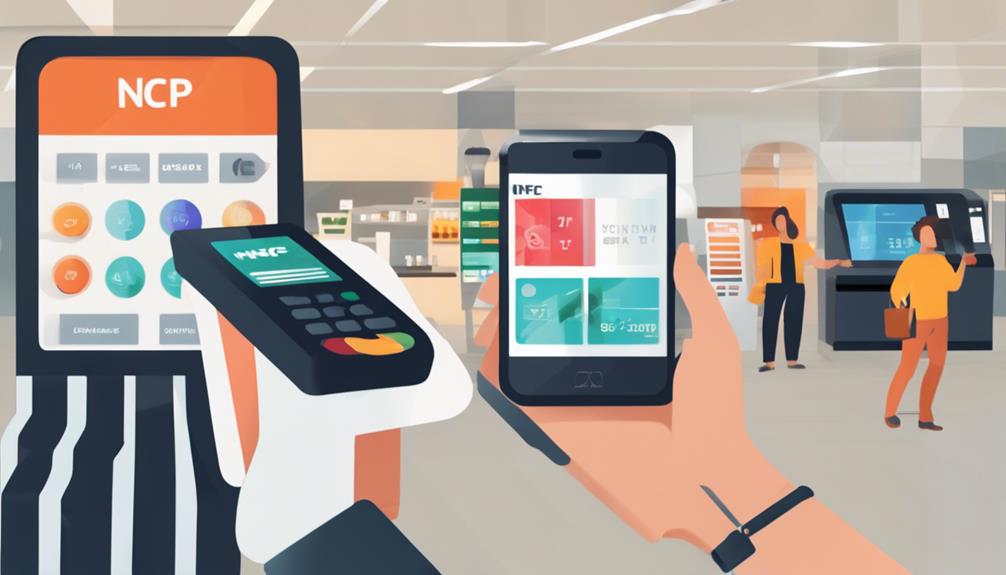
You'll need to train your staff on handling transactions, managing security features, and troubleshooting common issues with the new mobile POS systems. This ensures they're comfortable and efficient in using the technology.

Are There Environmental Benefits to Switching to Mobile Payments?

Yes, you'll find that mobile payments reduce paper waste from receipts and lower energy consumption compared to traditional POS systems. They're more eco-friendly, helping you cut down on your business's environmental footprint.

How Do Mobile Payments Handle Multiple Currency Transactions?

You'll find mobile payments handle multiple currencies smoothly. They automatically convert currencies at the point of sale, simplifying transactions for you and your customers without needing separate accounts or manual calculations.

Conclusion

You've seen how switching to mobile payments can revolutionize your point-of-sale system. By embracing this technology, you're not only enhancing customer satisfaction but also ramping up security and staying ahead of tech trends. Don't let the initial costs deter you; the long-term savings and boosted efficiency are worth it. If you encounter any hiccups, quick troubleshooting can resolve most issues. Get ahead of the curve—upgrade to mobile payments and watch your business thrive.