Choosing the Best POS Analytics Software: A Review

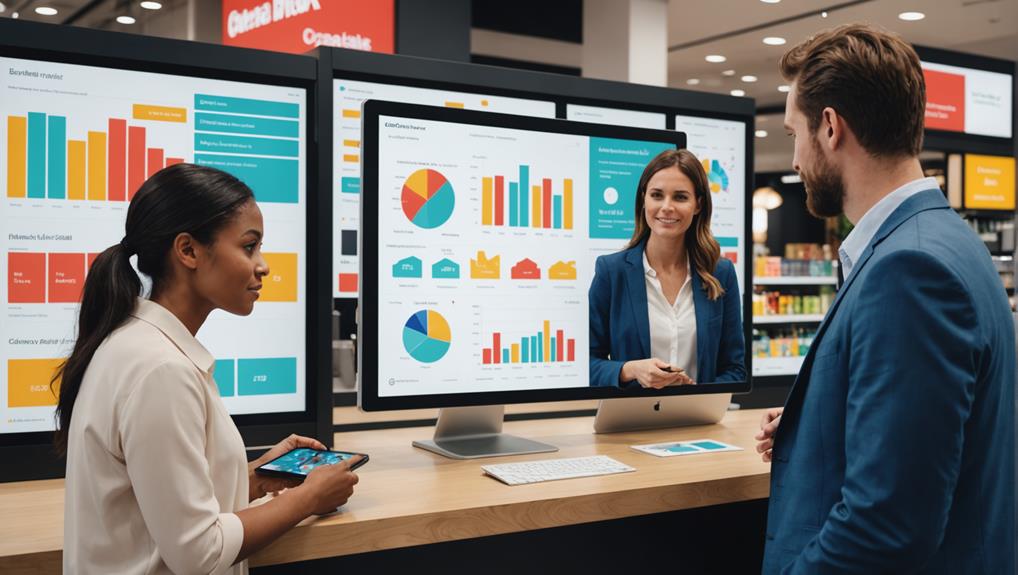
When choosing the best POS analytics software, you want to consider features like real-time analytics, integration capabilities, and a user-friendly interface. Key players like Square, Clover, and Shopify POS offer diverse features suited for different business sizes and needs. Integration with CRM and inventory systems can streamline operations and improve decision-making. Additionally, customizable reports and scalability ensure the software grows with your business. It's also crucial to compare pricing structures and check for hidden fees to ensure you're getting the best value. By further exploring, you'll find out which software aligns perfectly with your business goals.

Understanding POS Analytics Software

pos analytics software insights

Most businesses today rely on POS (Point of Sale) analytics software to better understand their sales trends and customer behaviors. As you dive into this technology, it's essential to grasp how it transforms raw data into actionable insights that can drive your business forward.

POS analytics software collects data every time a customer makes a purchase. This data includes what was bought, when it was bought, and how much was paid. Over time, this information builds a comprehensive picture of your sales dynamics and customer preferences.

You're not just looking at numbers; you're getting a narrative of what your customers prefer and how those preferences change. This level of detail allows you to make informed decisions quickly.

For example, you'll see which products are your best sellers and which aren't pulling their weight. This isn't just about boosting your current sales—it's about anticipating future trends and adjusting your stock accordingly.

Understanding these patterns helps you tailor your marketing strategies and promotions to better match your customers' buying habits. You're not shooting in the dark anymore; you're strategically targeting your efforts, which can lead to increased customer satisfaction and loyalty.

This knowledge is powerful in optimizing both your inventory and marketing investments.

Key Features to Consider

When choosing POS analytics software, it's crucial to consider specific features that align with your business needs. You need a system that not only tracks sales and inventory but also provides insights that can drive your business growth.

Firstly, consider the integration capabilities. Your POS system should seamlessly integrate with other tools you're already using, like CRM software or accounting systems. This ensures that data flows smoothly across your business, reducing the need for manual data entry and the errors that come with it.

Real-time analytics are another key feature. You'll want a system that offers real-time data on sales trends, inventory levels, and customer preferences. This enables you to make quick, informed decisions rather than waiting for end-of-day reports.

Also, look for customizable reporting features. The ability to create custom reports means you can focus on the metrics that matter most to your business. Whether it's tracking peak sales hours or understanding product performance, customized reports can provide the specific insights you need.

Lastly, consider ease of use. A user-friendly interface can significantly reduce training time and help your staff efficiently manage transactions and analytics.

Top POS Systems Reviewed
comprehensive pos system analysis

Having explored the key features to consider in POS analytics software, let's examine some of the top POS systems on the market today.

First up, you've got Square – a favorite for small business owners due to its user-friendly interface and no monthly fees for the basic version. It's ideal if you're running a small café or a boutique.

Next, consider Clover. This system stands out with its customizable hardware options, which means you can tailor it perfectly to your business needs, whether you're operating a full-scale restaurant or a retail store. Clover's flexibility in processing payments, whether mobile or at the counter, makes it a great choice.

Don't overlook Shopify POS if you're running an e-commerce site alongside a physical store. Its seamless integration between online and offline sales ensures that inventory tracking is a breeze, making it perfect for businesses that straddle both realms.

Lastly, Lightspeed POS offers powerful analytics tools that are a boon for high-volume businesses. Its detailed reporting capabilities help you make informed decisions to boost efficiency and profitability.

Each of these systems offers unique features, so you'll want to choose one that aligns most closely with your business operations and goals.

Integration With Other Tools

Beyond choosing a POS system with robust analytics, consider how well it integrates with other tools you use daily. The ideal POS system shouldn't stand alone; it must mesh seamlessly with your inventory management, customer relationship management (CRM), and accounting software. This integration not only streamlines your operations but also ensures data consistency across all platforms.

Think about the technology stack at your business. You're likely using various applications to handle different segments of your business operations. A POS system that can integrate well with these tools can dramatically reduce the time you spend on data entry and minimize errors due to manual input.

For instance, sales data from your POS can automatically update inventory levels in your management software and reflect in your financial reports without extra steps.

Moreover, consider the scalability of these integrations. As your business grows, your tools will need to communicate with each other more frequently and perhaps in more complex ways. It's essential that your POS can handle this increased interaction without requiring frequent manual adjustments or upgrades.

Choosing a POS system that integrates efficiently with other software you use not only enhances operational efficiency but also allows for better decision-making based on comprehensive, real-time data.

User Experience Insights
enhanced user experience analysis

While considering the integration capabilities of POS systems, it's equally important to evaluate the user experience they offer. A seamless, intuitive interface isn't just a nice-to-have; it's essential for ensuring you and your staff can maximize the benefits of your POS analytics software without unnecessary frustration.

When you're exploring options, pay close attention to the software's design and layout. Is it clean and easily navigable or cluttered and confusing? You'll want a system that makes it simple to access the most important information. How quickly can you generate reports? Are these reports customizable and easy to interpret? Remember, every extra click or cumbersome process can lead to lost time and increased errors.

Also, consider the learning curve associated with new software. Systems that are straightforward and come with comprehensive support services, such as tutorials and customer help desks, can significantly reduce the time spent on training. You'll appreciate this more during busy periods when efficiency is paramount.

Lastly, check for mobile compatibility. The ability to access your POS analytics on the go via a smartphone or tablet can dramatically improve your flexibility and responsiveness. Make sure the mobile experience is on par with the desktop version, ensuring you have full control wherever you are.

Pricing and Value Analysis

Evaluate the pricing structure of different POS analytics software carefully to ensure you get the best value for your money.

It's vital to compare not just the upfront costs but also the long-term expenses associated with each option. Some platforms may offer a lower initial price but have higher ongoing fees or require additional purchases for full functionality.

When you're examining the costs, consider what features are included. More expensive software isn't necessarily better if it includes tools you'll never use. Conversely, cheaper options might lack critical functionalities that could save you time and money in the long run.

Check for scalable pricing plans that can adapt as your business grows or changes. This flexibility can prevent you from overspending on capabilities you don't need or from finding yourself stuck with inadequate software as your needs evolve.

Also, look for any hidden fees, such as charges for updates, additional user licenses, or integrations with other systems. These can significantly affect the overall cost of ownership.

Support and Customer Service

assistance and client care

Regarding support and customer service, it's crucial to choose POS analytics software backed by a responsive and knowledgeable team. When you're facing a glitch during a rush hour or need a quick answer to a reporting query, the quality of support you receive can make or break your experience.

You'll want to look for services that offer multiple support channels – such as phone, email, and live chat – ensuring you can get help in a way that suits your business hours and preferences. It's also wise to check if support is available 24/7, particularly if your business operates beyond traditional hours.

Don't overlook the importance of customer service reviews. Current users' experiences can provide insights into the responsiveness and effectiveness of the support team. Pay attention to comments on how quickly issues are resolved and the level of expertise demonstrated by the support staff.

Lastly, consider whether the software provider offers training sessions, tutorials, and detailed documentation. These resources can be invaluable for troubleshooting and enable you to make full use of the software's features without constant need for direct support.

Frequently Asked Questions

How Long Does Typical POS Software Implementation Take?

You'll find that POS software implementation typically takes between one to four months, depending on the complexity of the system and your business's specific needs. It's crucial to plan for this time frame.

Are There Industry-Specific POS Analytics Solutions?

Yes, there are POS analytics solutions tailored specifically for different industries like retail, hospitality, and healthcare, ensuring you get features most relevant to your sector's unique needs and challenges.

What Are Common Security Concerns With POS Software?

You should be wary of data breaches, unauthorized access, and malware when considering POS software. Ensuring encryption and strong user authentication can help protect your sensitive information from these common security threats.

How Does POS Software Handle Data Breaches?

When your POS software faces a data breach, it typically triggers security protocols to mitigate damage. It'll alert you, isolate the breach, and often provide tools to help manage and prevent future incidents.

Can POS Analytics Influence Employee Performance Improvements?

Yes, POS analytics can influence employee performance improvements by providing insights into sales trends, customer preferences, and operational efficiencies, helping you make data-driven decisions to enhance training and optimize workflows.

Conclusion

You've explored the essentials of POS analytics software, from key features to user experience. Remember, the best system for you integrates seamlessly with your tools, offers insightful analytics, and fits your budget. Don't overlook the importance of customer support—this can make or break your experience. Take your time, weigh your options, and choose a software that not only meets your current needs but also grows with your business. Make a smart investment, and you'll see the difference in your bottom line.

Related articles: Why Should You Analyze Retail Sales Data? · 10 Essential Tips to Analyze Retail Sales Data · What Does Your Retail Sales Data Really Say?
What’s the Best Point of Sale Analytics Software?

When looking for the best point of sale analytics software, you'll want to focus on options that provide real-time analytics, customizable reports, and seamless integration with your existing tools. Square, Shopify POS, and Toast POS are top choices, each offering unique features tailored to different business types and sizes. Square is great for small to mid-sized businesses with its user-friendly interface, while Shopify excels in managing both online and offline sales, and Toast is ideal for restaurant-specific needs. Pricing varies, so consider what each tier offers. Exploring these options further could unveil the perfect solution tailored just for your business needs.

Key Features to Consider

essential aspects to evaluate

When choosing point of sale analytics software, it's essential to consider key features that will directly impact your business's efficiency and insights.

You'll want to ensure the software offers real-time analytics. This lets you monitor sales as they happen, providing immediate data to make quick, informed decisions.

Look for software with customizable reports. You need the flexibility to focus on what matters most to your business, whether it's tracking inventory levels, understanding customer buying patterns, or assessing employee performance.

Customization ensures you're not wasting time on irrelevant data.

Another crucial feature is integration capabilities. Your point of sale system should seamlessly integrate with other tools you're already using, like CRM software or financial accounting platforms.

This integration simplifies workflows and reduces errors caused by manual data entry.

Don't overlook the importance of user-friendliness. If the software is too complicated, it could slow down your operations and frustrate your staff.

A straightforward interface and easy navigation are key to ensuring that everyone in your team can utilize the software effectively.

Top Software Overview

Now that you understand what features to look for, let's explore some of the top point of sale analytics software options available on the market.

First up, you've got Square. It's a fan favorite for small to mid-sized businesses. Square's user-friendly interface and robust analytics capabilities make it a standout. You can track sales trends, customer behavior, and inventory levels all in real-time.

Plus, it integrates seamlessly with various payment systems and business applications.

Next, consider Shopify POS. It's perfect if you're running an online store along with a physical shop. Shopify POS offers unified reporting that brings your sales data together, whether online or offline.

This means you can manage your inventory more efficiently and tailor your marketing strategies based on comprehensive data insights.

For those of you in the restaurant industry, Toast POS might catch your eye. It's designed specifically for food service and includes menu management tools along with detailed sales analytics.

Toast helps you understand which dishes are performing well and which aren't, aiding in menu optimization and profit maximization.

Each of these platforms offers unique features, but they all provide powerful tools to help you understand and grow your business.

Pricing and Subscription Models

subscription pricing strategies explained

Understanding the pricing and subscription models for these point of sale analytics software can significantly impact your budget and operational planning. Many providers offer tiered pricing structures, which means you can start with a basic package and upgrade as your business grows. Typically, these are offered on a monthly or annual subscription basis.

You'll find that paying annually often comes with a discount, but you'll need to weigh if the upfront cost is worth the long-term commitment.

It's crucial to evaluate what each tier includes. Lower tiers might limit the number of transactions or the types of analytics available, while higher tiers could include advanced features like predictive analytics or customer behavior analysis.

Always check for hidden fees, such as setup fees, maintenance, or additional charges for customer support.

Some software companies also offer a free trial period. This is a great opportunity to test out the features and see if the software meshes well with your operational flow.

Don't hesitate to use this period to thoroughly assess the software's capability and ensure it meets your specific needs before making any financial commitment.

Ease of Integration

While evaluating point of sale analytics software, consider how easily it integrates with your existing systems. You don't want to be stuck with a platform that clashes with your current setup or requires extensive modifications. Seamless integration can save you a lot of time and hassle.

Look for software that supports plug-and-play functionality or provides clear APIs for connection to your existing hardware and software. It's vital that the new system can communicate effectively with your inventory, accounting, and customer management systems. This interoperability ensures that data flows smoothly across your business operations, reducing the risk of errors and data silos.

Additionally, check if the software is compatible with various payment processors and banking systems. This compatibility means you won't need to switch providers or face delays in processing transactions. Ideally, the point of sale system should enhance your operational efficiency, not hinder it.

Moreover, consider the technical support offered. You'll want a provider that offers robust support during the integration process and beyond. This support can be crucial in addressing any issues swiftly, ensuring that your business operations remain uninterrupted.

Choosing a system that integrates easily with your existing infrastructure is crucial for a smooth transition and optimal functionality.

User Reviews and Feedback

customer opinions and insights

Before choosing a point of sale analytics software, it's wise to consider user reviews and feedback. These insights give you a real-world glimpse into how the software performs under daily retail pressures. Remember, you're not just buying a tool; you're integrating a system that will interact with every transaction your business conducts.

Think about it: user reviews are like having a candid conversation with someone who's already walked the path you're considering. They can tell you not only about the software's performance but also about the customer support, ease of use, and any unforeseen hurdles they encountered. This is invaluable because it goes beyond the polished sales pitches and the technical jargon that you'll encounter in promotional materials.

Moreover, don't just skim the ratings. Dive deep into the comments section where you'll find the specifics that align with your business needs. Are there recurring complaints about system glitches? How often do users praise the software's ability to generate actionable insights? Such questions are crucial.

Lastly, balance the reviews. If you notice extreme opinions, look for a consensus. This approach helps you sift through subjective viewpoints to find the most reliable feedback.

Expert Recommendations

Why not also consider expert recommendations when selecting your point of sale analytics software? Tapping into the insights of industry experts can guide you through the maze of available options and pinpoint the tools that best match your business needs.

Experts typically evaluate software based on several key factors: functionality, scalability, ease of integration, and support services. They'll weigh the pros and cons, often providing a clearer picture of how a particular software stands up under rigorous daily use. This can save you from the trial-and-error phase, speeding up your decision-making process.

You'll find these recommendations in trade publications, dedicated software review sites, and through professional networks. Make sure you're looking at recent reviews; the tech world moves fast, and what was top-rated last year mightn't hold the crown today.

Also, don't shy away from reaching out directly. If there's a consultant or industry thought leader you respect, ask for their advice. They might offer insights not found in public reviews and tailor their suggestions to your specific circumstances.

Frequently Asked Questions

How Does POS Analytics Software Handle Data Security?

You're concerned about how POS analytics software manages data security. It typically encrypts data, uses secure servers, and adheres to compliance standards to ensure your information stays protected against unauthorized access or breaches.

Can POS Analytics Software Predict Customer Trends?

Yes, you'll find that POS analytics software can predict customer trends by analyzing past purchasing data, identifying patterns, and forecasting future buying behaviors, which helps you tailor your marketing and stock more effectively.

What Training Is Required for POS Analytics Software?

You'll need specific training on data handling, software navigation, and interpreting analytics. Most companies offer tutorials and user support to get you started and enhance your skills in managing POS analytics effectively.

Are There Mobile-Friendly POS Analytics Options?

Yes, there are mobile-friendly POS analytics options that let you access data on-the-go. You'll find various apps that sync seamlessly with your systems, offering real-time insights directly on your smartphone or tablet.

How Does POS Analytics Impact Customer Privacy?

POS analytics can significantly impact customer privacy, as it collects detailed purchase data. You must ensure that this information is handled securely and complies with privacy laws to protect your customers' sensitive data.

Conclusion

You've explored the top point of sale analytics software options, considering key features, pricing, integration ease, and user feedback. Now, it's time to choose the best fit for your business. Remember to pick a solution that not only meets your current needs but also grows with your business. Trust expert recommendations and user reviews to guide your decision. Make a smart investment; the right software will enhance your operational efficiency and boost your sales.

Related articles: Choosing the Best POS Analytics Software: A Review · Why Should You Analyze Retail Sales Data? · 10 Essential Tips to Analyze Retail Sales Data

Comparing Top Point of Sale Analytics Software Tools

As you compare top Point of Sale (POS) analytics software tools, focus on features like real-time analytics for immediate sales insights and trend analysis to predict future demand accurately. You'll appreciate customizable reports and seamless integration with systems like CRM, enhancing your operational efficiency. Look for intuitive interfaces that simplify navigation and responsive performance across all devices. Consider costs, evaluating both upfront and long-term investments against the value of actionable insights gained. Additionally, robust customer support is crucial in smoothing out implementation and day-to-day operations. Exploring these aspects will guide you closer to making a decision that can elevate your business's performance.

Key Features Overview

essential attributes summary

Point of Sale (POS) analytics software tools empower you to streamline your sales data management efficiently. These tools offer a range of features that transform raw sales data into actionable insights. Let's explore what you can expect.

Real-time analytics is a game changer. You no longer have to wait for end-of-day reports to understand your sales performance. With real-time data, you can make quick decisions that can directly influence your day's outcome. This feature allows you to monitor sales as they happen, identifying peak times and popular products instantly.

Trend analysis is another key feature. It helps you spot sales patterns over time, enabling you to forecast future demand more accurately. This can guide your inventory decisions, helping you to stock up wisely and avoid overstocking or stockouts.

Customizable reports are crucial for tailoring data presentations to meet your specific needs. Whether you're looking for a high-level overview or granular details, these reports can be configured to highlight the information that's most important to you.

Lastly, integration capabilities shouldn't be overlooked. The best POS analytics tools can seamlessly integrate with other software systems you use, such as CRM and ERP, ensuring that all your data works together harmoniously to provide a comprehensive view of your business operations.

Usability and Interface

Navigating through the features of your POS analytics software should be intuitive and straightforward. When you're running a busy retail operation, the last thing you need is to wrestle with a clunky interface. You'll want a dashboard that's both visually appealing and easy to understand at a glance. Good software will minimize your clicks and streamline your tasks effectively.

Look for a design that's clean and uncluttered. You don't need excessive tabs and buttons that can confuse more than help. The best tools out there prioritize the functions you use most often, placing them front and center. This way, you're not digging through menus to find your daily sales figures or inventory reports.

Furthermore, responsiveness is key. Your software should perform well on various devices, whether you're checking stats on your laptop at the office or on your tablet from the warehouse. Slow loading times and buggy behavior are more than just annoyances—they can hinder your decision-making process.

Lastly, consider the learning curve. A great POS system offers comprehensive support and training resources. It shouldn't take weeks to get your team up to speed. Quick tutorial videos, help desks, and user forums can make a big difference in smoothing out the initial adjustment period.

Integration Capabilities

seamless system connectivity solutions

Beyond basic functionality, the ability of your POS analytics software to integrate seamlessly with other systems is crucial. You'll want to ensure that it can connect effortlessly with inventory management, customer relationship management (CRM), and e-commerce platforms. This connectivity allows you to streamline your operations, reducing the need for manual data entry and minimizing errors.

Look for software that supports APIs and offers plug-and-play integration with popular tools you might already be using, like QuickBooks for accounting or Salesforce for customer interactions. The smoother these integrations, the more you can automate processes, freeing up time to focus on other aspects of your business.

Additionally, consider the flexibility of the integration features. Can the software adapt to new tools or systems you may adopt in the future? This adaptability is essential as technology evolves and your business grows. You don't want to find yourself boxed in by software that can't scale with you.

Lastly, examine the support provided for integration issues. Good customer support can make a significant difference in how quickly you can resolve integration challenges, ensuring your business operations remain uninterrupted.

Choosing a POS system with robust integration capabilities means setting yourself up for streamlined success.

Cost and Value Analysis

While evaluating integration capabilities sets a solid foundation for your POS system, it's equally important to consider the costs associated with these tools and the value they bring to your business. You'll find that POS analytics software varies widely in price, often based on features, scalability, and brand reputation.

To ensure you're making a wise investment, scrutinize what each option offers beyond the basic functionalities. Start by comparing the upfront costs. Some systems require a significant initial investment, while others might offer a lower entry point with a pay-as-you-go model.

Don't overlook the long-term costs either; updates, maintenance, and additional modules can add up. It's crucial to weigh these against the expected increase in revenue or efficiency gains from using the software.

Next, assess the value these tools deliver. Do they provide actionable insights that help you reduce waste, optimize staffing, or improve customer satisfaction? Can you customize reports to track metrics vital to your business?

The right software shouldn't only fit your budget but also enhance your operational efficiency and decision-making capabilities, ultimately leading to sustained growth and profitability. Choose wisely to ensure you maximize your return on investment.

Customer Support Services

assistance for client inquiries

Effective customer support services are crucial when implementing new point of sale analytics software tools. As you integrate these tools into your business, you'll undoubtedly encounter technical challenges and queries that require prompt resolution.

Strong customer support ensures you're not left in the lurch, struggling to make sense of new features or troubleshooting issues that could halt your sales operations.

When you're evaluating different software options, pay attention to the types of support offered. Do they provide 24/7 assistance? Can you reach them through multiple channels like phone, email, or live chat?

These details matter because you need help available at times that align with your business hours, especially if those hours are extensive or unconventional.

Also, consider the quality of support. Are the responses timely and helpful? Look for user reviews or ask for references to gauge how satisfied current customers are with the support services.

It's not just about having access to help; it's about how effective and efficient that help is when you need it most.

Frequently Asked Questions

How Does POS Analytics Software Impact Customer Satisfaction?

POS analytics software helps you understand customer behavior, allowing you to tailor your services. This leads to better customer experiences and satisfaction as you're able to address their needs more effectively.

Are There Industry-Specific POS Analytics Tools Available?

Yes, you'll find industry-specific POS analytics tools tailored to sectors like retail, hospitality, and healthcare. These specialized tools are designed to address unique challenges and improve operations in your specific industry.

What Are the Data Security Measures in POS Analytics?

You'll find that POS analytics tools employ robust data security measures including encryption, multi-factor authentication, and regular audits to protect sensitive information from unauthorized access and ensure compliance with data protection regulations.

Can POS Analytics Software Predict Future Sales Trends?

Yes, POS analytics software can predict future sales trends by analyzing past sales data. You'll find it helps forecast demand, optimize inventory, and plan promotions effectively based on these predictions.

How Frequently Is POS Analytics Software Updated?

You'll find that POS analytics software updates vary by provider. Some update weekly, while others might do so monthly or quarterly, ensuring you always have the most current data for making decisions.

Conclusion

You've seen the best point of sale analytics tools out there. Each offers unique features, but it's crucial you choose one that's user-friendly and integrates seamlessly with your existing systems. Consider the cost versus the value it brings to your business and don't overlook the importance of responsive customer support. Make a wise choice based on your business needs, ensuring it not only fits your budget but also enhances your decision-making capabilities and overall efficiency.

Related articles: What’s the Best Point of Sale Analytics Software? · Choosing the Best POS Analytics Software: A Review · Why Should You Analyze Retail Sales Data?

Top 10 Point of Sale Analytics Software Reviewed

As you explore the best point of sale analytics software, consider leaders like Clover, which simplifies your data analysis, and Square, known for robust real-time reporting. Shopify offers detailed insights that integrate seamlessly with online sales, while Lightspeed helps monitor multi-channel performance. Don't overlook Vend by Lightspeed for in-depth customer analytics and Toast for optimum performance metrics. Revel Systems and NCR Counterpoint provide powerful customizable dashboards for real-time decision-making. Oracle MICROS excels in secure data management, and ERPLY specializes in enhancing profitability through detailed behavioral analytics. Each offers unique features that could significantly improve your business operations, inviting you to explore how these tools can specifically address your needs.

Clover POS Analytics Overview

clover pos data insights

Tracking your sales trends and customer interactions becomes a breeze with Clover POS Analytics. You'll appreciate how it simplifies complex data into understandable insights that help you make informed decisions about your business.

Imagine being able to pinpoint which products are flying off the shelves and which aren't—Clover makes this possible with clear, actionable reports.

This tool isn't just about looking back; it's also about planning ahead. You can forecast future sales based on historical data, helping you manage inventory more effectively. Say goodbye to overstocking or running out of your bestsellers.

Clover's analytics also segment sales data by time, product, and employee performance, giving you a holistic view of your business's operations.

Moreover, you're not chained to your desktop. Clover's mobile compatibility means you can access these insights on the go, directly from your smartphone or tablet. This flexibility ensures you're always in the loop, able to make swift decisions from anywhere.

With Clover POS Analytics, you're equipped to enhance customer satisfaction, streamline your operations, and boost your overall profitability. It's not just about handling transactions; it's about understanding and growing your business.

Square POS Reporting Features

Dive into the robust reporting features of Square POS to gain a deeper understanding of your business performance. You'll find that Square's analytics empower you with real-time data tracking and comprehensive reports. These tools allow you to monitor sales trends, inventory levels, and customer preferences effectively.

With Square, you can customize your dashboard to highlight the metrics most relevant to you, whether it's daily sales, employee performance, or item popularity. This customization ensures you're always viewing the data that matters most, helping you make informed decisions quickly.

Square also offers unique reporting features like cohort analysis, which helps you understand the behaviors of different customer groups over time. This insight can be pivotal for tailoring marketing strategies and optimizing product offerings.

Additionally, the sales summary report provides a clear breakdown of your business's financial health, including gross sales, net sales, and the cost of goods sold.

Importantly, all of Square's reporting features are accessible from mobile devices, meaning you can keep tabs on your business metrics anytime, anywhere. This mobility is crucial for dynamic business environments where real-time data can dictate immediate business decisions.

Shopify POS Data Insights

shopify point of sale analytics

Shopify POS equips you with powerful data insights that streamline your decision-making process. As you navigate through its intuitive dashboard, you'll find comprehensive analytics that shed light on your sales trends, inventory levels, and customer preferences. This data isn't just numbers; it's actionable insights that help you make informed decisions quickly.

You'll appreciate how Shopify POS tracks everything from your top-selling products to your peak sales hours. This enables you to optimize your stock and staff scheduling according to actual sales data, not just guesses.

Plus, the customer profiles feature lets you understand your clientele better, offering data on purchase history and buying behavior. You can use this information to tailor promotions and increase customer loyalty.

The integration capabilities are a standout, too. Shopify POS syncs seamlessly with your online store, ensuring that all your data is unified. You won't have to worry about discrepancies between your online and offline sales, which is essential for maintaining a clear overview of your business performance.

Lightspeed Retail Analytics Capabilities

You'll find that Lightspeed Retail offers robust analytics capabilities designed to enhance your understanding of business metrics from sales performance to inventory management. With its comprehensive dashboard, you can easily track daily sales, monitor inventory levels, and understand customer preferences. This clarity helps you make informed decisions quickly.

What sets Lightspeed apart is its ability to integrate data across various channels. Whether you're selling in-store, online, or through multiple locations, all your data is synchronized. You'll see which products are performing well and which aren't, enabling you to adjust purchasing and marketing strategies accordingly.

Additionally, Lightspeed's reporting features are top-notch. You can generate detailed reports on sales trends, profit margins, and employee performance. These insights are essential for forecasting and planning future business moves.

If you're looking to deepen customer relationships, Lightspeed's customer management tools analyze purchase histories and buying behaviors, offering you a way to personalize marketing efforts and boost customer loyalty.

Lastly, don't overlook its mobile analytics access. You can view real-time data on the go, a huge advantage for staying responsive in a dynamic retail environment. Lightspeed not only provides the numbers but also helps you interpret them to drive your business forward.

Toast POS Performance Metrics

toast pos efficiency evaluation

Turning our attention to Toast POS, it's clear this system provides detailed performance metrics crucial for any restaurant's success. As you dive into its features, you'll notice how Toast excels in tracking sales data in real-time. This isn't just about knowing your daily earnings; it's about understanding which menu items are performing best at different times of the day or week.

You'll also appreciate how Toast helps you monitor staff performance. With its intuitive dashboard, you can quickly see who your top performers are and who might need a bit more training. This isn't just beneficial for staff management—it's essential for optimizing your customer service and maximizing sales.

Another standout feature is inventory tracking. Toast makes it simple to keep an eye on stock levels, reducing waste and ensuring you're never caught short of your best-sellers. Plus, the system alerts you when it's time to reorder, so you can always be prepared, no matter how busy things get.

Lastly, its customer management tools are top-notch. You can track customer preferences and order history, making it easier to personalize service and build loyalty.

With Toast, you've got a comprehensive toolkit to streamline your operations and boost your bottom line.

Vend by Lightspeed Analysis Tools

While Toast POS offers robust tools for managing restaurant operations, Vend by Lightspeed brings its own set of powerful analysis tools tailored for retail businesses.

You'll find that Vend's analytical capabilities are designed to enhance your retail management experience, providing insights that are crucial for driving sales and optimizing stock levels.

You can dive deep into your sales data with Vend, examining product performance to pinpoint which items are flying off the shelves and which aren't meeting expectations. This feature lets you adjust purchasing decisions and marketing strategies swiftly, ensuring you're always a step ahead.

Additionally, Vend's customer analytics help you understand purchasing behaviors, allowing you to personalize marketing campaigns and boost customer loyalty effectively.

Inventory management is another area where Vend shines. Its tools analyze stock turnover rates and identify sales patterns, aiding in maintaining the perfect inventory level. You won't have to worry about overstocking or understocking, as Vend provides the analytics to balance your stock precisely.

Moreover, Vend integrates with e-commerce platforms, enabling a seamless analysis of both online and offline sales data. This integration ensures you have a comprehensive view of your business performance, making it easier to make informed decisions and grow your retail empire.

Revel Systems Reporting Functions

revel systems data analysis

Exploring Revel Systems further reveals its robust reporting functions, essential for any business seeking detailed insights into every transaction. You'll find that Revel doesn't just scratch the surface; it dives deep. The software provides comprehensive sales data reports, allowing you to track everything from overall revenue to item-level profitability. This isn't just numbers on a page—it's actionable intelligence designed to guide your business decisions.

You can customize reports to focus on what matters most to your operation. Whether it's daily sales, inventory levels, or labor costs, you're equipped to drill down into specifics. Revel's real-time reporting means you're always looking at the latest data, not yesterday's news. Imagine managing your end-of-day with precision, identifying trends as they happen, and adjusting your strategy on the fly.

Moreover, the integration capabilities of Revel Systems ensure that these insights aren't siloed. You can sync data across different platforms, enhancing your understanding of customer behavior and operational efficiency. By leveraging these interconnected data points, you're better positioned to make informed decisions that can significantly impact your bottom line.

With Revel Systems, you're not just running your business; you're mastering it.

NCR Counterpoint Analytics Strengths

NCR Counterpoint offers powerful analytics capabilities that directly address your business needs. It's designed to help you uncover deep insights into your sales trends, inventory levels, and customer preferences. With this tool, you'll easily track your top-selling items, monitor inventory turnover, and analyze sales patterns. This level of insight is invaluable for optimizing stock levels and enhancing your sales strategy.

You'll also appreciate how NCR Counterpoint integrates seamlessly with your existing systems, providing real-time data across all your sales channels. This integration means you won't miss a beat when it comes to understanding how each channel contributes to your business performance. Whether you're operating online, in-store, or through mobile platforms, you get a comprehensive view that helps you make smarter business decisions.

Moreover, its customizable dashboard allows you to focus on the metrics that matter most to you. You can set up alerts for specific events, like stock shortages or unusual sales volume changes, ensuring you're always in the loop and ready to act swiftly.

This proactive approach not only saves you time but also enhances your ability to respond to market demands promptly, keeping you a step ahead of the competition.

Oracle MICROS POS Data Handling

oracle micros point of sale

How does Oracle MICROS handle your POS data? When you're operating in a fast-paced retail or hospitality environment, the efficiency and security of data handling are paramount.

Oracle MICROS excels by offering robust data management that ensures both security and accessibility. The system employs an advanced database design that supports high transaction volumes without compromising speed. This means you can process sales, track inventory, and analyze customer behavior seamlessly, which is crucial during peak business hours.

Oracle MICROS also integrates easily with other Oracle products, enhancing your data analytics capabilities and allowing you to pull comprehensive reports that inform your business decisions.

Your data security isn't taken lightly either. Oracle MICROS uses encrypted channels for data transmission, significantly reducing the risks of data breaches. Additionally, customizable access levels ensure that only authorized personnel can access sensitive data, protecting your business from internal threats.

Moreover, the system's data backup features are automatic and frequent, ensuring that you never lose valuable information due to hardware failure or other unforeseen incidents. This reliable backup system provides peace of mind, knowing your business-critical data is always safe and recoverable.

ERPLY POS Analytics Review

Switching focus to ERPLY POS, you'll find its analytics capabilities are designed to optimize retail management. This system not only tracks sales data but also delves deep into customer behavior, inventory levels, and employee performance, providing you with a holistic view of your business operations.

What sets ERPLY apart is its customizable dashboard, which allows you to prioritize the data that matters most to your business. Whether you're interested in real-time sales trends or inventory turnover rates, you can tailor the dashboard to meet your specific needs. This means you're not just collecting data; you're also interpreting it in ways that are actionable and relevant to your unique business goals.

Moreover, ERPLY's reporting tools are robust. With just a few clicks, you can generate detailed reports that help you understand the nuances of your sales cycles, pinpoint your top-selling items, and identify potential areas for cost-cutting.

The software also integrates seamlessly with various ERP systems, enhancing its utility by ensuring that all your business data communicates effectively.

In essence, ERPLY provides you with the insights needed to make informed decisions, helping you to streamline operations and boost profitability. With such powerful tools at your disposal, managing your retail business becomes a more precise and targeted endeavor.

Frequently Asked Questions

How Do POS Analytics Impact Customer Satisfaction?

POS analytics help you understand customer behaviors and preferences, enabling you to tailor your services and products better. This personalization boosts customer satisfaction by making their shopping experience more relevant and enjoyable.

What Are Common Data Security Concerns With POS Analytics Software?

You might worry about data breaches, unauthorized access, and the mishandling of sensitive customer information when using POS analytics software. Ensuring robust encryption and strict access controls is crucial to mitigate these risks.

Can POS Analytics Software Integrate With CRM Systems?

Yes, POS analytics software can integrate with CRM systems, allowing you to streamline customer interactions and sales data. You'll enhance customer relationship management and boost operational efficiency by connecting these platforms.

How Does POS Analytics Influence Inventory Management?

POS analytics help you track sales trends and inventory levels, letting you optimize stock and reduce waste. You'll know what's selling fast and what's not, so you can adjust orders accordingly.

What Is the Average Setup Time for POS Analytics Software?

The average setup time for POS analytics software typically ranges from a few hours to a couple of days, depending on the system's complexity and your previous experience with similar technologies.

Conclusion

You've just explored the top 10 point of sale analytics software on the market, each with unique reporting features and data insights tailored for diverse business needs. Whether you're leaning towards Clover for its comprehensive overview, Square for its user-friendly interface, or Oracle MICROS for robust data handling, the right tool can transform your sales data into actionable insights. Choose wisely to unlock your business's potential and drive your decision-making process with precision.

Related articles: Comparing Top Point of Sale Analytics Software Tools · What’s the Best Point of Sale Analytics Software? · Choosing the Best POS Analytics Software: A Review

Top 7 Sales Reporting Tools for POS Systems

For your POS system, you'll find Square Analytics, Shopify Insights, Toast Reporting, Lightspeed Analytics, Vend Reporting, Revel Insights, and QuickBooks for POS Analysis indispensable. They all offer comprehensive insights into sales trends, inventory management, and customer behavior. Whether you're tracking real-time performance, analyzing product mix, or managing financial planning, these tools tailor themselves to unique business needs across different industries. Each system enhances your decision-making capabilities with detailed, customizable reports and real-time data updates. Exploring these tools further will show you how they transform complex data into actionable knowledge, paving the way for enhanced operational efficiency and profitability growth.

Overview of Square Analytics

square analytics overview summary

Square Analytics offers you a comprehensive view of your sales data directly through your POS interface. As you operate your business day-to-day, this tool becomes indispensable, providing snapshots and detailed reports that illuminate your financial landscape.

It's tailored to give you a crystal-clear understanding of how your business ticks, from tracking sales trends to understanding customer preferences.

You'll appreciate how it integrates seamlessly with your existing Square setup, pulling data without requiring additional steps from you. This integration ensures you're not wasting time syncing information across platforms or dealing with compatibility issues.

Instead, you're free to focus more on interpreting the data rather than collecting it.

Moreover, Square Analytics doesn't just dump data on you; it organizes information into digestible formats. You can view daily summaries or deep dive into specific periods.

This flexibility means you can quickly identify what's working and what isn't, helping you make swift business decisions. Whether it's spotting a sudden drop in a popular item or recognizing a profitable sales trend, you're equipped to act promptly, keeping your business agile and ahead of competitors.

Features of Shopify Insights

Building on the capabilities of typical POS analytics, Shopify Insights offers an array of powerful features designed to enhance your understanding of business dynamics.

You'll find it's not just about tracking sales; it's about understanding each facet of your business. Shopify Insights provides detailed reports on customer behavior, allowing you to see who's buying what, when, and how often. This can help you tailor your marketing strategies and stock inventory more effectively.

Moreover, you can dive deep into product performance, identifying which items are performing well and which aren't meeting expectations. This level of detail extends to comparing store performances, if you operate multiple locations, giving you a bird's eye view of where to focus your efforts.

Sales trends analysis is another key feature. You can track sales over time, helping you pinpoint seasonal trends or assess the impact of promotional activities.

This tool allows you to make data-driven decisions on stock purchasing and marketing campaigns.

Benefits of Toast Reporting

enhanced insights through reporting

While Shopify Insights offers a comprehensive overview of sales and customer trends, Toast Reporting brings its own set of advantages to table service and quick service restaurants. You'll find that Toast goes beyond mere transaction tracking to offer insights specifically tailored for the dynamics of the foodservice industry.

What sets Toast apart is its real-time performance tracking. You can see your sales data as it happens, allowing you to make immediate adjustments during service peaks or lulls. This means you're not just reacting to yesterday's data but adapting to today's realities, enhancing your ability to manage staff and resources effectively.

You'll also appreciate Toast's detailed product mix reports. These break down what dishes and drinks are selling best at any given time, helping you optimize your menu for both popularity and profitability. It's not just about tracking what sells; it's about understanding why and adjusting your offerings accordingly.

Furthermore, Toast facilitates labor reporting that integrates seamlessly with its sales data. This lets you analyze labor costs in relation to sales in real-time, ensuring you're not overstaffing during slow periods or understaffing when busy. This efficient staffing can significantly impact your bottom line, making Toast an invaluable tool for your restaurant's success.

Exploring Lightspeed Analytics

In contrast to the focused foodservice features of Toast, Lightspeed Analytics offers a broader suite of tools that cater to various retail environments, from small boutiques to large-scale operations.

You'll find that its versatility makes it an ideal choice for diversifying your sales strategies and understanding broader market trends.

With Lightspeed Analytics, you're equipped to dive deep into your sales data. You'll be able to track everything from overall revenue to item-specific performance, giving you insights that are pivotal for inventory management and promotional planning.

This level of detail helps you pinpoint which products are your best sellers and which ones aren't pulling their weight.

Moreover, the platform's user-friendly interface means you don't need to be a tech whiz to navigate through the sea of data. It's designed to present complex information in an accessible way, helping you make informed decisions quickly.

Lightspeed also offers comparative analytics, allowing you to benchmark your business against similar stores.

This is crucial for understanding your position in the market and identifying areas for growth.

Capabilities of Vend Reporting

vend reporting features overview

Vend Reporting transforms your data analysis, offering clear insights into your sales performance with real-time updates and customizable reports. You'll find that the power to tailor reports lets you focus on what matters most to your business.

Whether you're monitoring inventory levels, analyzing customer behavior, or tracking sales trends, Vend gives you the tools to dig deep into your data.

With Vend, you're not just getting basic sales figures; you're equipped with features that allow segmentation of sales by product, employee, or even customer group. This means you can pinpoint exactly who's buying what and tailor your marketing accordingly.

It's also effortless to set up and manage, even if you're not tech-savvy.

Moreover, Vend's dashboard is designed for clarity and ease of use. You can quickly view your top-performing products, understand your profit margins, and identify potential areas for business growth.

The system updates dynamically, so you're always looking at the most current data, enabling you to make informed decisions swiftly.

Vend's reporting capabilities extend to mobile access, ensuring you're connected to your business analytics wherever you go. This level of accessibility helps you stay agile, responsive, and ahead in a competitive market.

Advantages of Revel Insights

Revel Insights elevates your analytics game by delivering comprehensive, intuitive sales reports directly from your POS system.

You'll find it's not just about having data, but about getting quality insights that empower you to make smarter business decisions. With Revel Insights, you're tapping into real-time data access, which means you can see how your business is performing at any moment. This immediacy can be crucial for making quick adjustments during peak times or promotional events.

Moreover, Revel Insights isn't limited to just sales data. You can track inventory levels, staff performance, and customer interactions—all integrated into one platform.

This holistic approach helps you understand the interconnections within your business, providing a clearer picture of what drives your sales and what needs tweaking.

The customization options are another significant advantage. You can set up reports that focus on the metrics most relevant to you, whether it's hourly sales, category performance, or employee efficiency.

This tailored reporting cuts through the noise and lets you focus on the information that matters most to your operation.

In essence, Revel Insights isn't just another tool—it's a smart, strategic partner that helps you optimize your business operations and increase profitability.

Using QuickBooks for POS Analysis

quickbooks pos data analysis

QuickBooks offers a robust solution for analyzing your POS data, enabling you to streamline financial management and boost operational efficiency. When you integrate QuickBooks with your POS system, you're setting yourself up for enhanced visibility into sales trends and inventory needs.

This integration allows you to track sales in real-time, monitor inventory levels, and automatically update accounting records without manual data entry.

You'll find that QuickBooks simplifies the reconciliation of sales receipts and payments, making it easier to manage your daily cash flow. It's particularly handy during tax season, as all your financial data is organized and easily accessible.

You can generate detailed reports that provide insights into which products are performing well and which aren't, helping you to make informed decisions about stock management and promotional strategies.

Moreover, QuickBooks can help you identify seasonal trends in your sales data, enabling you to adjust your ordering and marketing strategies accordingly.

It's also invaluable for forecasting future sales and setting realistic budgets based on historical data.

Frequently Asked Questions

How Do These Tools Integrate With Existing Inventory Management Systems?

You'll find that these tools seamlessly integrate with your existing inventory systems, automatically syncing data to provide real-time insights and streamline operations, making it easier to manage stock levels and forecast needs effectively.

Are There Mobile Applications Available for These Reporting Tools?

Yes, most of these tools offer mobile applications, allowing you to access sales data and reports directly from your smartphone or tablet, making it easy to stay updated on your business's performance anywhere.

What Are the Security Features of These POS Reporting Tools?

You'll find that these tools offer robust security features including data encryption, two-factor authentication, and regular security updates to protect your information from unauthorized access and ensure compliance with industry standards.

Can These Tools Support Multi-Location Businesses Effectively?

Yes, these tools can support multi-location businesses effectively. They're designed to manage and analyze data across various sites, ensuring you have consistent insights and control, no matter where your operations are based.

Do These Tools Offer Real-Time Data Updates and Alerts?

Yes, they offer real-time data updates and alerts. You'll get instant notifications on your device, helping you manage operations efficiently. Stay updated with the latest transaction information, no matter where you are.

Conclusion

You've seen the top sales reporting tools for POS systems, each with unique features to boost your business. Whether you're leveraging Square's comprehensive analytics, Shopify's detailed insights, Toast's tailored reports, Lightspeed's in-depth analysis, Vend's versatile reporting, Revel's strategic insights, or integrating QuickBooks for thorough financial analysis, selecting the right tool can streamline your operations and enhance decision-making. Choose wisely to ensure your sales data works as hard as you do in driving your business forward.

Related articles: Top 10 Point of Sale Analytics Software Reviewed · Comparing Top Point of Sale Analytics Software Tools · What’s the Best Point of Sale Analytics Software?

3 Best Sales Reporting Tools for POS Systems

You'll find Square, Shopify POS, and Lightspeed at the forefront of sales reporting tools for POS systems, each designed to enhance your business operations. Square provides detailed insights into sales trends and customer behaviors, helping you make swift adjustments. Shopify POS offers an intuitive dashboard with customizable reports, perfect for drilling down into your data. Lightspeed allows for unique report creation, giving you control over data analysis to suit specific business needs. These tools integrate seamlessly with other software, improving overall business efficiency. Exploring their features further can offer deeper insights into their capabilities for your business.

Square: Comprehensive Insights

square s detailed analysis overview

Square's dashboard offers comprehensive insights that help you understand your sales patterns with precision. As you dive into the analytics, you'll notice how effectively it segments data, allowing you to pinpoint which products are flying off the shelves and which aren't.

This granular view isn't just about knowing what's sold; it's about understanding customer behaviors and seasonal trends that dictate your inventory needs.

You'll also appreciate the real-time data tracking that Square provides. Whether it's a spike in sales during a local event or a slump on a rainy day, you're equipped with the information you need to adjust quickly.

This agility in business operations is crucial in today's fast-paced market environments.

Moreover, Square's integration capabilities mean that you aren't limited to analyzing your sales in isolation. You can sync it with other tools you use, providing a holistic view of your business's health.

Whether it's tracking employee performance or understanding payment method preferences, you've got all the data you need at your fingertips.

Shopify POS: Detailed Analytics

Switching gears to Shopify POS, you'll find its detailed analytics equally transformative for your business. As you dive into the data, you'll appreciate how Shopify POS doesn't just track sales; it offers a comprehensive view of your business health. You can monitor everything from sales trends and inventory levels to customer preferences and behavior. This insight isn't just numbers; it's actionable intelligence that can drive your decision-making process.

You'll love how the analytics are presented. The dashboard is user-friendly, displaying key metrics at a glance. You can easily customize reports to focus on what matters most to you, whether it's understanding which products are flying off the shelves or identifying slower periods of sales. The ability to break down data by time period, product, or customer provides a granularity that's invaluable.

Moreover, Shopify POS integrates seamlessly with other tools in the Shopify ecosystem, enhancing its analytical capabilities. You can correlate your POS data with your online store analytics for a holistic view of your operations.

This integration means you're not just seeing part of the picture; you're getting a full view, helping you make smarter, more informed business decisions.

Lightspeed: Custom Reporting Options

custom reporting at lightspeed

If you're looking to tailor your sales reports precisely to your business needs, Lightspeed offers robust custom reporting options that stand out. Their system allows you to manipulate data fields and create unique reports that reflect the metrics most relevant to you.

You're not just stuck with standard templates; you can modify and save your customizations for future use, ensuring you always have the insights you need at your fingertips.

Lightspeed's platform supports filtering and segmentation that can dissect your sales data by product type, time period, staff performance, and more. This means you can quickly identify trends and adjust your strategies accordingly.

If you're interested in tracking specific KPIs, Lightspeed makes it straightforward to set up and monitor these metrics continuously.

Moreover, the integration capabilities of Lightspeed with other tools like accounting software or email marketing services enhance its utility. You can export data seamlessly, enabling efficient cross-functional reporting and deeper analysis.

Frequently Asked Questions

What Are the Costs of Integrating These Tools With Existing Systems?

You'll find that integration costs vary widely depending on the complexity of your existing systems and the tools you choose. Expect installation, customization, and potential training expenses as part of the total cost.

Can These Tools Track Customer Satisfaction Metrics?

Yes, you can track customer satisfaction metrics using these tools. They'll analyze feedback and ratings to help you improve service and product offerings, ultimately boosting your business's overall customer satisfaction rates.

Are These Reporting Tools Compatible With Mobile Devices?

Yes, most of these tools are compatible with mobile devices, allowing you to access sales data on the go. You'll find that they work seamlessly with smartphones and tablets for your convenience.

How Secure Is Data Within These Sales Reporting Tools?

You'll find that data security within these tools is generally robust, employing encryption and regular updates to protect your information. However, you should verify the specific security measures each tool implements.

Do These Tools Support Real-Time Inventory Updates?

Yes, these tools support real-time inventory updates, allowing you to track stock levels instantly. You'll always know what's available, enhancing your ability to manage resources efficiently and respond to demand quickly.

Conclusion

You've got great options to streamline your sales reporting with these POS systems. Square offers you comprehensive insights, making it a breeze to track every sale. Shopify POS lets you dive deep with detailed analytics, so you can understand your business like never before. And if it's customization you're after, Lightspeed's custom reporting options are unbeatable. Choose the tool that best fits your needs, and you'll be making smarter business decisions in no time.

Related articles: Top 7 Sales Reporting Tools for POS Systems · Top 10 Point of Sale Analytics Software Reviewed · Comparing Top Point of Sale Analytics Software Tools

Why Choose These Top Sales Reporting Tools for POS?

Choosing top sales reporting tools for your POS system significantly boosts your ability to understand and expand your business. You'll gain detailed insights with advanced analytics, predicting busy periods and best sellers, ultimately enhancing decision-making and cost efficiency. These tools also allow for customization to suit your unique needs and ensure seamless integration with other systems, reducing manual effort and increasing accuracy. Cost-effective in the long run, these tools also provide reliability backed by user reviews, helping you make a well-informed decision. Discover how these tools can specifically transform your business operations as you explore further.

Overview of Sales Reporting Tools

sales reporting tools overview

Sales reporting tools are essential for analyzing your store's performance and making informed decisions. They collect data from your point-of-sale (POS) system, tracking sales by product, time, and customer demographics. This enables you to see not just what's selling, but when and to whom.

You'll find these tools indispensable for identifying trends and preparing inventory accordingly. Imagine you're running a promotion on a popular item. Without a robust reporting tool, you mightn't realize that this item sells best on weekends until after your promotion, when you can't capitalize on that peak demand.

With the right tool, however, you're equipped to schedule promotions strategically, boosting your sales potential. Moreover, sales reporting tools help streamline your administrative tasks. They automatically generate reports that would otherwise take hours to compile manually.

This means you can spend more time on the shop floor, engaging with customers and improving their shopping experience.

Benefits of Advanced Analytics

Advanced analytics can dramatically transform how you understand your business's health. By diving deep into your sales data, you're not just seeing numbers; you're discovering patterns and trends that speak volumes about your operations.

Imagine being able to predict your busiest hours, pinpoint which products sell best on certain days, or identify the promotions that really spark customer interest. That's the power you harness with advanced analytics.

You'll also appreciate how these tools streamline the decision-making process. No more guessing games or relying solely on gut feelings. With robust data at your fingertips, you can make informed choices quickly, boosting your efficiency and effectiveness.

This isn't just about reacting to the present; it's about planning for the future. By analyzing historical data, you can forecast sales, manage inventory more precisely, and allocate resources more strategically.

Furthermore, this level of insight helps you enhance customer satisfaction. Understanding customer behavior and preferences allows you to tailor your approach, ensuring every interaction they've with your brand is as engaging and rewarding as possible.

Ultimately, advanced analytics not only improve your operational performance but also elevate the entire customer experience.

Customization Features

tailored user experience options

With the right tools, you can tailor your sales reporting to meet the unique needs of your business. Customization features allow you to adjust parameters, fields, and layouts, ensuring that the data you gather isn't only relevant but also accessible in the format that best suits your operational style.

For instance, if you prefer visual over textual reports, you can customize dashboards to display graphical representations of sales trends and customer behaviors.

Customizable alerts are another key feature. They enable you to set notifications based on specific thresholds such as sales dips or spikes, inventory levels, or other critical metrics. This means you're always in the loop, able to react swiftly to any changes in your business landscape.

Furthermore, the ability to create custom fields lets you capture and analyze data that's specific to your business sector or operational focus. Whether it's tracking loyalty program effectiveness, staff performance, or customer satisfaction, these fields can be integrated directly into your sales reports, providing a richer, more detailed view of your business dynamics.

Choosing a sales reporting tool with robust customization options empowers you to refine and adapt your data analysis as your business evolves.

Integration With Other Systems

After considering the customization features of your sales reporting tools, it's also important to evaluate how well these tools integrate with other systems your business uses. Seamless integration can streamline your operations and save you a lot of hassle in the long run.

Think about the various systems you rely on daily – from inventory management and customer relationship management (CRM) to human resources and e-commerce platforms. A sales reporting tool that integrates well with these systems ensures that data flows smoothly between them, reducing the need for manual data entry and minimizing errors.

For instance, when a sale is made, your POS system should automatically update inventory levels and record customer details in your CRM. This integration allows you to maintain accurate stock counts and enhances customer service by providing your team with immediate access to customer preferences and purchase history.

Moreover, evaluating the ease of integration is crucial. Look for tools that offer pre-built connectors or APIs that facilitate quick connections with your existing software. This not only speeds up the integration process but also reduces the potential for compatibility issues, ensuring that you're up and running without significant downtime or disruptions.

Cost Efficiency Analysis

optimizing financial resource allocation

Evaluating the cost efficiency of sales reporting tools for your POS is crucial in maximizing your investment. When choosing a tool, you're not just buying software; you're investing in what should be an asset that boosts your bottom line.

Let's break down what you need to consider.

First, compare the upfront costs versus long-term savings. Cheaper options might seem attractive, but they could lack critical features or scalability that you'll need as your business grows. Don't just look at the price tag; assess the value it brings over time.

Consider the potential return on investment (ROI). A robust tool should offer detailed insights that help you make smarter business decisions, thus increasing your profits. Does the tool provide analytics that help you identify trends or inefficiencies in your sales process? If so, these insights can quickly offset the initial cost.

Also, think about compatibility and maintenance expenses. A tool that easily integrates with your existing systems might cost more upfront but save you money in tech support and downtime.

Plus, check if the tool includes updates and support, as ongoing costs can add up.

Choosing the right tool means evaluating these factors to ensure that your selection pays off in the long run.

User Reviews and Ratings

Turning to user reviews and ratings can give you crucial insights into how a sales reporting tool performs in real-world scenarios. These firsthand accounts reveal not just the strengths and weaknesses of a product, but also how it stacks up against competitors.

When you're browsing through reviews, pay attention to the common themes that emerge. Are users continually praising the tool for its user-friendly interface or robust features? Or do they frequently criticize it for bugs or poor customer support? This feedback is invaluable as it reflects the typical user experience, which can greatly influence your decision.

Consider the star ratings as well. A tool with a high average rating is generally a safe bet. However, don't just take the overall score at face value; delve into the reviews to understand the reasons behind the ratings. Sometimes, a product might've a lower score due to issues that wouldn't affect your specific needs.

Lastly, don't overlook the date of reviews. A tool that had issues a year ago might've improved significantly since then. Make sure you're reading recent feedback to get the most accurate picture of what you can expect. This approach ensures you choose a sales reporting tool that truly meets your business's demands.

Frequently Asked Questions

How Secure Are These Sales Reporting Tools?

You're likely wondering about the security of these sales reporting tools. They're generally well-protected with encryption, regular updates, and compliance with data protection regulations, ensuring your sales data remains secure and private.

What Training Is Required for Effective Tool Usage?

You'll need specific training to effectively use these tools, focusing on data handling and software functionality. It's crucial to understand the interface and reporting features to maximize your efficiency and accuracy.

Are These Tools Compatible With Mobile Devices?

You'll find that most top sales reporting tools are indeed compatible with mobile devices, allowing you to access sales data and reports directly from your smartphone or tablet, wherever you are.

What Customer Support Options Are Available?

You'll find multiple customer support options available, including 24/7 live chat, email support, and detailed FAQs. They're designed to help you resolve any issues quickly and improve your overall experience.

How Often Are These Tools Updated?

You'll find that these tools are updated regularly, often quarterly or biannually, to ensure they include the latest features and security enhancements to keep your sales data analysis efficient and secure.

Conclusion

You've seen how top sales reporting tools for POS can transform your business. With advanced analytics, you'll make smarter decisions, while customization features ensure it fits your unique needs. Integrating these tools with your existing systems streamlines operations, saving you time and money. Considering the cost efficiency and glowing user reviews, it's clear why these tools are a wise choice. Don't miss out on optimizing your sales processes—choose the right tool today and watch your business thrive!

Related articles: 3 Best Sales Reporting Tools for POS Systems · Top 7 Sales Reporting Tools for POS Systems · Top 10 Point of Sale Analytics Software Reviewed

What Are the Top Sales Reporting Tools for POS?

You've got several top-notch sales reporting tools for your POS system to choose from. Square Analytics impresses with real-time insights and user-friendly dashboards, perfect for quick decision-making on the go. Shopify Insights excels in analyzing customer behavior and enhancing engagement through actionable insights. Toast Reporting integrates seamlessly with your POS for immediate operational updates, while Lightspeed offers diverse reports to fine-tune inventory and sales strategies. Lastly, Vend Reporting simplifies complex data with easily digestible reports for all your sales and inventory needs. Each tool offers unique benefits that could support your business's specific requirements. Exploring these options further might uncover which one aligns best with your goals.

Overview of Square Analytics

square analytics overview summary

While Square offers a range of tools for business management, its analytics platform stands out by providing you with real-time insights into your sales data. You'll find it invaluable for tracking your transactions and understanding consumer behavior.

This tool not only captures every sale but also segments the data based on different criteria like product types, time periods, and customer demographics.

You're equipped to see which items are your best sellers and which times of day yield the highest traffic. This allows you to adjust your inventory and staffing accordingly.

Moreover, Square's analytics are accessible via mobile and desktop, giving you the flexibility to check your business pulse from anywhere.

The dashboard is user-friendly, with visuals such as graphs and charts that make complex data easy to digest. You can customize these reports to focus on what matters most to your business, helping you make informed decisions quickly.

Square also updates its data continuously, ensuring you're always looking at the latest information. This real-time processing means you can react swiftly to any sales trends or operational needs, keeping your business agile and ahead of the curve.

Benefits of Shopify Insights

As Square Analytics provides a robust platform for tracking and analyzing sales, Shopify Insights offers its own set of advantages that can significantly enhance your business operations.

You'll discover that Shopify Insights isn't just about data; it's about actionable insights that drive sales and improve customer engagement.

For starters, Shopify Insights gives you a detailed look at customer behavior. You can see what products are trending, which items are frequently abandoned in carts, and how often customers return. This allows you to tailor your inventory and marketing strategies to meet actual demand and customer preferences, potentially boosting your sales and customer satisfaction.

Moreover, Shopify Insights helps you understand your store's traffic sources. Knowing whether your visitors come from social media, direct searches, or referral links lets you hone your marketing efforts more effectively. You can invest more strategically in ads, optimize your SEO, or strengthen your social media presence based on this data.

Lastly, the simplicity of Shopify Insights stands out. It integrates seamlessly with your Shopify store, providing intuitive reports and dashboards. This means you can access critical data without needing deep technical knowledge, making it easier to make quick, informed decisions that can lead to greater business success.

Features of Toast Reporting

comprehensive data analysis tools

Why not enhance your restaurant's efficiency with Toast Reporting? This powerful tool integrates seamlessly with your point of sale system, providing real-time insights that can transform your business operations.

You'll find that Toast Reporting offers comprehensive sales analytics that are easy to digest. From tracking daily sales totals to analyzing item-level performance, you've got everything you need at your fingertips. It's all about making data-driven decisions to boost your profitability.

One of the standout features is the labor reporting function. It helps you manage staff scheduling by forecasting needs based on historical sales data. You can see who's working when, aligning labor costs with projected revenues.

Inventory tracking is another key component. You can monitor ingredients and supplies, receiving alerts when items are running low. This ensures you never face a shortage during peak hours, maintaining customer satisfaction and streamlining kitchen operations.

Plus, Toast's customization options allow you to tailor reports to your specific needs. Whether it's setting up automatic report generation or focusing on specific data points, you're in control.

Make sure you're utilizing Toast Reporting to its fullest. It's not just about collecting data; it's about using that information to make smarter, faster business decisions.

Evaluating Lightspeed Reports

Have you started exploring the capabilities of Lightspeed Reports in your retail management? If you're aiming to streamline your operations and boost your sales, understanding how these reports function could be a game changer for your business.

Lightspeed offers a variety of reports that focus on sales, inventory, and customer data, allowing you to get a comprehensive view of your business performance.

Diving deeper, Lightspeed's Sales Report provides detailed insights into your daily sales, tracking everything from gross sales to profit margins. You can quickly identify which products are your top sellers and which ones aren't performing well, enabling you to adjust your inventory and marketing strategies effectively.

Moreover, the Customer Insights feature within Lightspeed reports helps you understand your customers' buying patterns. This tool is invaluable for tailoring promotions and loyalty programs to meet specific customer needs.

Lastly, don't overlook the Inventory Reports. They help you maintain optimal stock levels by showing real-time data on item availability and reorder points. This minimizes the risk of overstocking or stockouts, ensuring you always have the right products at the right time.

Understanding Vend Reporting Capabilities

vend reporting features explained

If you're ready to enhance your retail strategy, diving into Vend's reporting capabilities is a smart move. Vend offers a comprehensive set of tools designed to help you better understand your sales data, optimize inventory, and boost customer satisfaction.

You'll find that Vend's reports aren't only detailed but also user-friendly, allowing you to quickly grasp your business's performance. You can access real-time data on sales, inventory levels, and customer interactions.

This immediate insight helps you make informed decisions swiftly, adjusting your tactics to meet market demands. Vend's dashboard presents these analytics in clear, easy-to-understand formats, whether you're looking at overall trends or digging deep into specific product performances.

Moreover, Vend allows for customization of reports. You can filter results based on various criteria like time periods, product lines, or store locations. This flexibility ensures you're always looking at the most relevant data.

Vend also supports exporting data, so you can manipulate it in other tools or share it with stakeholders for further analysis.

Frequently Asked Questions

How Can POS Sales Reporting Tools Enhance Employee Productivity?

POS sales reporting tools help you track employee performance efficiently, allowing you to identify high performers and areas for improvement. You'll streamline operations and boost productivity by making informed, data-driven staffing decisions.

Which POS Reporting Tools Offer Real-Time Inventory Management?

You'll find that tools like Square, ShopKeep, and Vend offer real-time inventory management, helping you track stock levels instantly, streamline operations, and avoid out-of-stock situations efficiently.

Are There POS Systems Specifically Designed for Service-Based Businesses?

Yes, there are POS systems tailored for service-based businesses that streamline scheduling, client management, and billing. You'll find features specifically designed to enhance service efficiency and customer experience.

What Are the Data Security Features in These POS Reporting Tools?

You'll find that these tools offer encryption, multi-factor authentication, and secure data storage. They ensure your transaction data stays protected against breaches, maintaining privacy and compliance with data protection regulations.

How Do POS Reporting Tools Integrate With Existing CRM Software?

Many POS reporting tools integrate seamlessly with existing CRM software, allowing you to sync customer data and sales analytics effortlessly. This connectivity enhances customer relationship management and helps personalize your marketing strategies.

Conclusion

You've explored some top sales reporting tools like Square Analytics, Shopify Insights, Toast Reporting, Lightspeed Reports, and Vend's capabilities. Each offers unique features to enhance your POS system, helping you track sales trends, understand customer behaviors, and optimize your business operations. Now, you need to choose the tool that best fits your business needs. Consider your specific requirements, ease of use, and integration capabilities. Make an informed decision to streamline your sales data and boost your business efficiency.

Related articles: Why Choose These Top Sales Reporting Tools for POS? · 3 Best Sales Reporting Tools for POS Systems · Top 7 Sales Reporting Tools for POS Systems