
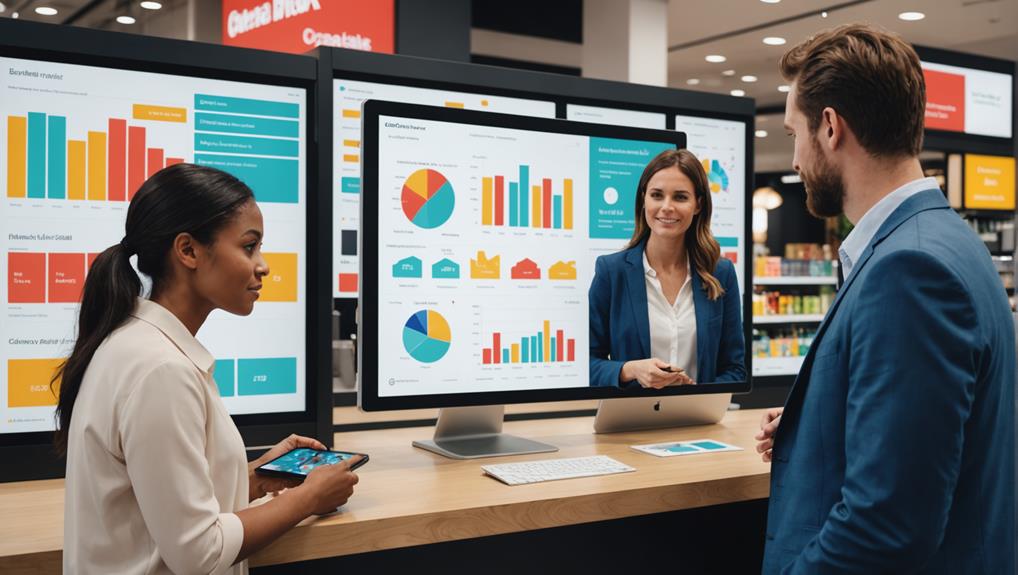
When looking for the best point of sale analytics software, you'll want to focus on options that provide real-time analytics, customizable reports, and seamless integration with your existing tools. Square, Shopify POS, and Toast POS are top choices, each offering unique features tailored to different business types and sizes. Square is great for small to mid-sized businesses with its user-friendly interface, while Shopify excels in managing both online and offline sales, and Toast is ideal for restaurant-specific needs. Pricing varies, so consider what each tier offers. Exploring these options further could unveil the perfect solution tailored just for your business needs.
Key Features to Consider
When choosing point of sale analytics software, it's essential to consider key features that will directly impact your business's efficiency and insights.
You'll want to ensure the software offers real-time analytics. This lets you monitor sales as they happen, providing immediate data to make quick, informed decisions.
Look for software with customizable reports. You need the flexibility to focus on what matters most to your business, whether it's tracking inventory levels, understanding customer buying patterns, or assessing employee performance.
Customization ensures you're not wasting time on irrelevant data.
Another crucial feature is integration capabilities. Your point of sale system should seamlessly integrate with other tools you're already using, like CRM software or financial accounting platforms.
This integration simplifies workflows and reduces errors caused by manual data entry.
Don't overlook the importance of user-friendliness. If the software is too complicated, it could slow down your operations and frustrate your staff.
A straightforward interface and easy navigation are key to ensuring that everyone in your team can utilize the software effectively.
Top Software Overview
Now that you understand what features to look for, let's explore some of the top point of sale analytics software options available on the market.
First up, you've got Square. It's a fan favorite for small to mid-sized businesses. Square's user-friendly interface and robust analytics capabilities make it a standout. You can track sales trends, customer behavior, and inventory levels all in real-time.
Plus, it integrates seamlessly with various payment systems and business applications.
Next, consider Shopify POS. It's perfect if you're running an online store along with a physical shop. Shopify POS offers unified reporting that brings your sales data together, whether online or offline.
This means you can manage your inventory more efficiently and tailor your marketing strategies based on comprehensive data insights.
For those of you in the restaurant industry, Toast POS might catch your eye. It's designed specifically for food service and includes menu management tools along with detailed sales analytics.
Toast helps you understand which dishes are performing well and which aren't, aiding in menu optimization and profit maximization.
Each of these platforms offers unique features, but they all provide powerful tools to help you understand and grow your business.
Pricing and Subscription Models

Understanding the pricing and subscription models for these point of sale analytics software can significantly impact your budget and operational planning. Many providers offer tiered pricing structures, which means you can start with a basic package and upgrade as your business grows. Typically, these are offered on a monthly or annual subscription basis.
You'll find that paying annually often comes with a discount, but you'll need to weigh if the upfront cost is worth the long-term commitment.
It's crucial to evaluate what each tier includes. Lower tiers might limit the number of transactions or the types of analytics available, while higher tiers could include advanced features like predictive analytics or customer behavior analysis.
Always check for hidden fees, such as setup fees, maintenance, or additional charges for customer support.
Some software companies also offer a free trial period. This is a great opportunity to test out the features and see if the software meshes well with your operational flow.
Don't hesitate to use this period to thoroughly assess the software's capability and ensure it meets your specific needs before making any financial commitment.
Ease of Integration
While evaluating point of sale analytics software, consider how easily it integrates with your existing systems. You don't want to be stuck with a platform that clashes with your current setup or requires extensive modifications. Seamless integration can save you a lot of time and hassle.
Look for software that supports plug-and-play functionality or provides clear APIs for connection to your existing hardware and software. It's vital that the new system can communicate effectively with your inventory, accounting, and customer management systems. This interoperability ensures that data flows smoothly across your business operations, reducing the risk of errors and data silos.
Additionally, check if the software is compatible with various payment processors and banking systems. This compatibility means you won't need to switch providers or face delays in processing transactions. Ideally, the point of sale system should enhance your operational efficiency, not hinder it.
Moreover, consider the technical support offered. You'll want a provider that offers robust support during the integration process and beyond. This support can be crucial in addressing any issues swiftly, ensuring that your business operations remain uninterrupted.
Choosing a system that integrates easily with your existing infrastructure is crucial for a smooth transition and optimal functionality.
User Reviews and Feedback
Before choosing a point of sale analytics software, it's wise to consider user reviews and feedback. These insights give you a real-world glimpse into how the software performs under daily retail pressures. Remember, you're not just buying a tool; you're integrating a system that will interact with every transaction your business conducts.
Think about it: user reviews are like having a candid conversation with someone who's already walked the path you're considering. They can tell you not only about the software's performance but also about the customer support, ease of use, and any unforeseen hurdles they encountered. This is invaluable because it goes beyond the polished sales pitches and the technical jargon that you'll encounter in promotional materials.
Moreover, don't just skim the ratings. Dive deep into the comments section where you'll find the specifics that align with your business needs. Are there recurring complaints about system glitches? How often do users praise the software's ability to generate actionable insights? Such questions are crucial.
Lastly, balance the reviews. If you notice extreme opinions, look for a consensus. This approach helps you sift through subjective viewpoints to find the most reliable feedback.
Expert Recommendations
Why not also consider expert recommendations when selecting your point of sale analytics software? Tapping into the insights of industry experts can guide you through the maze of available options and pinpoint the tools that best match your business needs.
Experts typically evaluate software based on several key factors: functionality, scalability, ease of integration, and support services. They'll weigh the pros and cons, often providing a clearer picture of how a particular software stands up under rigorous daily use. This can save you from the trial-and-error phase, speeding up your decision-making process.
You'll find these recommendations in trade publications, dedicated software review sites, and through professional networks. Make sure you're looking at recent reviews; the tech world moves fast, and what was top-rated last year mightn't hold the crown today.
Also, don't shy away from reaching out directly. If there's a consultant or industry thought leader you respect, ask for their advice. They might offer insights not found in public reviews and tailor their suggestions to your specific circumstances.
Frequently Asked Questions
How Does POS Analytics Software Handle Data Security?
You're concerned about how POS analytics software manages data security. It typically encrypts data, uses secure servers, and adheres to compliance standards to ensure your information stays protected against unauthorized access or breaches.
Can POS Analytics Software Predict Customer Trends?
Yes, you'll find that POS analytics software can predict customer trends by analyzing past purchasing data, identifying patterns, and forecasting future buying behaviors, which helps you tailor your marketing and stock more effectively.
What Training Is Required for POS Analytics Software?
You'll need specific training on data handling, software navigation, and interpreting analytics. Most companies offer tutorials and user support to get you started and enhance your skills in managing POS analytics effectively.
Are There Mobile-Friendly POS Analytics Options?
Yes, there are mobile-friendly POS analytics options that let you access data on-the-go. You'll find various apps that sync seamlessly with your systems, offering real-time insights directly on your smartphone or tablet.
How Does POS Analytics Impact Customer Privacy?
POS analytics can significantly impact customer privacy, as it collects detailed purchase data. You must ensure that this information is handled securely and complies with privacy laws to protect your customers' sensitive data.
Conclusion
You've explored the top point of sale analytics software options, considering key features, pricing, integration ease, and user feedback. Now, it's time to choose the best fit for your business. Remember to pick a solution that not only meets your current needs but also grows with your business. Trust expert recommendations and user reviews to guide your decision. Make a smart investment; the right software will enhance your operational efficiency and boost your sales.
Related articles: Choosing the Best POS Analytics Software: A Review · Why Should You Analyze Retail Sales Data? · 10 Essential Tips to Analyze Retail Sales Data